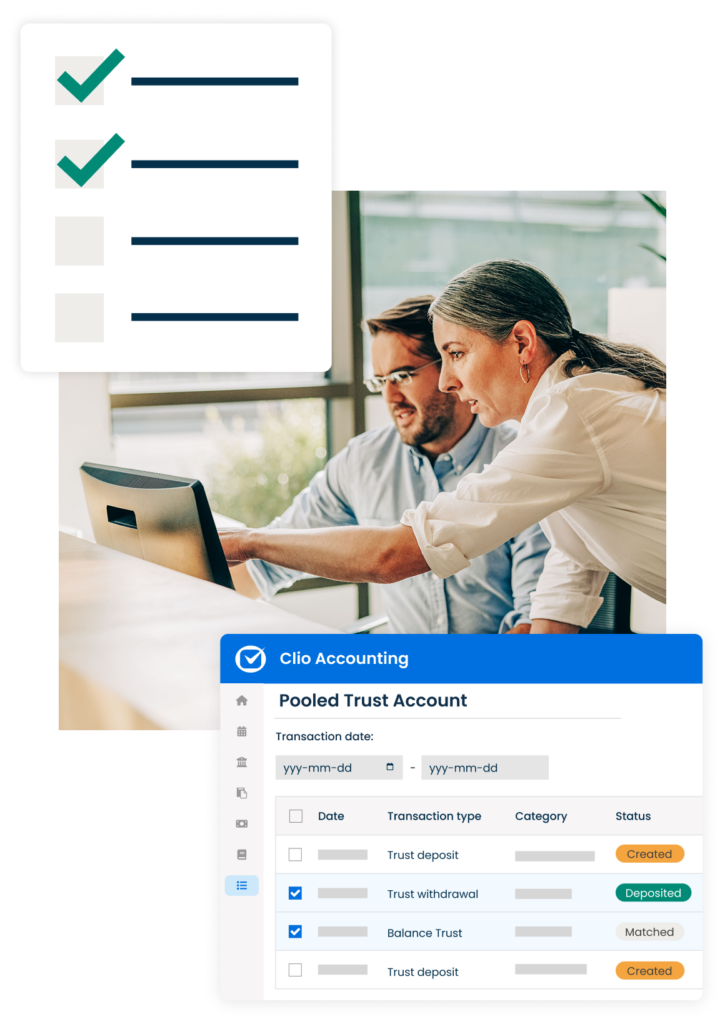
Get the most out of Clio Accounting

Everything you need to successfully master your new legal accounting platform

Clio Accounting connects your invoicing, payments, and accounting all in one place. Work through this welcome kit to ensure your firm is set up properly to take advantage of everything Clio Accounting can do.

Get your firm set up for success
Learn legal accounting essentials

Keep finances accurate from the start

Stay confident in every compliance check

Ensure your books match your bank transactions

Meet with our Clio Certified Consultants

Clio Accouting Welcome Kit

Get your firm set up for success

Get your firm set up for success_Clio Accounting Welcome Kit

Ensure a smooth start so you can best manage your firm’s finances

Get to know Clio Accounting with tips, guides, walkthroughs, and more.

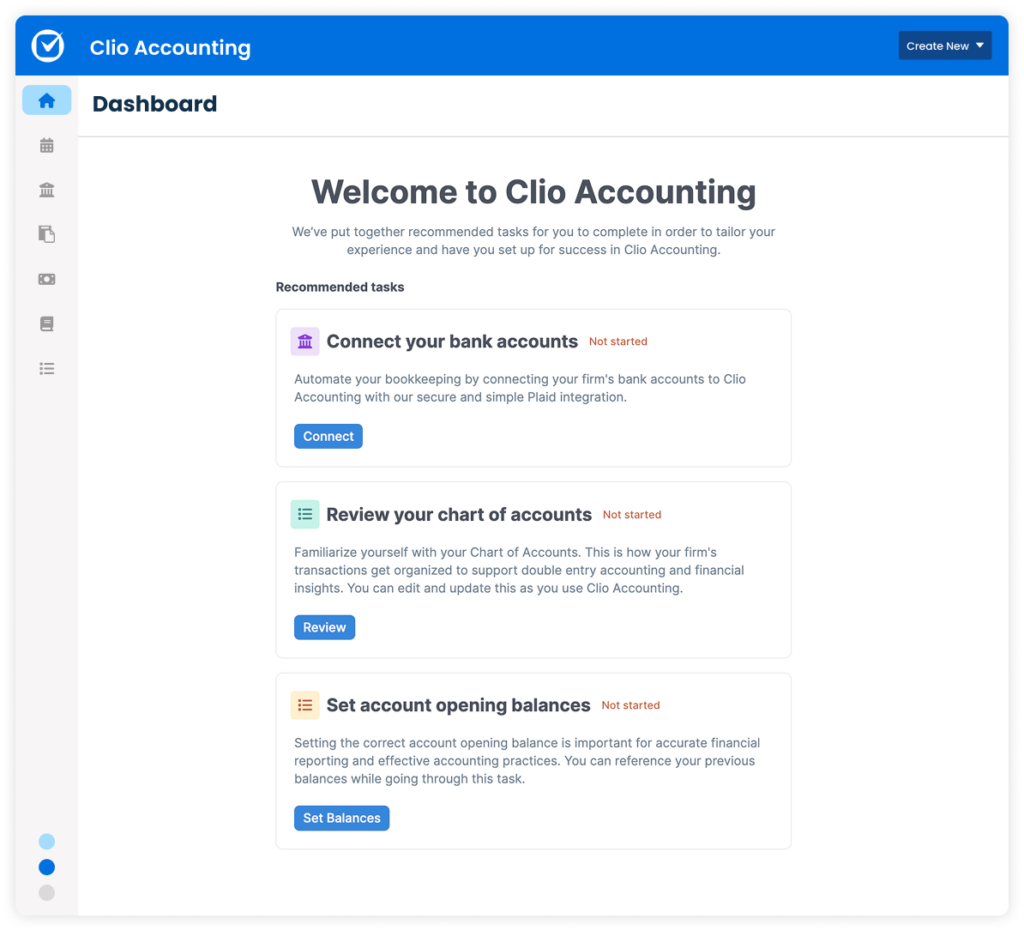
To get started, gather your latest bank and credit card statements, opening balances, and reconciliation records if available. During setup, you’ll be prompted to select which trust and operating accounts from Clio Manage should sync with Clio Accounting, and set a start date for transaction tracking. For more detailed guidance, refer to the complete setup guide.
Log in to Clio Accounting

Learn legal accounting essentials

Use these steps to work efficiently as you balance your books

Video Clio Accounting

Bad books are bad for business. Here’s how to set up your account for accurate bookkeeping:

  • Banking data in Clio Accounting: You can connect your bank accounts using our secure Plaid integration or upload your bank files manually, whichever works best for your firm.
  • Set user roles & permissions: Assign team members the right level of access by choosing Accountant/Bookkeeper for full financial access or Standard for limited visibility. You can always update these permissions as your team or workflows evolve.
  • Your chart of accounts: Organize every transaction into clear categories. It lays the foundation for accurate financial reporting—set it up properly from the start to ensure everything is categorized correctly early on.
  • Account opening balances: For accurate financial reporting and a smooth transition, manually enter opening balances for all relevant accounts. This ensures continuity, as historical data can’t be imported.

Invoicing & matching transactions_Clio Accounting Welcome Kit

Keep finances accurate from the start

Invoices and payments, including trust transactions and hard cost expenses, created in Clio Manage automatically sync with Clio Accounting:

  • Log your expenses as they happen in Clio Manage: To ensure accurate client billing, record expense activities—particularly hard costs—as they occur. Don’t have hard and soft costs enabled in Clio Manage? You can easily turn them on in your settings.
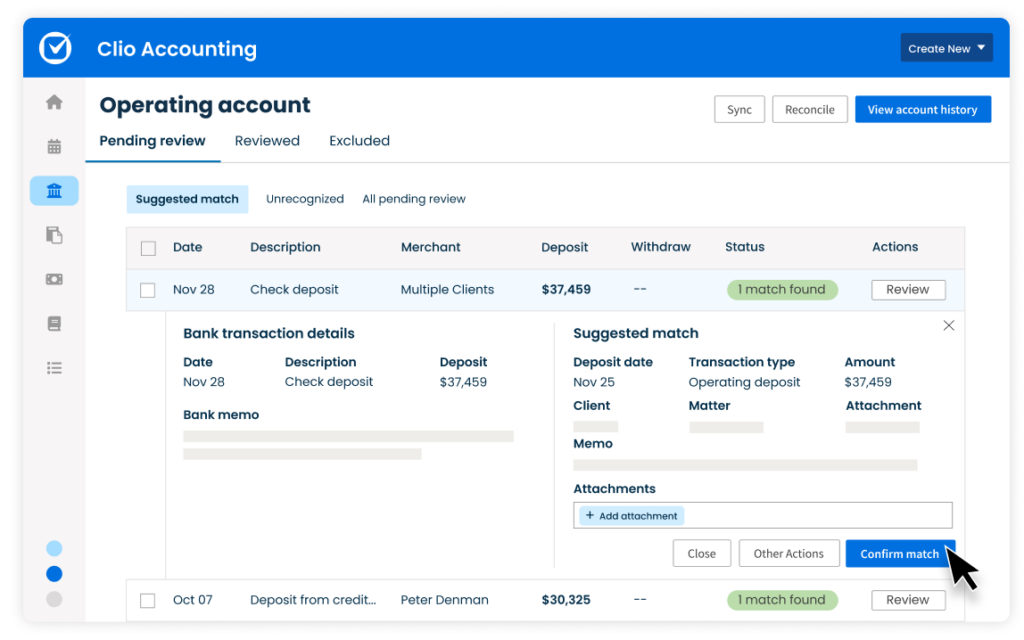
  • Invoicing & matching transactions from Clio Manage: You should regularly review synced transactions and match them to your bank activity to keep your records accurate. Clio Accounting takes this a step further by automatically categorizing transactions based on rules you set and matching Clio Payments deposits in your bank feed when the Clio Payments automation is turned on.
    .

Tip: For transactions not affected by rules, Clio Accounting will automatically suggest a match when the amount and date align with a transaction from your bank account. All you need to do is confirm it.

Review suggested match transactions

Clio Accounting Three way reconciliation Animation

Maintain trust compliance with routine reconciliation:

Regular three-way reconciliation is a key best practice for accurate trust accounting. Ensure your client trust ledgers, firm trust ledgers, and bank statements align. This helps you stay compliant with legal regulations and maintain clean, audit-ready records.

Learn more about trust reconciliation

Learn more about trust account management

Stay confident in every compliance check

Stay confident in every compliance check

Say goodbye to costly trust accounting mistakes

Use this checklist to ensure you tap into Clio Accounting’s compliance-based features:

Review new bank transactions: Regularly review new bank transactions to ensure accuracy, maintain trust account compliance, catch discrepancies early, and keep records up to date.
Enter any new operating expenses: Record operating expenses to ensure accurate bank feed matching and clear tracking of deposited funds.
Enter any new operating deposits or trust deposits: Adding operating deposits is part of the bank feed matching workflow. It can help you differentiate between what has actually been deposited and what has not.
Move earned trust funds to your operating account: Create a trust withdrawal in Clio Accounting to ensure earned trust funds are accurately transferred to your operating account for proper tracking and reconciliation.
Reconcile your bank accounts and credit cards: Regularly reconcile bank and credit card accounts to help prevent fraud, maintain compliance, and prepare for tax season. Trust account reconciliation is especially crucial.


Review your financial reports: Regularly review financial reports to provide clear insight into your firm’s financial health, which helps track cash flow, spot trends, and support confident decision-making.

Get insights into firm financing with specific reports

Ensure your books match your bank transactions

Ensure your books match your bank transactions

Stay on track at month’s end with proven tips

Tap into these tips to ensure your books are balanced:

  • Understand transaction statuses: Transactions posted in Clio Accounting will display a Status of the transaction & shows what stage this transaction is in within Clio Accounting. 
  • Reconcile operating accounts on a monthly basis: Perform a two-way bank reconciliation for your operating account, or a three-way reconciliation for your trust accounts.
  • Ensure balance is always zero: To maintain accurate and reconciled records, the difference must always be zero. If the difference is anything other than zero, it indicates an error in one or more of the reconciled accounts.

Meet with our Clio Certified Consultants

Get support from our in-house experts

If you ever need support or just want a second set of eyes on your accounting setup, our team is here to help. You can book time with one of our Clio Certified Consultants or get paid custom training for tailored guidance. Whether you're looking to ensure your trust accounting is set up correctly or want help transitioning your books, our in-house experts are just a click away.

Phone: 1-888-858-2546 ext. 2 | Email: [email protected] or chat with us in-app.

Customer Support

Book a 1:1 session to get support

Clio Accounting Frequently Asked Questions

What are the basics of trust accounting compliance?

The fundamental aspects of a lawyer’s duty when it comes to handling client funds include:

Identification: Depositing funds into an account specifically labeled as a trust account.

Segregation: Keeping client funds on deposit separate from a lawyer’s operating or personal funds.

Accounting: Creating and maintaining appropriate records of funds belonging to their clients.

These are some of the basics of trust accounting compliance, but some U.S. states also have additional rules if you’re handling client funds.

One of the advantages of using Clio’s legal-specific trust accounting software is that it is built to provide trust accounting functions that are easy to manage and maintain.

Will trust accounting software help me meet IOLTA requirements?

Yes. You can create an account in your trust accounting software specifically for IOLTA transactions. You can then monitor all payments, interest, and disbursements through that fund.

Does Clio have the specific report required for trust accounting compliance in my jurisdiction?

Clio Accounting allows you to complete three-way reconciliation. It uses the bank feed matching process to automatically connect transactions from the ledger with what’s in the bank account. With all three sources of information conveniently available in one place, Clio makes it quick and easy to reconcile and access current or past reports for compliance purposes.

Built for legal professionals—not just accountants

Clio Payments sits at the center of billing and accounting—automatically recording and matching every transaction, so you can skip manual reconciliations and focus on practicing law. It’s payment processing, built right into the tools you already use.

See how they work together