Clio Work

The only AI that knows your matters and the law

Clio Work analyses the record, researches the law against your facts, tests your strategy, and prepares next steps to review.

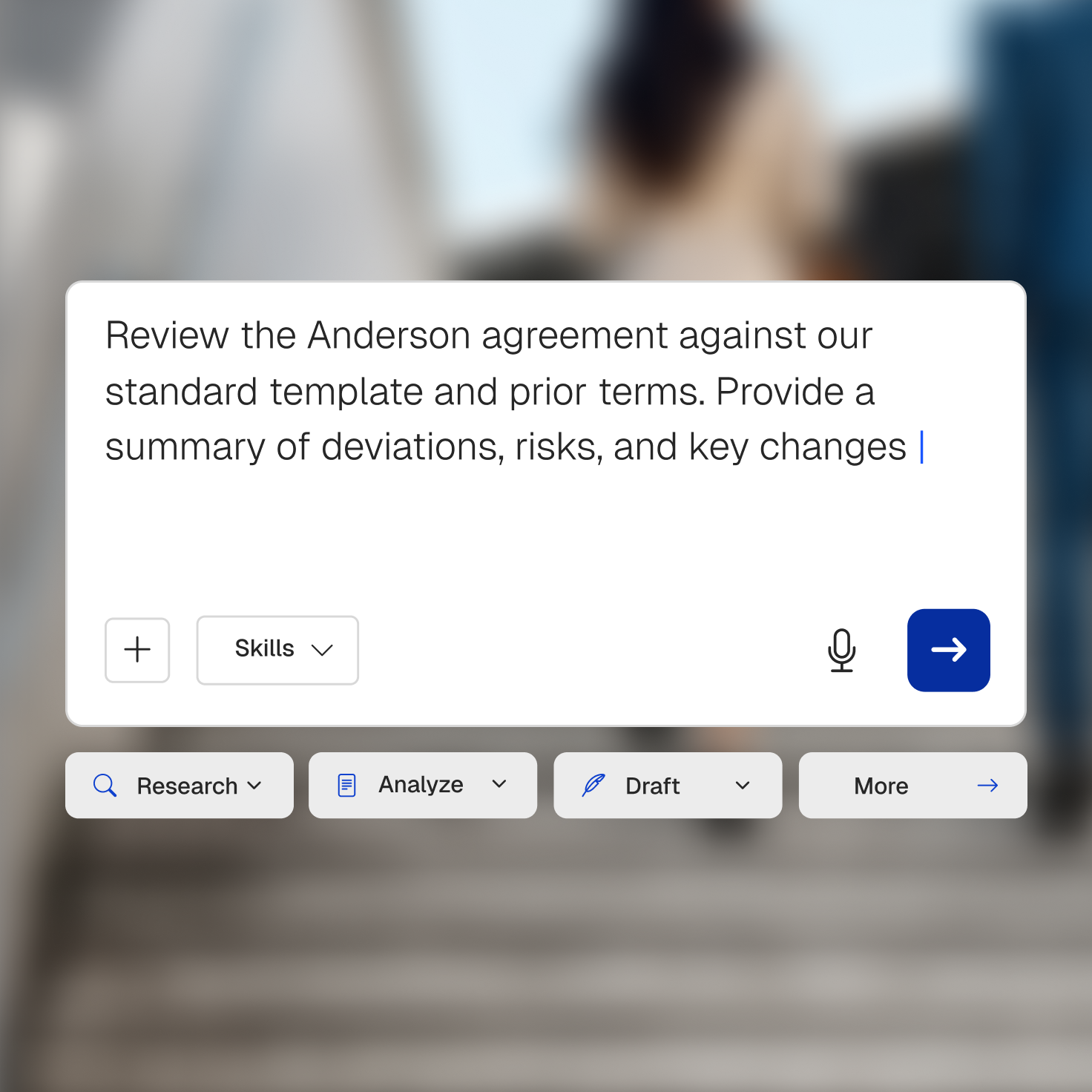
A digital interface showing an AI assistant prompt: "Review the Anderson agreement against our standard template and prior terms. Provide a summary of deviations, risks, and key changes," with skill-based action buttons like "Research," "Analyze," and "Draft."

Legal AI that actually knows your case

Clio Work uses AI across the matter, so the work builds on what came before.

Knows your matter

It works from the documents, communications, notes, and deadlines already in Clio, so you never re-upload or re-explain the case.

Stands on authoritative law

Answers draw on 1 billion+ global legal documents, with every citation linked to its source.

Covers both sides of your practice

Litigation or transactional, it reads pleadings and affidavits, or contracts and redlines, with the same matter context.

Understand the whole matter before you make the next move

Clio Work reads across the matter already in Clio, turning scattered documents, communications, and deadlines into a clear view of what happened and what needs attention.

  • Build the timeline. Pull dates and events into a chronology you can investigate and refine.
  • Surface what matters. Find the claims, obligations, risks, and gaps that change your approach.
  • Work across one document or thousands. Ask questions without re-uploading or re-explaining the matter.

Research the law against the facts of your matter

Clio Work pairs your question with the facts, issues, and jurisdiction of the matter, then ties every answer to law you can open and check yourself.

  • Trace every answer to its source. Cited authority linked to the exact passage.
  • Find law that fits the issue. Cases, legislation, and regulations matched to the matter, not just the keyword.
  • Rely on good law. A built-in citator confirms the authority is still current before you cite it.
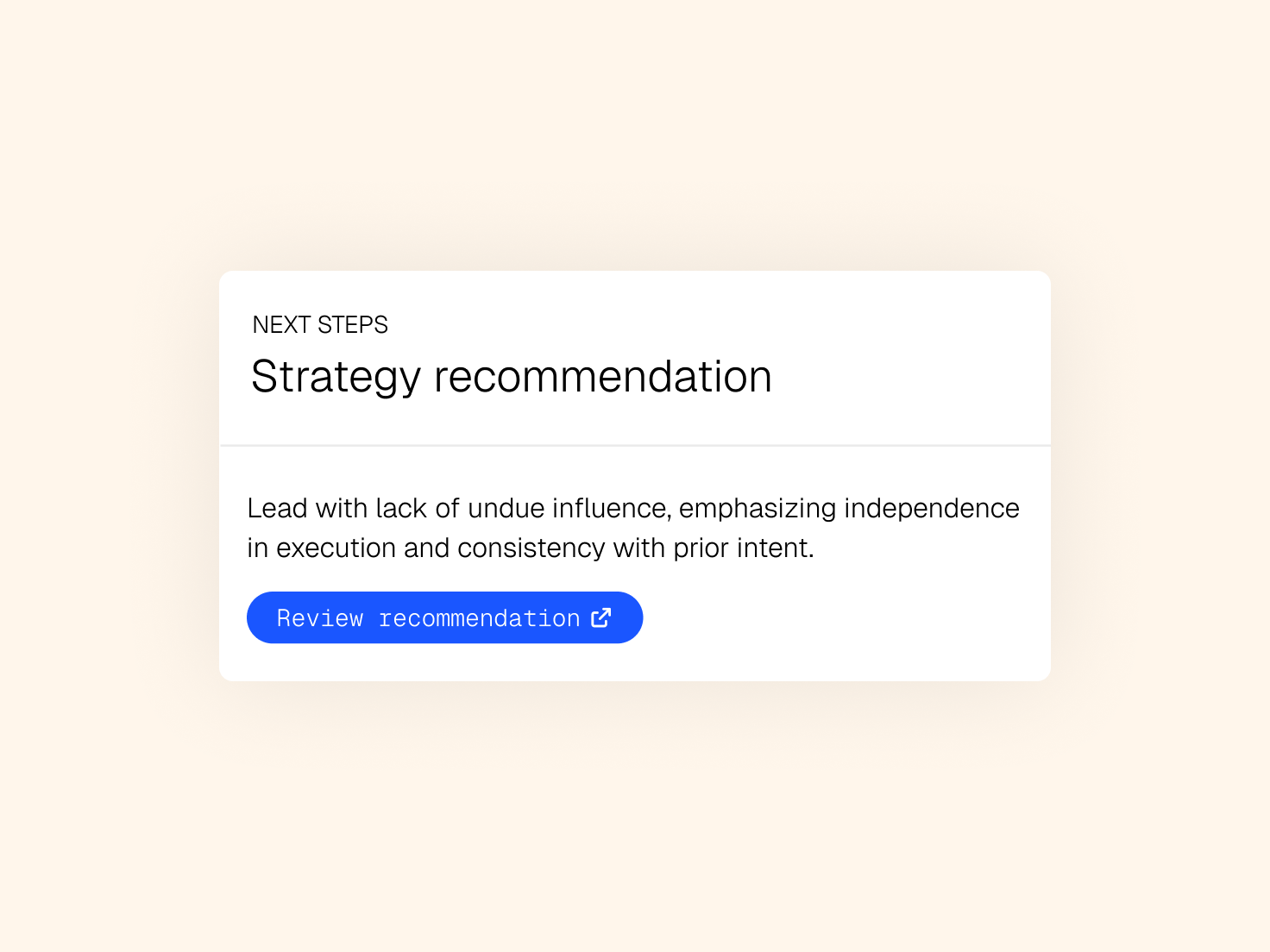
Strategy recommendation UI card with text about independence in execution and a "Review recommendation" button.

Find the holes before the other side does

Bring the facts and the law together to challenge your position, compare approaches, and see where it's weak before you commit.
  • Challenge your position. Surface counterarguments and gaps in facts or law that need work.
  • Compare the paths. Weigh different approaches with the facts and authority behind each.
  • Keep the judgement yours. The analysis sharpens your thinking; you decide the strategy.
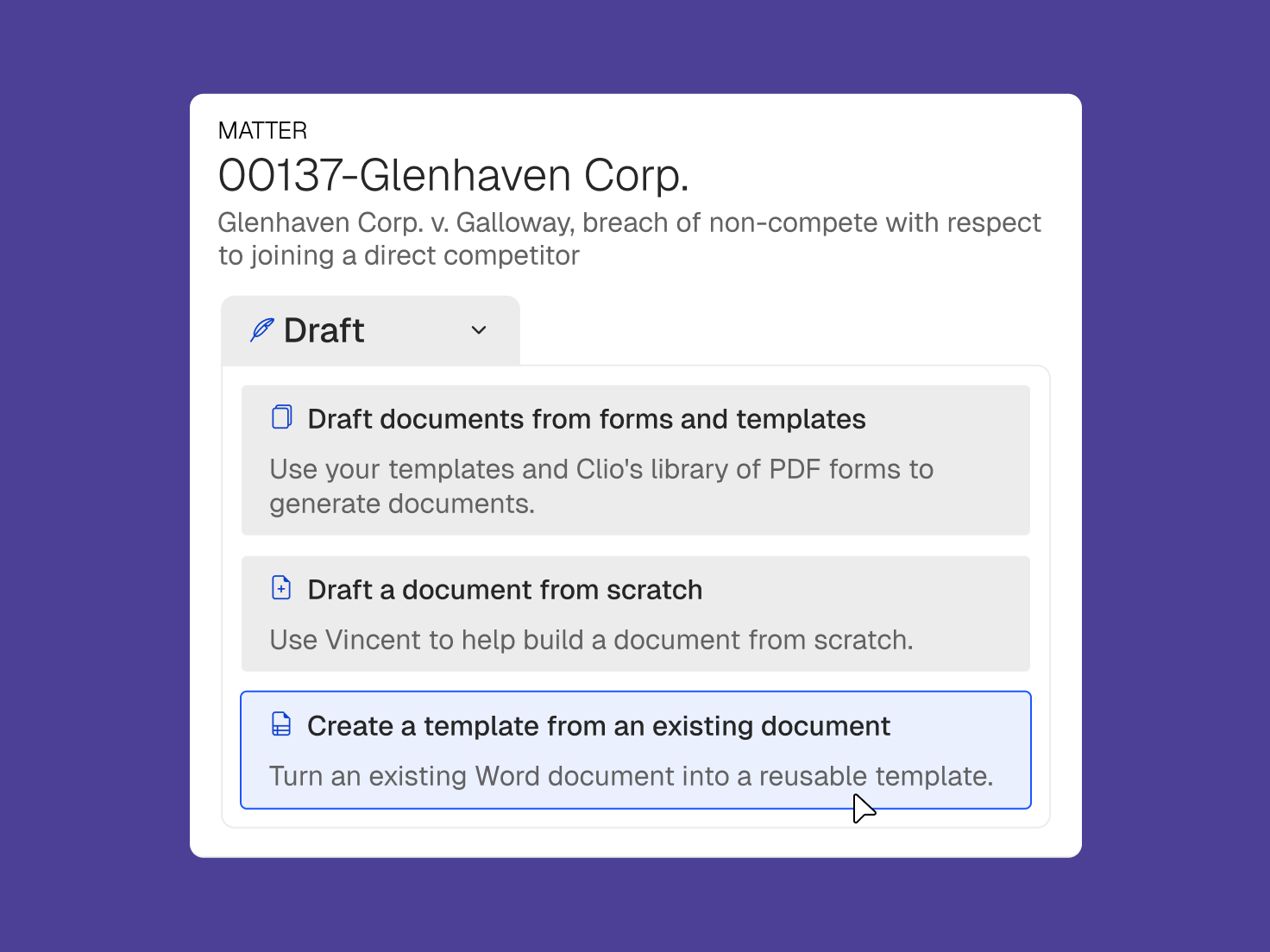
A digital interface showing a legal matter and document drafting options, with "Create a template from an existing document" highlighted.

Draft from the matter, not from scratch

Move from analysis and research to drafts grounded in the matter, the law, your instructions, and your precedent, without starting over in another tool.

  • Skip the blank page. Draft from matter facts, cited authority, and an example.
  • Work from precedent. Reuse firm-approved language instead of rebuilding every time.
  • Check as you go. Flag unsupported assertions and gaps while there's still time to fix them.
  • Draft where you work. Stay in Clio Work or keep going in Microsoft Word.

Clio Work raises the baseline for our junior attorneys. They're able to work at a much higher level, much faster, reducing how often senior attorneys need to step in.

Kimberly Mullinax

General Manager, King Law

Built for confidential legal work

Clio Work runs on Clio's enterprise-grade security, and your matter data stays yours.

A horizontal line with circles at both ends, inward-pointing arrowheads, and a central X-shaped intersection.

Never trains on your data

Your files are never used to train public AI models.

Two white dots connected by three white lines, faint on a white background.

Private by permission

Clio Work inherits your Clio Manage permissions, so each person sees only the matters they should.

A horizontal chain of black circles with small black dots at their connections on a white background.

Secure

SOC 2 Type II certified, and compliant with GDPR, with zero data retention agreements.

Clio Work FAQs

What is Clio Work?

Clio Work is matter-aware legal AI for research, analysis, strategy, and drafting. It brings authorised matter context in Clio together with authoritative law, so legal professionals can work from a fuller picture of the matter.

What makes Clio Work different from other legal AI tools?

Many AI tools only know what you type into a prompt or upload for a particular task. Clio Work can work with authorised matter information already in Clio, including documents, communications, notes, deadlines, and tasks, and connect that context to authoritative legal sources.

Do I have to upload my matter every time I use Clio Work?

No. When the relevant information is already available in Clio and you have permission to access it, Clio Work can use that matter context without requiring you to repeatedly upload the same files or recreate the background in every prompt.

Does Clio Work provide citations?

Yes. Supported legal research and AI outputs connect to the underlying authority so you can inspect and verify the sources behind the work.

Can I use Clio Work for litigation and transactional matters?

Yes. Clio Work can support litigation workflows such as matter analysis, research, timelines, strategy, and drafting, as well as transactional work such as contract analysis, redline review, risk identification, due diligence, and drafting.

Does Clio Work work with Microsoft Word?

Yes. Supported Clio capabilities are available in Microsoft Word, so you can continue drafting and editing in the environment you already use.

Does Clio use my firm's data to train AI models?

Customer information is not used to train third-party AI models. Access to matter information also follows the permissions and controls that apply in Clio.

See what Clio Work can do with the matter already connected

Bring the facts, the law, and the work together in one legal AI workspace.