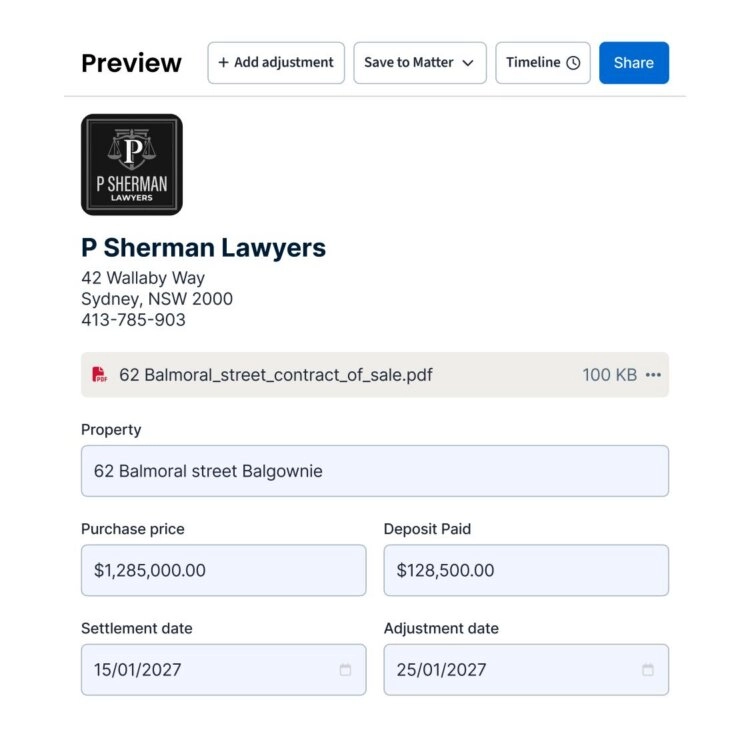
From documents to statement in minutesNo more retyping the contract into a spreadsheet.
Clio pulls the property details, the vendor and purchaser figures, and the rates and water amounts straight out of your documents.
-
Step 1Upload the documents
Drop in the contract of sale and the council, water, and land tax notices. PDFs, scans, whatever you already have on file.
-
Step 2Clio reads & apportions
It extracts the figures, matches them to the right party, and apportions the rates and water adjustments to the settlement date for you.
-
Step 3Share it and settle the changes
Share the statement by secure link. Clio reads the other side’s email replies and drops their proposed changes into a timeline beside the figures, ready to accept, counter, or query.
What makes it differentNothing changes quietly.
Traceable numbers, honest overrides, and one place for everything the other side sends back.
-
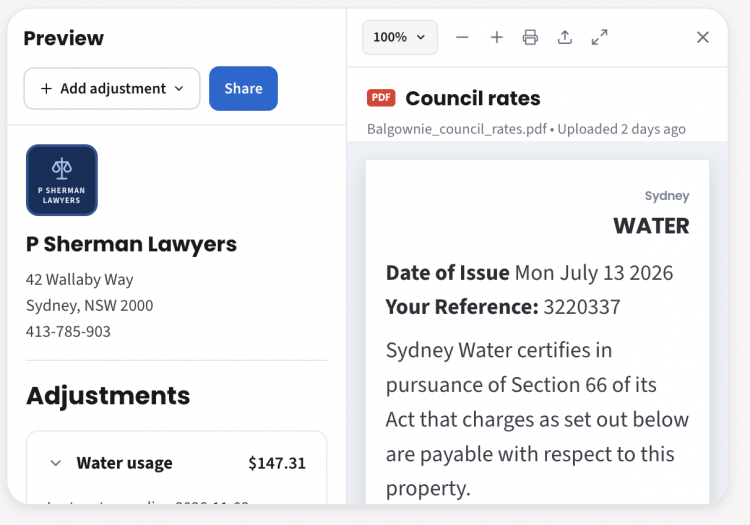

See every figure against its source, side by side.
Click a number and the original document opens right beside it, on the page and clause the figure came from. Nothing on the statement is a number you take on faith.
Jump straight to the exact clause in the contract.See the daily rate and days apportioned, worked out in the open.Open the original document side by side to compare the values yourself. -
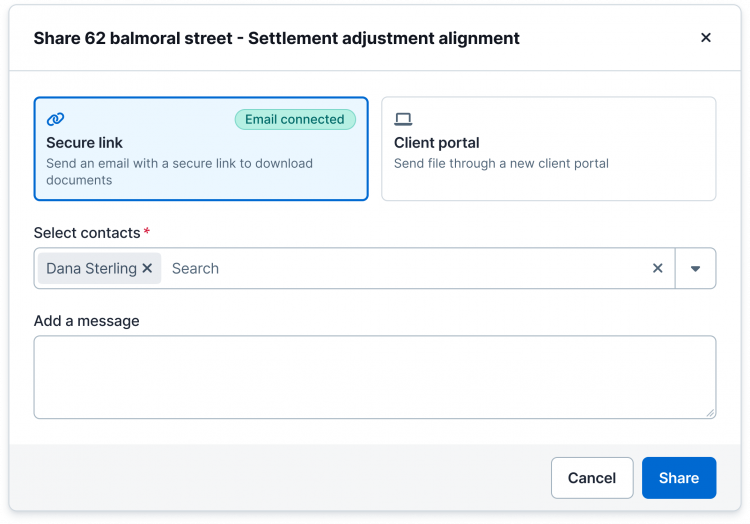
Share it, and keep the whole conversation next to the numbers.
Send the finished statement by secure link or through a client portal, and keep the replies, proposed changes, and requests from the other side in one timeline next to the numbers.
Secure link or client portal, whichever suits the matter.Proposed changes tracked against the line they touch.No more chasing the latest version over email. -
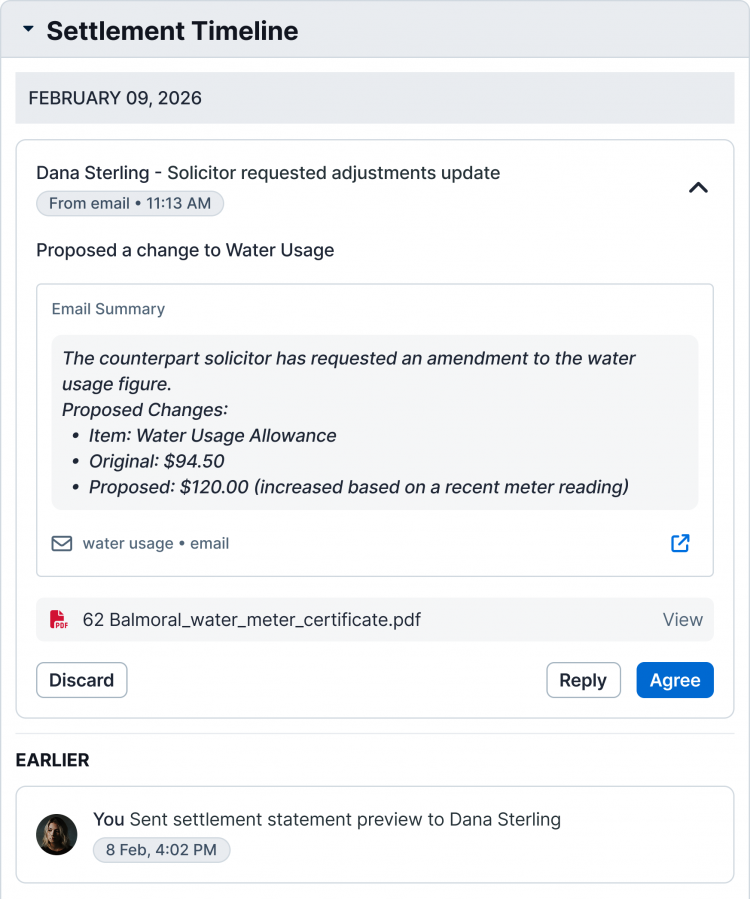
Act on every change, right from the timeline.
When the other side proposes a change, it lands on the exact line it affects. Accept it, counter it, or ask a question, and the statement updates in place.
See each proposed change on the line it affects.Agree, query, or send it back in a click.The statement and its history move together.
What documents can Clio read?
The contract of sale and the council rates, water, and land tax notices are the core set. Clio reads standard PDFs as well as scanned documents, and matches the figures to the vendor or purchaser automatically.
How are the rates and water adjustments apportioned?
Clio apportions each amount to the settlement date using the billing period on the notice. It shows you the daily rate and the number of days, so you can see exactly how the figure was reached instead of trusting a black box.
Can I override a figure Clio extracted?
Yes. When you do, the statement flags that the number no longer matches its source. The override stays visible to you and to anyone you share the statement with, and you can revert to the source figure in one click.
How do I share the statement with the other side?
By secure link or through a client portal. Their replies, proposed changes, and requests are kept in one timeline next to the numbers, so the conversation and the statement never drift apart.
Is my client and matter data secure?
Documents and statements are encrypted in transit and at rest, and shared links are access-controlled. Clio is built for legal professionals, with the security and confidentiality expectations that come with that.
Try it on your next settlement.
Bring one contract and its rates notices. See the statement build itself, with the source behind every number.