Create automated legal documents in minutes
Automatically draft contracts, letters, and other legal documents with greater accuracy and less manual effort.

-
Prepare complex documents with ease
Turn your Microsoft Word documents into reusable templates that autofill with case and client data from Clio Manage.
-
Scale your legal document creation processes
Generate multiple documents for a single matter at once, ideal for transactional practice areas like conveyancing.
-
Fewer mistakes, more peace of mind
Reduce errors with smart logic, automatic pronoun, clause, and date formatting means less time proofreading.
Simplify how you create and customise legal documents
Save time and reduce mistakes by turning existing files into easy-to-use templates.
-

Turn Microsoft Word documents into reusable templates
Convert your existing Word files into fillable templates so you can draft documents faster and with fewer mistakes.
-

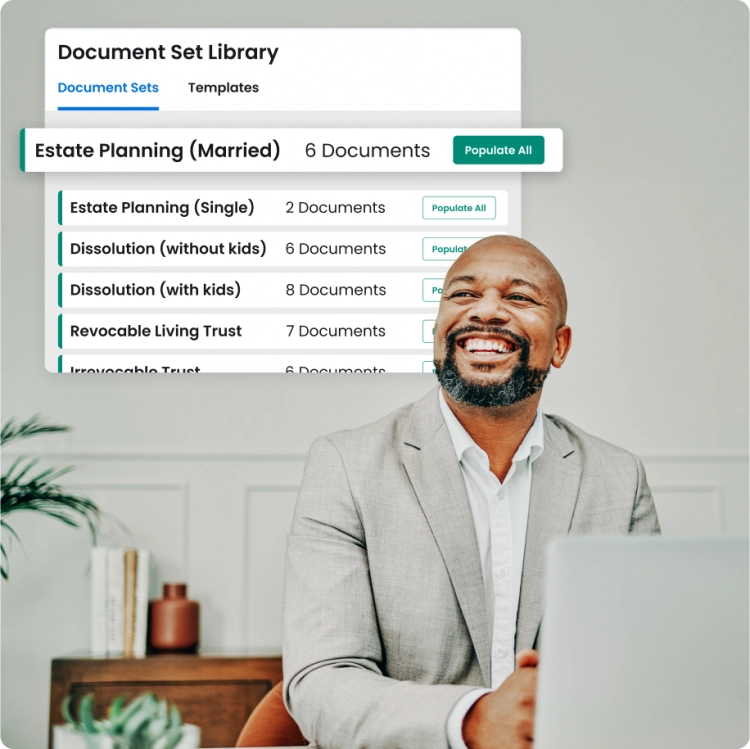
Draft complete document sets in one go
Create and reuse bundled templates for similar matters, so you can generate every required form in a single step, keeping your documents consistent, accurate, and ready faster.
-

Automatically customise documents based on case details
Use auto-generated questionnaires to collect the client information you need for your documents, reducing manual edits and errors.
What lawyers have to say about Clio’s advanced legal document automation software

-
Take control of your time
Cut the time it takes to draft legal documents by up to 80% so you can focus on the work that matters.
-
Ditch your tedious document tasks
Spend more time on high-value work by automating everything from client information gathering to legal document drafting.
-
Get it right the first time
Automate your drafting processes to reduce manual error and ensure your firm is always using the latest document versions.
Explore more law firm document automation features
-


Legal questionnaires
Reduce manual entry and the risk of error. Collect case information directly from your clients with professionally branded questionnaires.
Learn More About Legal Questionnaires
FAQs about legal document automation software
What is legal document automation?
Legal document automation is the process of using software to create automated templates for documents—like contracts—eliminating the need to build documents from scratch every time. Once a template exists, legal professionals can share a questionnaire to collect the needed information from a client, which the software uses to generate the contract instantly.
What is document automation software for lawyers?
Document automation software for lawyers is a tool for creating, editing, and managing legal files at scale. Typically, this document automation software for law firms uses pre-existing data to auto-populate a new document. Law firms can use automation to draft contracts, invoices, purchase agreements, leases, licences, and more.
How does Clio Draft’s law firm document automation solution work?
Clio Draft’s advanced law firm document automation software allows you to convert existing Word documents into fillable online templates. The document automation solution for lawyers uses advanced features to update pronouns, verbs, and clauses automatically based on parameters such as client details or specific case information. It simplifies the document drafting process by allowing you to create reusable rules and conditions that ensure accuracy and consistency across all documents.
What are the features of law firm document automation software?
Key features of law firm document automation software include:
- Customisable templates: Turn your existing documents into reusable legal templates that can be tailored for each case.
- Data integration: Ability to pull data from various sources to populate documents automatically.
- Conditional logic: Incorporation of logic-based conditions to adjust document content based on specific criteria that allows law firms to do things like adjusting pronouns and verbs to agree with client-specific details, and adding or removing clauses based on case information.
- Collaboration tools: Features that allow multiple users to work on documents simultaneously.
- Version control: Tracking changes and maintaining document history to ensure accuracy. Cloud-based technology, such as Clio Draft, ensures that your firm always uses the latest version of any document. This eliminates the need for maintaining multiple versions and reduces the risk of errors or omissions due to outdated information. All team members can access and work on the most current version, ensuring consistency and accuracy.
What are the benefits of automating legal documents?
Automating legal documents offers several benefits:
- Time savings: Automation reduces the time spent on repetitive drafting tasks. Clio Draft enables the conversion of existing Word documents into online legal templates that can be automatically populated with client and case information, allowing legal professionals to complete documents more quickly and focus on more strategic work.
- Increased accuracy: Minimises human errors by standardising document creation. Clio Draft reduces errors by auto-populating case information instead of relying on manual entry. This minimises the risk of typos and inaccuracies in client names, addresses, and other critical details.
- Cost efficiency: Lowers operational costs by streamlining workflows.
- Improved client service: Enables faster turnaround times and enhances client satisfaction.
- Consistency: Ensures uniformity across all documents, maintaining a professional standard.
- Improved client service: Enables faster turnaround times and enhances client satisfaction.
- Consistency: Ensures uniformity across all documents, maintaining a professional standard.
How do you implement document automation software for law firms?
Implementing document automation software for your law firm involves several steps:
- Assess needs: Identify the types of documents and processes that would benefit from automation.
- Select software: Choose a platform that aligns with your firm’s requirements and integrates with existing systems.
- Customise templates: Turn your existing Microsoft Word files into reusable templates tailored to your specific legal services.
- Train staff: Provide training to ensure effective use of the software.
- Monitor and optimise: Regularly review the system’s performance and make necessary adjustments.
Why is Clio Draft the best legal document automation software?
Clio Draft stands out as one of the most powerful document automation solutions for law firms due to its comprehensive features and intuitive design:
- Advanced document automation: Convert your existing Microsoft Word documents into reusable templates, streamlining the creation of legal documents and reducing repetitive drafting.
- Conditional logic: Clio Draft allows you to create dynamic templates that automatically adjust pronouns, clauses, and formatting based on client or matter-specific information—ensuring each document is accurate and relevant.
- Integration with Clio Manage: Seamlessly populate templates with up-to-date client and matter data from Clio Manage, helping you minimise manual entry and reduce the risk of errors.
- Remote access and team collaboration: As a cloud-based platform, Clio Draft allows your team to work from anywhere. It ensures everyone is working from the latest version, improving collaboration and eliminating confusion over document versions.
What is conditional logic?
Conditional logic refers to the use of “if-then” statements within document templates to dynamically adjust content based on specific inputs.
This means your templates can respond to different case details or client types—automatically adjusting pronouns, adding or removing clauses, or tailoring the tone and language to suit the situation.
For example, if you’re drafting a letter for joint clients, the document can automatically switch to plural pronouns and insert the relevant clauses based on predefined rules.
What are the benefits of using logic-based conditions in document automation for law firms?
Using logic-based conditions within document automation gives your firm greater control, precision, and time savings. Benefits include:
- Customisation: Tailor each document to the unique needs of your client or matter.
- Efficiency: Spend less time manually editing templates for different scenarios.
- Accuracy: Automatically ensure that the right content appears—and irrelevant content is excluded—based on your inputs.
- Consistency: Maintain a high standard across all documents, while still allowing for flexible variation where needed.
In Clio Draft, logic-based rules can adjust pronouns, add or remove entire clauses, and apply formatting or language changes depending on your case data or questionnaire responses.
What types of documents can I upload and convert into automated templates?
Clio Draft allows you to upload and convert commonly used Microsoft Word documents—such as client care letters, cost estimates, retainer agreements, and contracts—into smart, reusable templates.
How does Clio Draft improve grammar and consistency in legal documents?
Clio Draft automatically adjusts pronouns, verb tenses, and subject-verb agreement based on your template logic and inputs. This ensures grammatical accuracy and removes the need to create multiple variations of the same document for different client types or scenarios.
Can I store and reuse specific clauses in Clio Draft?
Yes. With Clio Draft, you can save standardised language, clauses, or legal boilerplate text and reuse them across multiple templates. This makes it easy to maintain consistency while reducing repetitive drafting work.
What’s the benefit of using my own documents instead of third-party templates?
Clio Draft allows you to transform your own firm’s templates and precedent documents into automated versions. This ensures your legal documents reflect your firm’s voice, preferred formatting, and internal processes, rather than relying on generic third-party forms that may not align with your practice.
How does Clio Draft streamline the legal document workflow?
Clio Draft brings together the full drafting workflow—from client intake, to document generation, to final draft—into a single tool. With built-in automation, custom questionnaires, and real-time data syncing with Clio Manage, your team can produce accurate, ready-to-send documents in minutes—without retyping, copy-pasting, or printing.