
Clio Work
Automate legal form drafting: Built for law firms
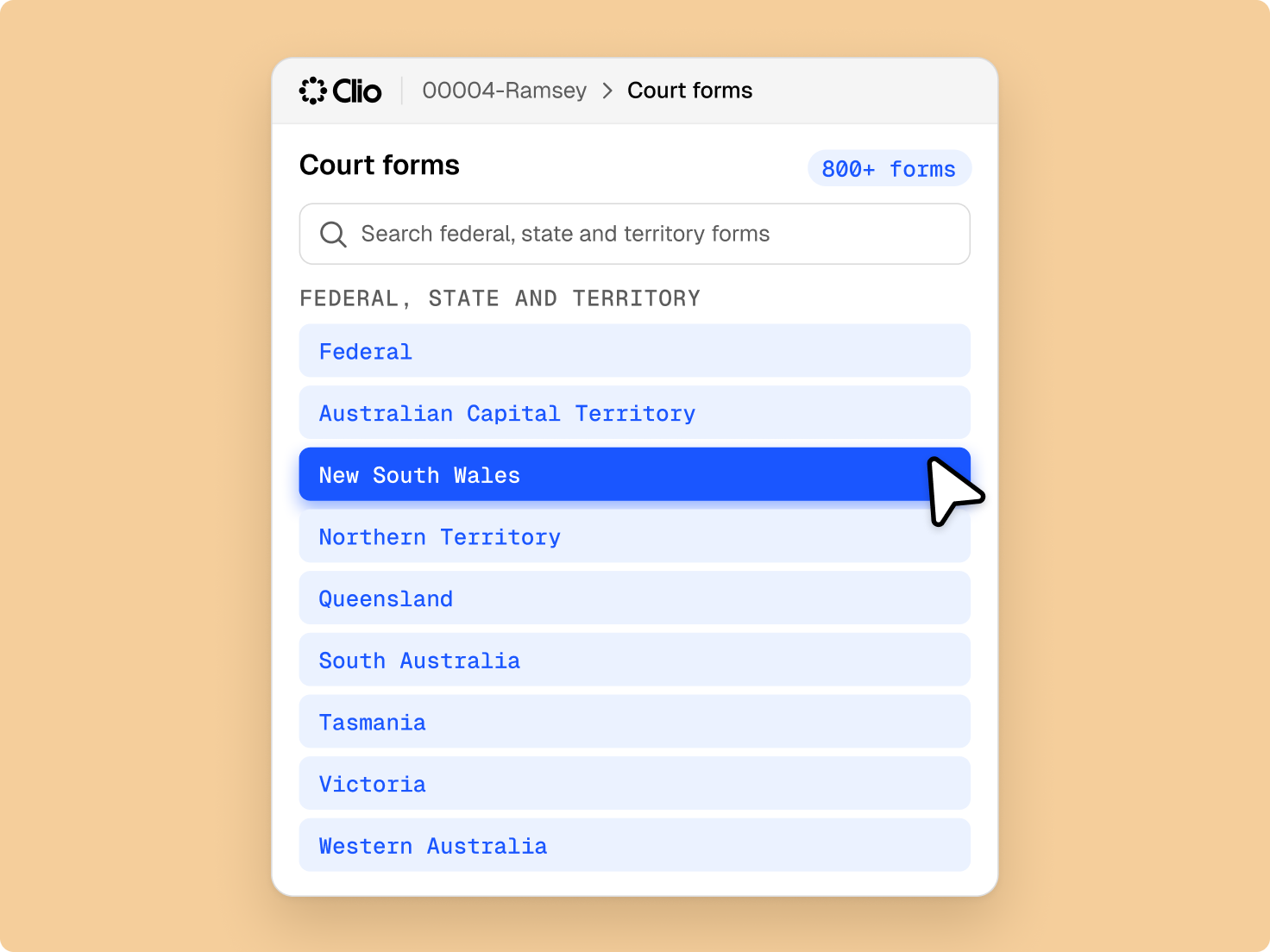
Save time finding, drafting, and signing legal documents. Clio automated legal forms give law firms an up-to-date library of fillable legal forms, auto-filled with the client and matter details you already have, so you stay compliant with court requirements.

The fastest way to draft legal forms
No more endless searching
A legal form library maintained for you with the latest versions.
Skip the data entry
Eliminate errors from manually retyping data and free up your time for higher value work.
Eliminate filing delays
Complete filings faster with automated legal form filling: auto-populate sets of legal forms with client and case information at the same time.
On a weekly basis, I’m saving 4–5 hours searching around to find the right form.
Freeburg & Granieri, APC
Automated legal forms FAQs
What is Clio’s automated legal forms feature?
Clio’s automated legal forms feature is legal forms software for law firms. It gives you a library of hundreds of up-to-date, fillable federal, state, and family legal forms, and auto-fills them with client and matter details from Clio Manage.
The platform integrates client and matter information to auto-populate forms, reducing manual data entry and minimising errors. As a cloud-based platform, Clio enables users to manage and draft documents from anywhere with an internet connection, ensuring effective collaboration regardless of location. Request a demo.
What are the key features of Clio’s legal forms software?
Clio’s legal forms software offers a comprehensive suite of features designed to streamline the preparation and management of legal forms:
- Extensive form library: Access hundreds of up-to-date federal, state, and family legal forms. This ensures that lawyers have the necessary documents readily available.
- Automated data population: Integrate client and matter information to auto-populate forms, reducing manual data entry and minimising errors. This feature improves consistency and accuracy across all documents, saving time and effort.
- Cloud-based accessibility: As a cloud-based platform, Clio enables users to manage and draft documents from anywhere with an internet connection. This remote access empowers legal teams to collaborate effectively, regardless of location.
- Custom fields and auto-shrink text: Add custom fields to forms and use the auto-shrink text feature, which automatically adjusts font size to fit text fields, allowing all necessary information to be included without compromising readability.
By using these features, Clio simplifies the completion of legal forms, leading to time savings, reduced errors, and improved client service. Request a demo.
How does Clio assist with legal forms?
Clio simplifies the process of drafting legal forms by offering access to hundreds of up-to-date federal, state, and family legal forms. Users can auto-populate these forms with client and matter information, reducing manual data entry and minimising errors.
The platform incorporates conditional logic to adjust content based on specific criteria, further improving accuracy. Request a demo.
Are the legal forms in Clio kept current?
Yes, Clio ensures that all legal forms are regularly updated to reflect the latest versions. This guarantees compliance with current court requirements and eliminates the need for manual updates. Request a demo.
What are the benefits of automating legal form drafting?
Automating the drafting of legal forms offers several significant advantages:
- Time savings: Automation reduces the time spent on repetitive tasks. Clio allows users to automatically populate sets of legal forms with client and case information, streamlining the document creation process.
- Increased accuracy: By auto-populating forms with client data, automation minimises manual data entry errors, making sure that information such as names and addresses is consistently correct.
- Consistency: Using standardised legal templates ensures uniformity across all documents, maintaining a professional standard and reducing the risk of discrepancies.
- Access to up-to-date forms: Clio provides access to hundreds of current federal, state, and family legal forms, supporting compliance with the latest court requirements.
- Enhanced collaboration: Cloud-based automation tools enable team members to access and work on documents from any location, facilitating seamless collaboration and improving overall efficiency.
- Cost efficiency: By streamlining workflows and reducing the time required for document preparation, automation lowers operational costs, allowing lawyers to allocate resources more effectively.
Implementing legal form drafting automation can lead to more efficient operations, higher-quality documents, and improved client satisfaction. Request a demo.
How does Clio make it easier to complete legal forms?
Clio simplifies the completion of legal forms through several key features:
- Access to a comprehensive form library: Clio provides access to hundreds of up-to-date federal, state, and family legal forms. This library ensures you have the necessary documents readily available.
- Automated data population: Clio’s automated legal forms use the context of your matter to fill in client and case details, reducing manual data entry and minimising errors.
- Cloud-based accessibility: As a cloud-based platform, Clio enables you to manage and draft documents from anywhere with an internet connection. This remote access allows your team to collaborate effectively, regardless of location.
By using these features, Clio simplifies the completion of legal forms, leading to time savings, reduced errors, and improved client service. Request a demo.
What software keeps court filings consistently formatted for different court requirements?
Clio keeps a library of up-to-date federal, state, and family legal forms, so each filing starts from the version the court expects. Forms auto-fill from your matter details, auto-shrink text keeps every field readable, and e-signatures are collected in the format your court requires. Request a demo to see it in action.
Can I create reusable templates for court filings in Clio?
Yes. Clio lets you auto-populate whole sets of legal forms with client and case information at once, so the same matter data carries across every filing. Request a demo to see how it fits your workflow.