

Law firm calendaring software built around your matters
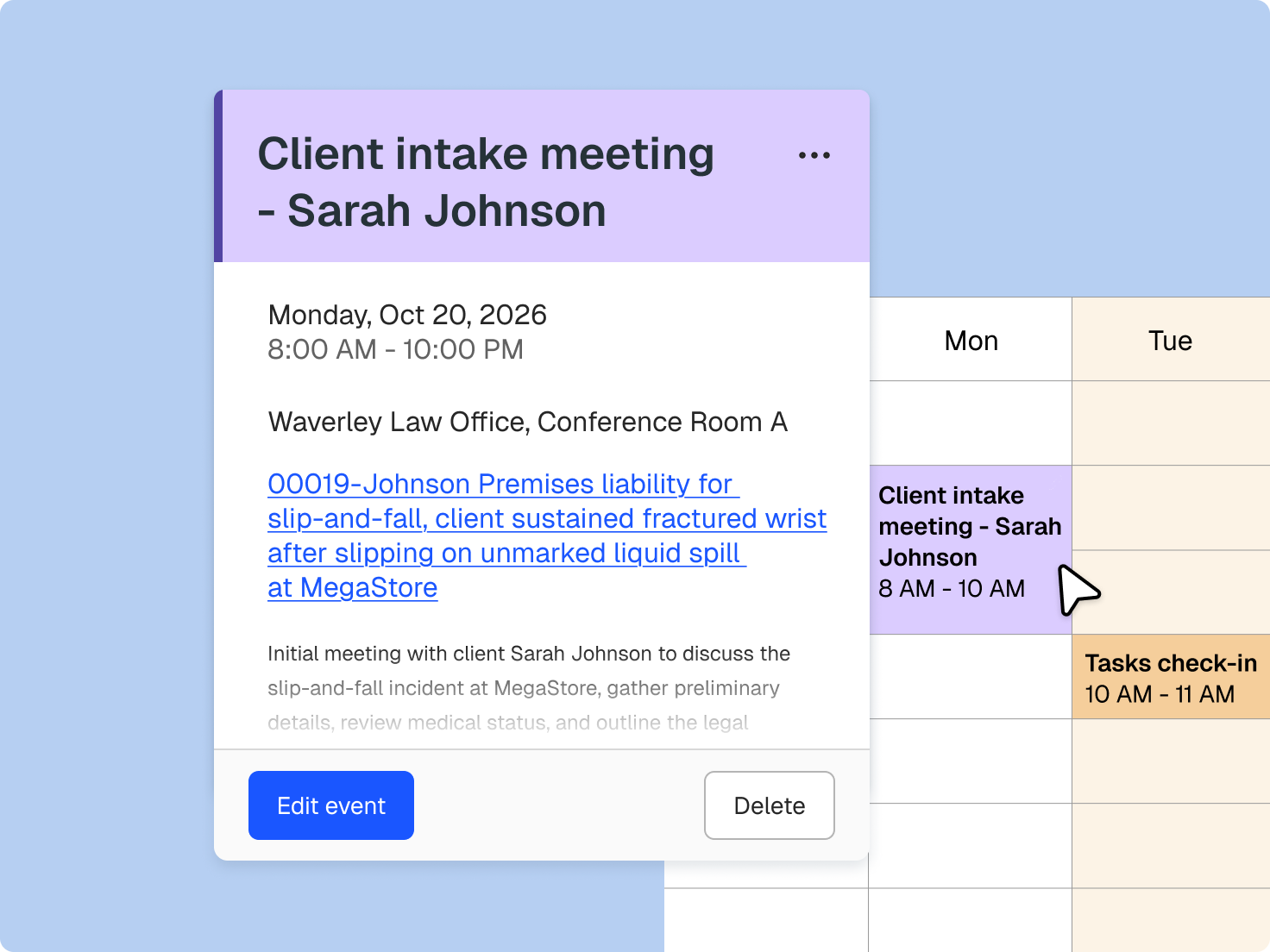
Hearings, filing deadlines, limitation dates, and client meetings sit on calendars organised by matter.
Who We Serve
Software for sole practitioners, Large Law and in-house teams, across every area of law.
Hearings, filing deadlines, limitation dates, and client meetings sit on calendars organised by matter.
Events created from the calendar or the matter appear beside its documents, tasks, and time.
On select plans, Clio’s AI extracts deadlines from court documents and drafts events for you to review.
A dedicated calendar lists the limitation dates recorded on your matters.
Two-way sync with Google Calendar and Microsoft 365 updates events in both places.
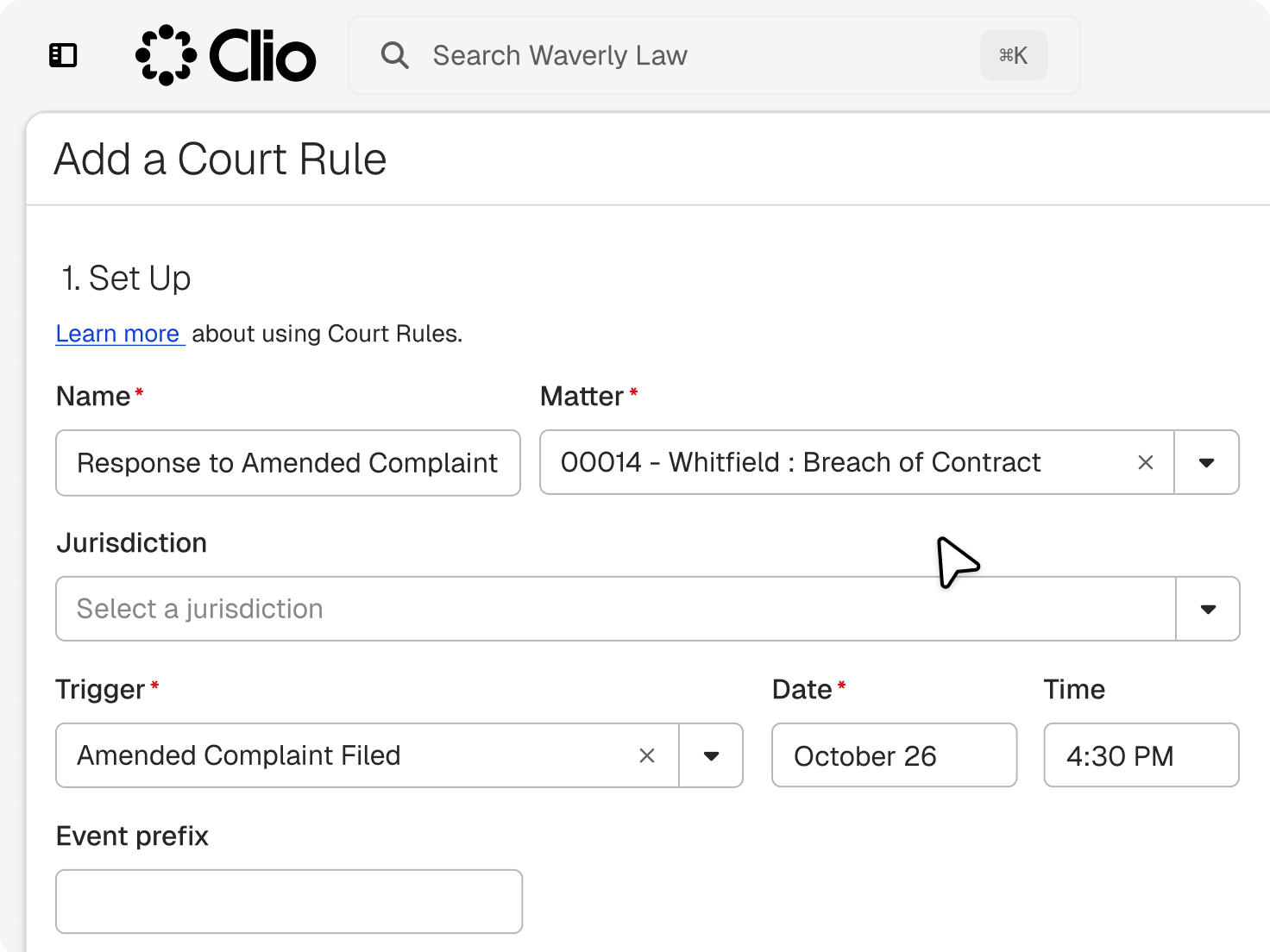
Court dates come from rules, notices, and orders. Clio keeps each one on its matter, shares it with the people involved, and leaves the final call on every date with you.
Add a time entry straight from a hearing or meeting, and it’s filed to the right matter.
Email notifications and client portal updates keep colleagues and clients up to date on key dates.
Create, find, and update events from Clio’s mobile app wherever you are.

Set up as many as you need, for the firm, a team, or a specific matter.

Give colleagues viewer or editor access, and keep event details public, private, or visible only to invitees.

Send reminders days or minutes ahead, and clients get an email invite.
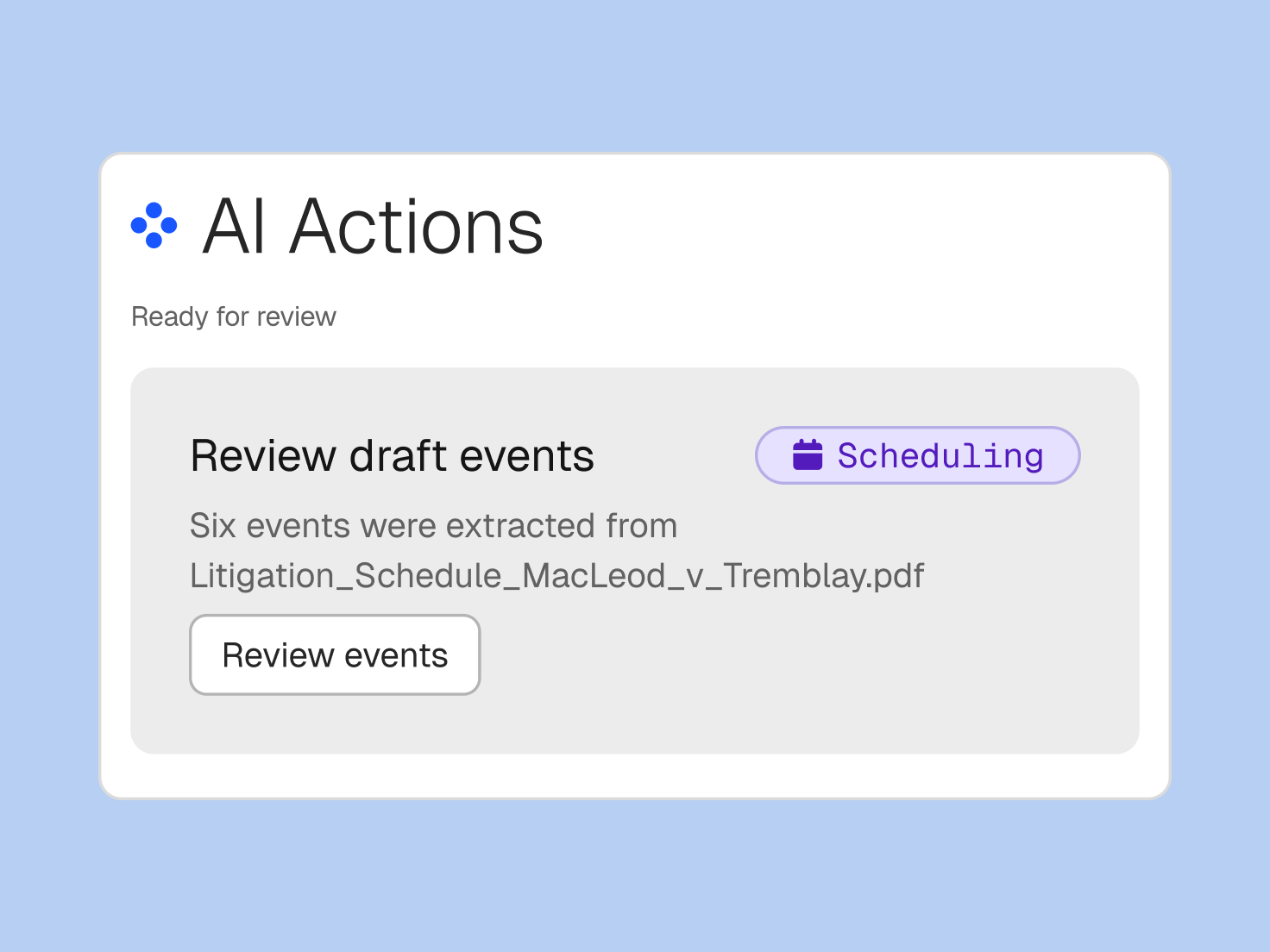
Clio’s AI, on select plans, reads a scheduling order or court notice, drafts the events, and suggests reminders. Nothing goes on the calendar until you confirm it.
Hover over a draft event to see where each date came from and make changes before adding events to your calendar.
Dates based on other events are labelled Calculated. Check them against local court rules, which AI doesn’t apply automatically.
Recently uploaded documents with deadlines are flagged on the matter and personal dashboards.
It helps a firm track the dates its work depends on, including hearings, filing deadlines, limitation dates, and client meetings, and ties each one to a matter. Clio adds AI drafting from court notices, and you confirm each date. Get a demo.
Yes. Hearings and filing deadlines sit on their matter with the reminders you set. On select plans, upload a court order or hearing notice, and Clio’s AI drafts the events for your review. Check each date against the court’s rules before you rely on it. Get a demo.
On select plans, upload a scheduling order, court notice, or handwritten meeting notes and confirm the document type. Clio’s AI extracts the dates and drafts events for your review, each showing the text it was pulled from, and nothing is added until you confirm it. Get a demo.
Yes. Clio syncs two ways with Google Calendar and Microsoft 365. Changes in either place update the other. Microsoft sync needs a Microsoft 365 Business Basic, Business Standard, Business Premium, or Enterprise subscription, and calendar feeds send your schedule one way to apps like Apple Calendar. Explore integrations.
Yes. Share any calendar you created as a viewer or editor, and set event details to public, private, or visible only to invitees. Private events synced from Google or Microsoft 365 show in Clio as busy time. Start a free trial.
Yes. Clients get an email invite and email notifications for the events you share with them, and you can set reminders days or minutes ahead. Shared dates also show in the client portal. Get a demo.
Yes. Add a time entry straight from an event, and the Recorded time column shows which events still need one. That time flows into billing with the matter attached. Start a free trial.
Every Clio plan comes with calendaring. AI scheduling from documents and the client portal are available on select plans. Compare plans.