
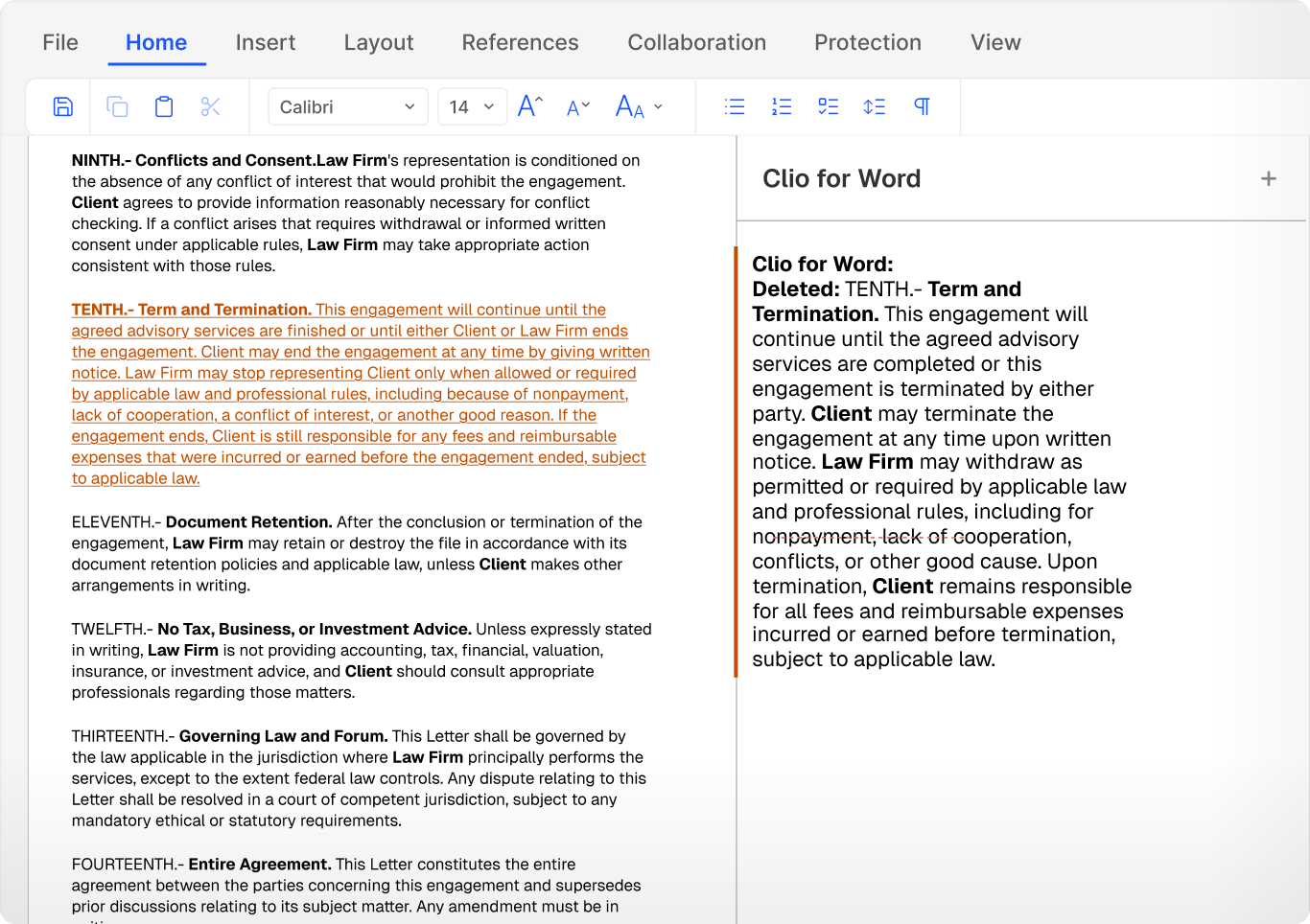
A legal AI add-in for Microsoft Word
Clio for Word reads the live document as you work, so suggestions keep up with your edits.
Who We Serve
Software for sole practitioners, Large Law and in-house teams, across every area of law.
Clio for Word reads the live document as you work, so suggestions keep up with your edits.
Suggestions arrive as tracked redlines, and you approve every change.
Clio for Word uses matter history, client records, case activity, and prior correspondence.
Ask Clio for Word to address open comments and suggest targeted improvements.

Tell Clio for Word what you need, and it proposes a structure to work from.
Clio for Word suggests a document type and builds an outline or first draft for your review.
Point it to one of your sample documents, and the draft follows that structure.
Find citation-backed authority and add it to the document without leaving Word.
Surface legal, structural, and persuasive risks for you to address.
Tighten wording and generate sections that match the rest of the draft.
Ask follow-up questions and work through revisions with Clio for Word as you edit.

Clio for Word follows your firm’s permissions and keeps matter context where it belongs.
Custom memory is limited to each matter and stays within your firm’s Clio instance.
Clio for Word can only use matters that the person drafting is allowed to open.
What you draft and review in Word is never used to train AI models.
Clio for Word is a Microsoft Word add-in that brings Clio Work into Word. It reviews, redlines, and drafts with your matter’s context and legal research at hand, and its suggestions arrive as tracked changes you accept or reject.
Yes. Clio for Word requires Clio Work and draws on your matters in Clio Manage.
No. Suggestions arrive as redlines through Track Changes, and you approve every change.
Yes. It works on any document, including a draft from opposing counsel or one with existing comments and tracked changes.
Yes. It recommends a document type and produces an outline or first draft for your review, and it can model the draft on one of your own sample documents.
Yes. Research results are citation-backed and linked to their source, and you can apply authority directly in the document.
Install it from Microsoft AppSource. A Microsoft 365 admin can deploy it to the whole firm, so each lawyer finds it in Word without a separate install.
No. Documents and matter data you work on in Clio for Word aren’t used for model training. Custom memory stays inside each matter in your firm’s Clio instance, and access follows your permissions.
Clio for Word works from your matters in Clio Manage and from legal research, so suggestions reflect the case and the law, not just the text on the page.