

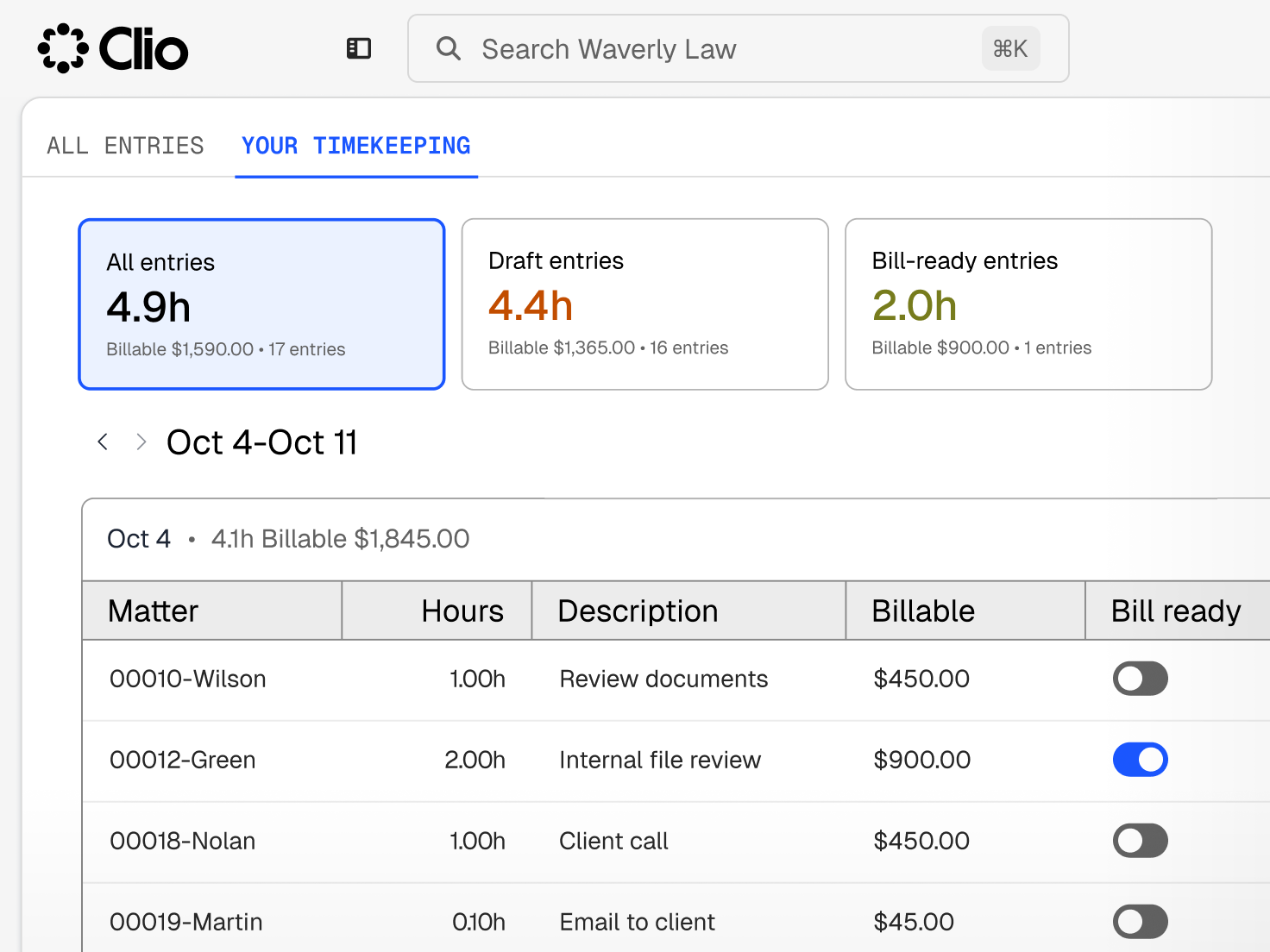
Time tracking that fits around your work
Record time from emails, documents, calendar events, and calls, or start a timer when you’d rather track as you go.
Who We Serve
Software for sole practitioners, Large Law and in-house teams, across every area of law.
Record time from emails, documents, calendar events, and calls, or start a timer when you’d rather track as you go.
Run, pause, and stop a timer on your desktop or in the mobile app.
Create time entries from Outlook or Gmail while you’re writing an email.
Add time from calendar events, tasks, notes, communication logs, and documents.
Enter time, duplicate entries, or capture outbound calls from the mobile app.
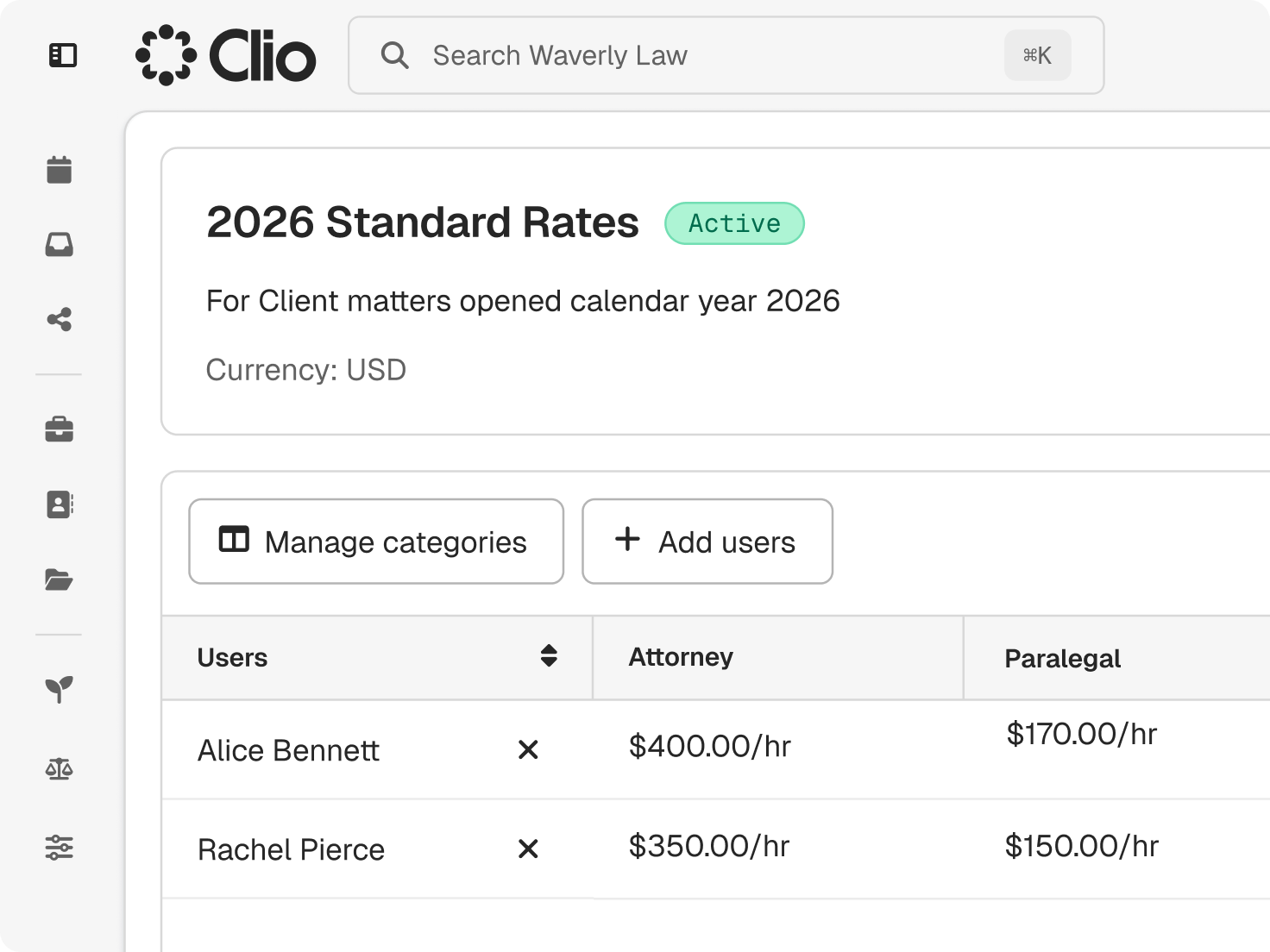
Clio applies the right rate and rounding to each entry, so billing starts from accurate numbers.
Clio follows a clear order of precedence, from custom and fixed rates down to each user’s default rate.
Entries follow the increment your firm bills in, such as 6 (0.1h) or 15 minutes (0.25h).
Add UTBMS codes when you create an entry, and mark it billable or non-billable.

Record disbursements and expenses against the matter, and see them next to time on reports and bills.

Mark time non-billable to see the effort behind conditional fee and fixed-fee matters.

Run reports by person, matter, date, or status.

Clio’s AI suggests time entries from your matter activity, and nothing reaches a bill until you approve it.
Clio flags missing time and suggests entries from notes, communications, and completed tasks.
Each suggested entry is a draft your team can edit and accept.
Description refinement tidies the wording on each entry and highlights every change.
Legal time recording software records the time lawyers spend on each matter so the firm can bill for it, along with disbursements and expenses. Clio adds timers, AI-suggested entries, rate rules, and a direct path from approved entries to bills. Get a demo.
Clio’s AI flags missing time and suggests entries from notes, communications, and completed tasks, and refines each description with every change highlighted. Your team reviews, edits, and accepts each suggestion before it reaches a bill. Get a demo.
Most lawyers record time against each matter in set increments, often 6 minutes (0.1h). In Clio, use a timer, add time from emails and calendar events, or accept entries Clio’s AI suggests. Start a free trial.
Accept an AI-suggested entry, use the time entry form or a timer, add time from a document, note, calendar event, or communication, or log it in the mobile app or through an integration. Start a free trial.
Yes. Every entry can be edited at billing, so you can correct time or descriptions before the bill goes out, and approved entries carry onto the bill as written. Get a demo.
Yes. Set rates by matter, client, user, or activity, and Clio applies them in a set order of precedence, from custom and fixed rates down to each user’s default rate. Get a demo.
Yes. Log disbursements and expenses against the matter, and they appear alongside time on reports and bills. Start a free trial.
Yes. Entries can be created, edited, or deleted at any time, so you can record time as you go or in batches. Start a free trial.
Yes. The Clio mobile app lets you enter time, run a timer, duplicate entries, and turn outbound calls into entries. Get a demo.