

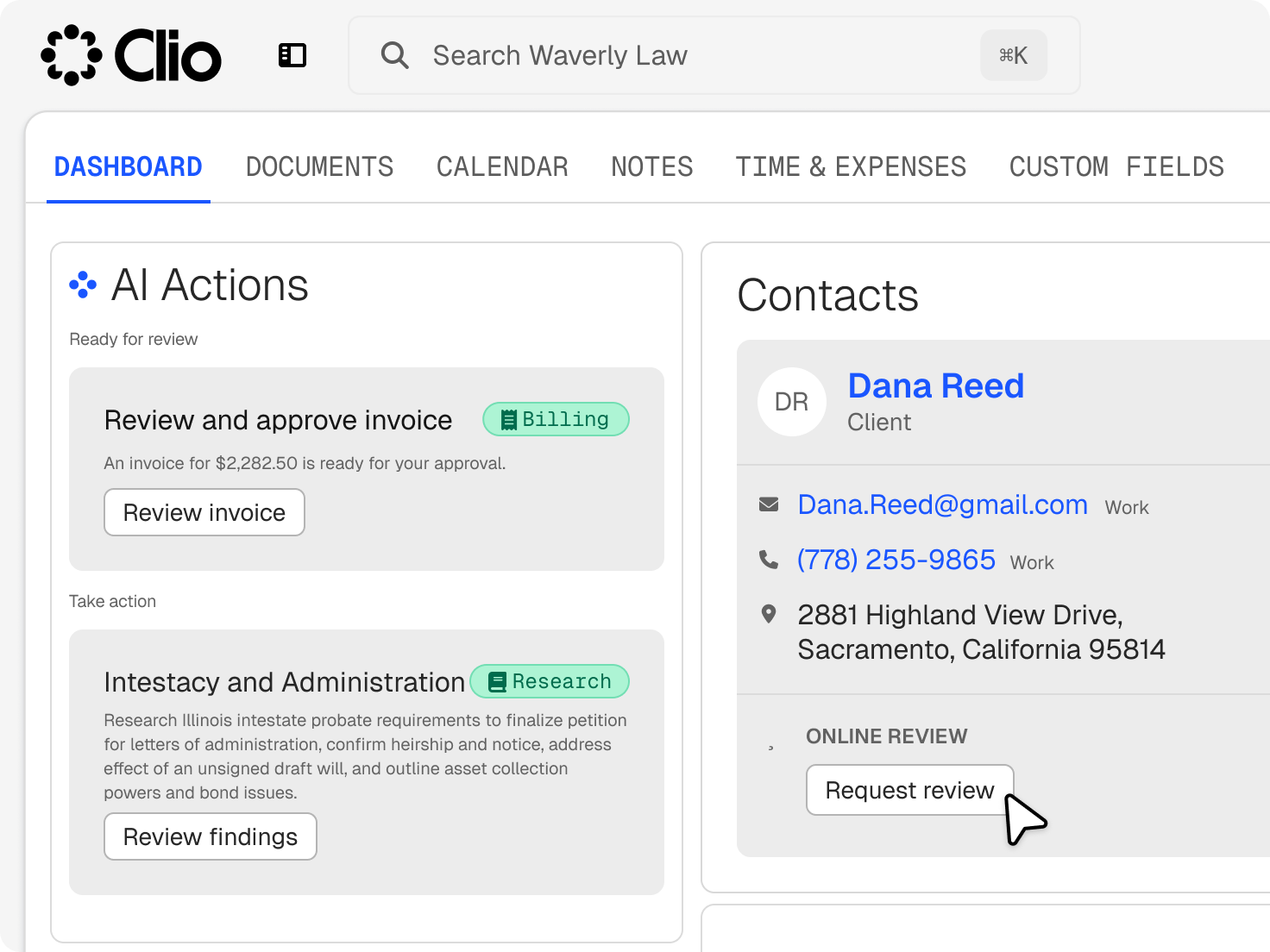
Online reputation management for law firms, tied to your matters
Review requests come from the same records as your cases so reviews and legal work happen in lockstep.
Who We Serve
Software for sole practitioners, Large Law and in-house teams, across every area of law.
Review requests come from the same records as your cases so reviews and legal work happen in lockstep.
Send requests when eligible matters close, by practice area and subcategory.
Start a request from any contact or matter when the moment is right.
Requests link to Google, connected the first time you send one.
See which requests were sent, which links were clicked, and your overall click-through rate.

Timing matters more in some practices than others.
Wait for the close of the matter, not the middle of a dispute.
Hold the request until the settlement is paid and the matter closes.
Ask once the plan is signed.

Requests can go out by text once text messaging is turned on in Clio.

Automated reminders follow up if a client hasn’t clicked the link.

Pick which practice areas and subcategories trigger requests, so you only ask where it fits.
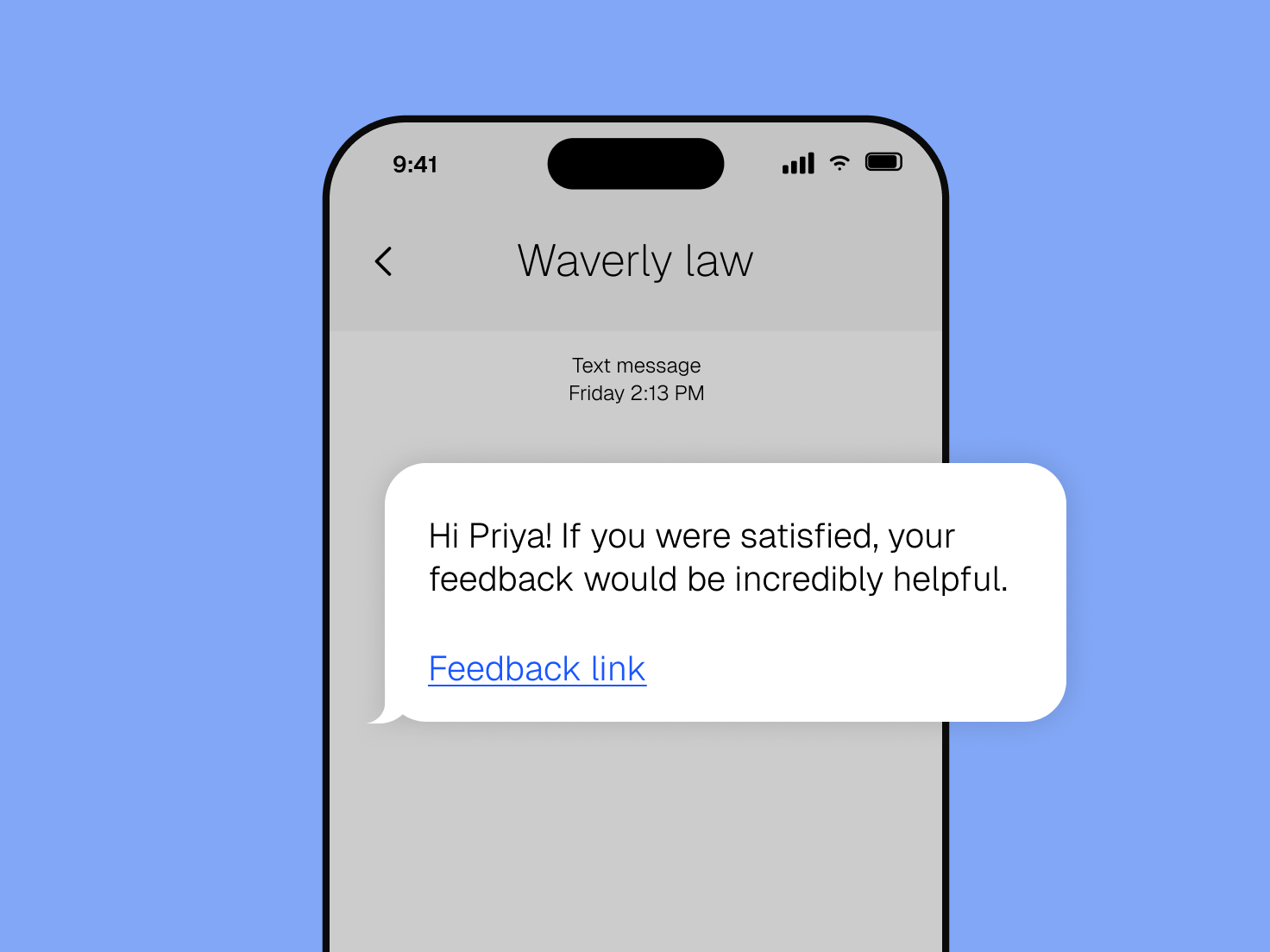
Requests go to matters that meet your rules, not to the whole contact list.
Skip practice areas where clients may not want to share, like parts of criminal defense.
Reminders go out only if the first request wasn’t clicked.
It helps a firm collect and track client reviews. Clio sends Google review requests from your matter records, by email or text, and shows which requests clients engage with. Because requests come from matters, you can time them to the end of the work instead of sending them to your whole contact list. Get a demo.
Connect your Google Business Profile, choose the practice areas that trigger requests, and Clio sends a request when an eligible matter closes. You can also send requests one at a time. Get a demo.
Yes. Requests can go out when eligible matters close in the practice areas and subcategories you choose. You decide which work qualifies, so a request only reaches clients whose matters fit your rules. Get a demo.
Yes, in the US, once text messaging is turned on in Clio. Automated reminders follow up if the client doesn’t click. Get a demo.
Requests point to your Google Business Profile, the review platform Clio supports. Reviews left there appear with your firm in Google Search and Maps. Get a demo.
Yes. See which requests were sent, whether the link was clicked, and your overall click-through rate, so you can adjust timing or wording when engagement drops. Get a demo.
Usually at the end of a matter. In family law, ask at close rather than mid-dispute. In personal injury, ask after the settlement is paid. In estate planning, ask once the plan is signed. Get a demo.
Selectively. Ask only for the parts of your practice where clients are comfortable sharing their experience, and leave the rest out by excluding those practice areas or subcategories from your request rules. Get a demo.
Yes. You connect it the first time you send a request, and each request links clients there to leave a review. Get a demo.