


Connect ads to intake
You pay per lead, within a weekly budget, and see each lead’s outcome in Clio.
You pay per lead, within a weekly budget, and see each lead’s outcome in Clio.
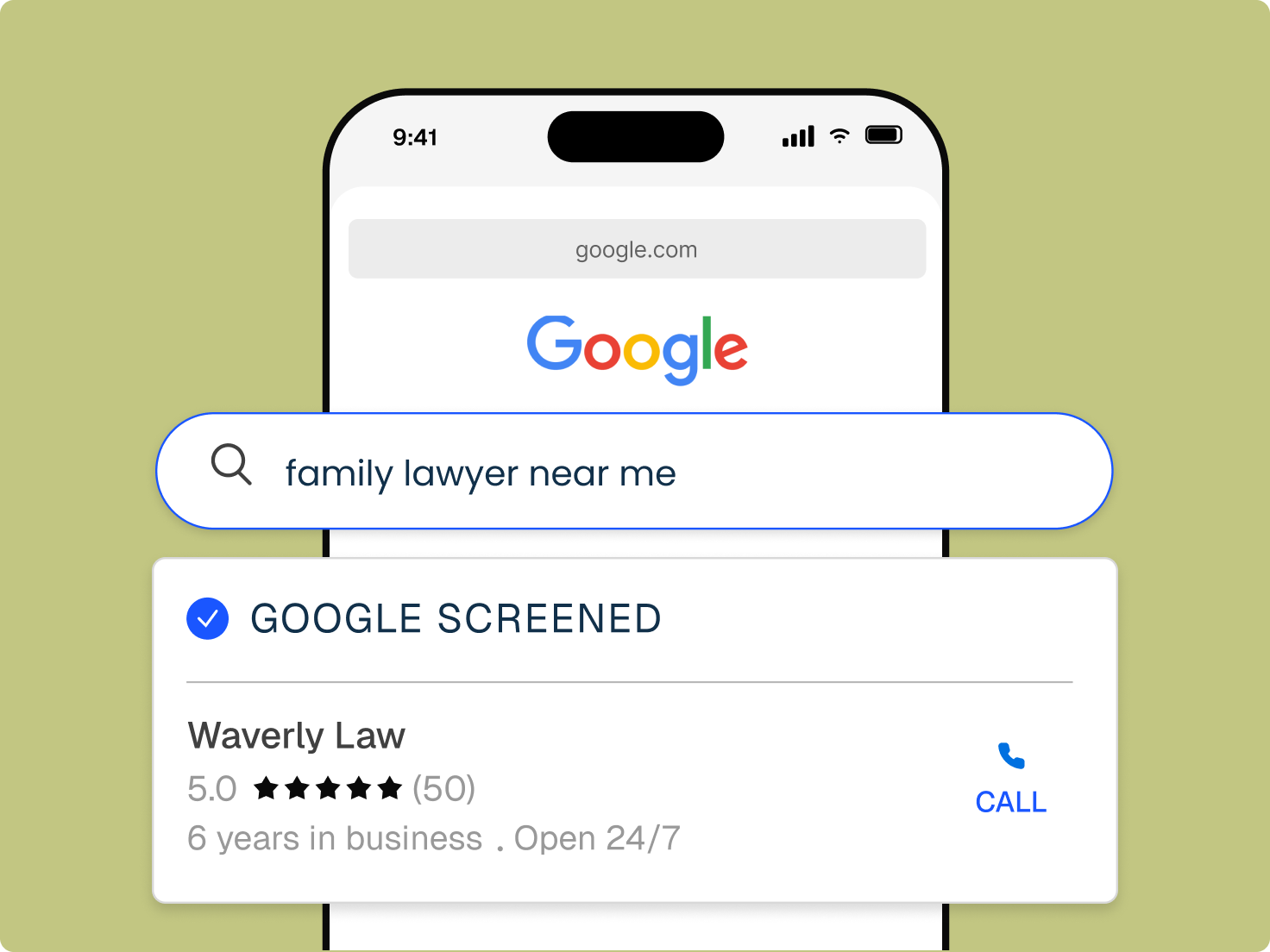
Local Services Ads appear above other results when people near you search for legal help.
The badge shows prospective clients that Google has screened your firm.
You’re charged only when a prospective client contacts you through the ad.
Set a weekly budget and pause your ads at any time.
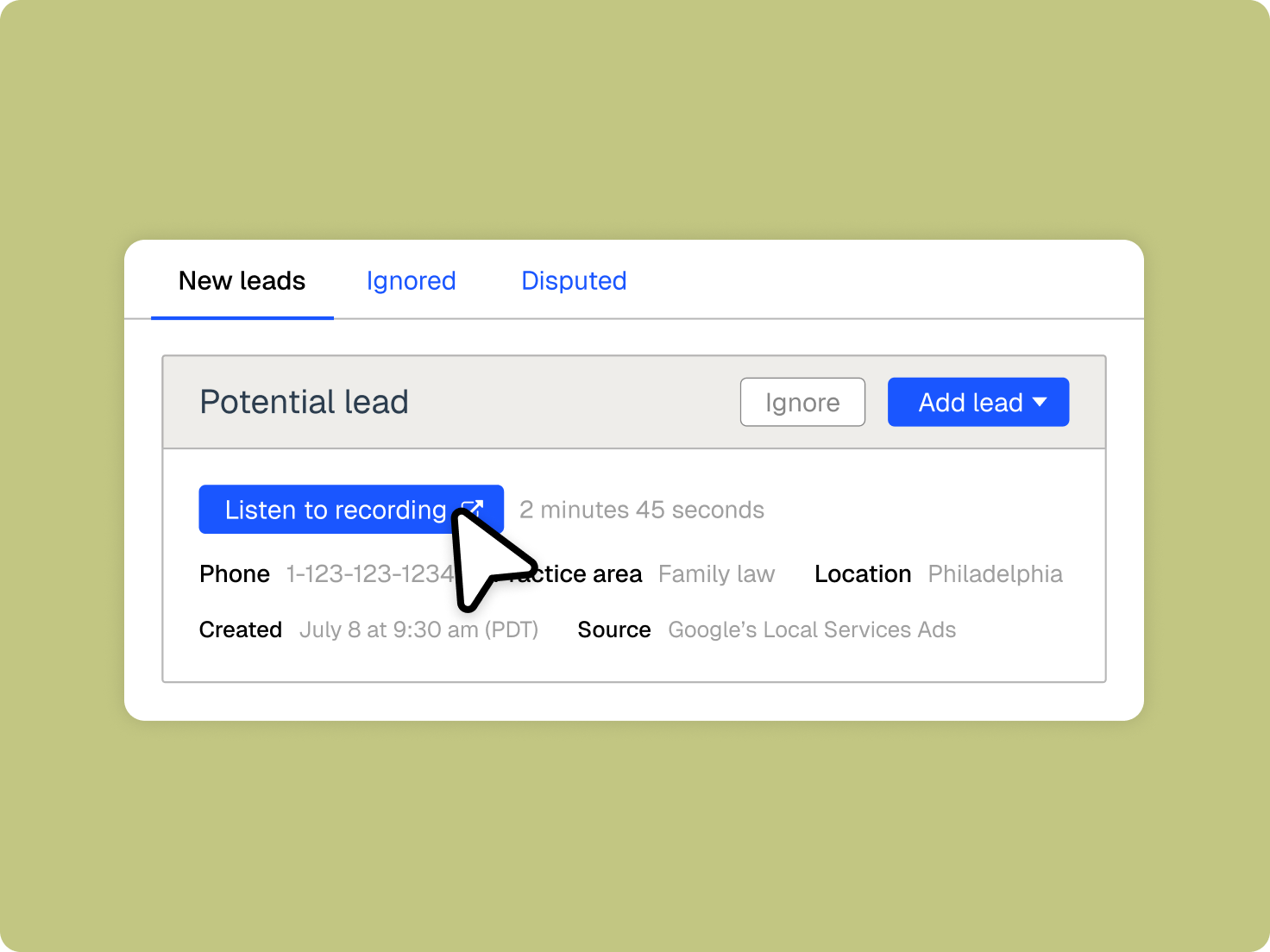
Clio connects the ad to intake, so you can see which leads became clients and what they were worth.
Leads from your ads arrive in one intake workspace, ready for follow-up.
Track new leads, conversions to clients, and estimated value.
Respond quickly with online intake forms and appointment scheduling tied to the same record.
in ad spend and over $100,000 in profit over six months at Runkle Law
legal professionals trust Clio
rating from 13,000+ reviews
Open a Google Local Services Ads account with your practice areas and service areas.
Link the account so leads and performance flow into Clio.
Choose a weekly budget, then follow leads and work toward the Google Screened badge.

Google offers Local Services Ads across a range of legal practice areas. Through Clio, they’re currently available to US law firms.
Personal injury, family, criminal defense, immigration, and estate planning.
Bankruptcy, business, DUI, real estate, tax, traffic, and more.
Pick the locations you serve so ads reach people nearby.
Google Local Services Ads appear at the top of Google Search for local legal searches. Firms pay per lead rather than per click, and screened firms can display the Google Screened badge. Get a demo.
Connect your Google Local Services Ads account to Clio, and the leads your ads generate flow into Clio, where you can follow up and track which ones become clients. Get a demo.
Local Services Ads appear at the top of results and charge per lead. Google Ads can appear in search, on websites, and on video, and typically charge per click. Get a demo.
You set a weekly budget and pay when a prospective client contacts you through the ad. You can pause your ads at any time. Get a demo.
Covered areas include personal injury, family, criminal defense, immigration, estate planning, bankruptcy, business, DUI, real estate, tax, and traffic, among others. Choose the ones your firm handles when you set up your Google account. Get a demo.
Create a Google Local Services Ads account with your practice and service areas, connect it to Clio, set a weekly budget, then track leads as they arrive. Get a demo.
It’s a badge Google shows on Local Services Ads for firms that pass its screening, signaling to prospective clients that the firm is qualified to offer legal services. Get a demo.
Yes. Clio tracks new leads, conversions to clients, and estimated value, so you can compare what you spend with what the ads bring in. Get a demo.
Google’s Local Services Ads for Clio are currently available to law firms located in the US. Get a demo.