

Law firm billing software that follows your costs agreements
Set rates, GST, and payment terms once, and each bill starts from what you agreed with the client.
Set rates, GST, and payment terms once, and each bill starts from what you agreed with the client.
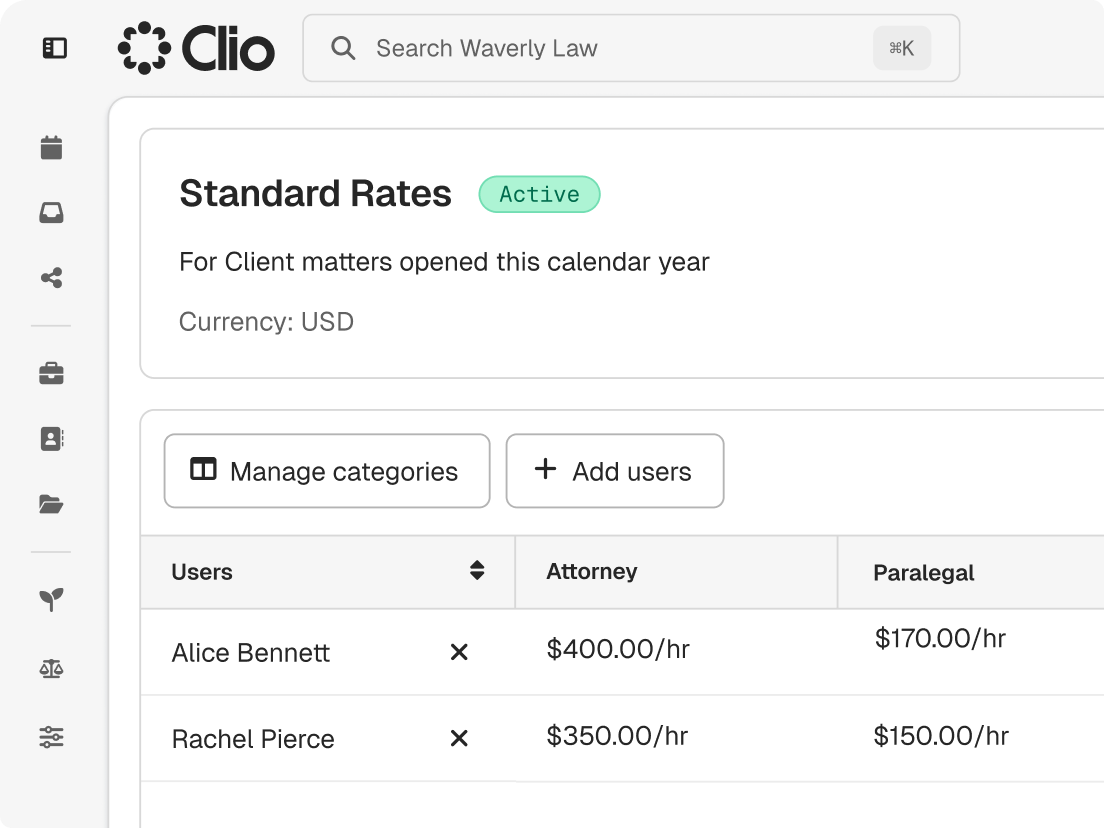
Rate tables apply the right rate by user, matter, or contact, on hourly, flat-fee, and conditional costs matters.
Use a bill theme or a drag-and-drop template with your logo, fonts, and layout.
Payment profiles apply grace periods, early-payment discounts, or late interest to each client’s bills.
Export LEDES files with UTBMS codes, and on select plans, split one bill among up to 11 payers.
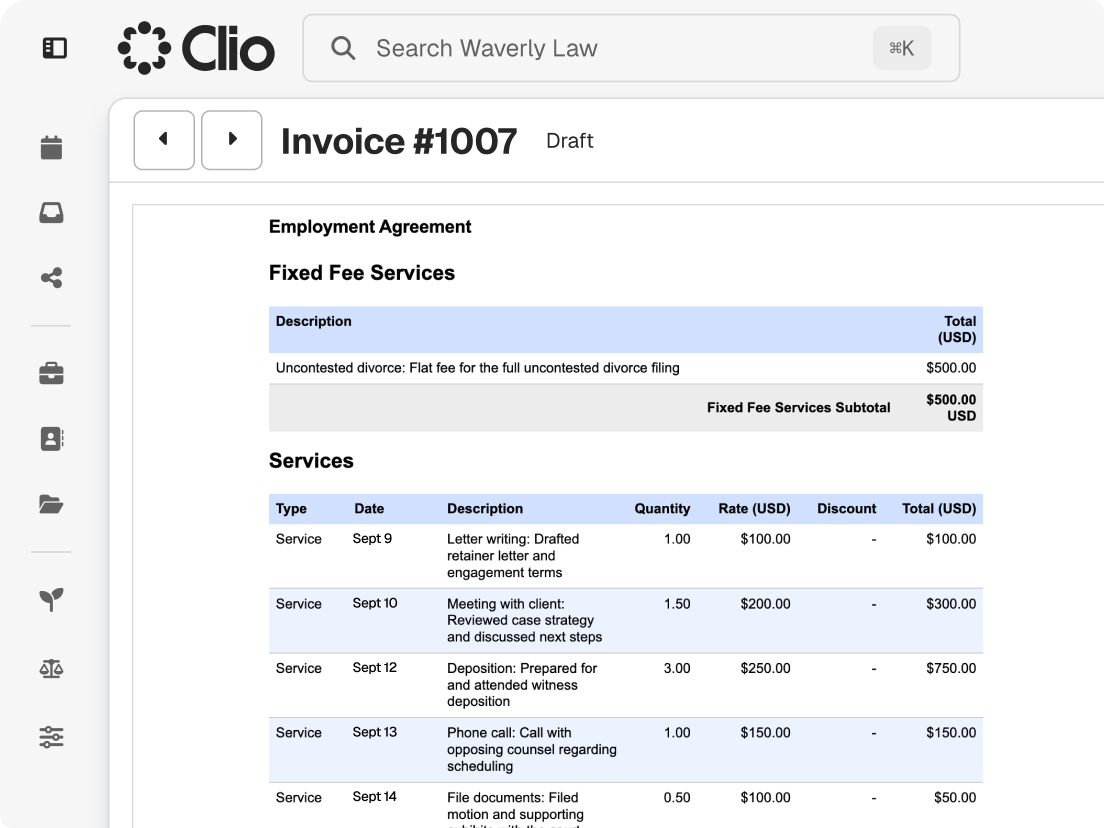
A bill is often the most detailed account a client sees of your work. Clio keeps each line tied to your agreement.
Choose full or grouped activity detail, with a statement of account for what’s paid and what’s owed.
Apply available trust funds to a bill, and send a trust request when a balance runs low.
Add a discount, issue a credit note, mark time as no charge, or write off a balance.
to get bills out at Treblaw LLC, versus 30 days at a past firm
legal professionals trust Clio
from 13,000+ reviews

Share bills by email or the client portal, and accept card payments or bank transfers.

Automated email reminders run on the schedule you set and stop once the bill is paid in full.

The Outstanding Balances view shows each unpaid bill with who owes it and when it’s due.
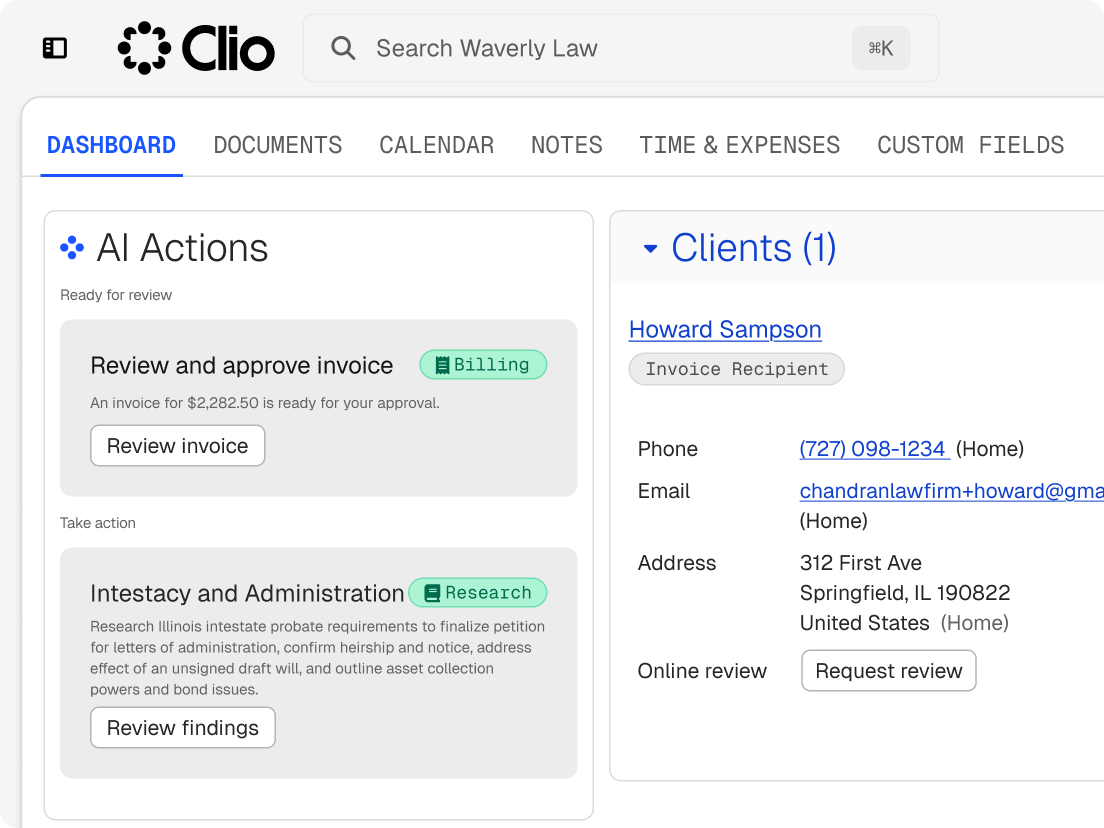
On select plans, Clio’s AI prepares bills on your schedule. Nothing reaches a client until your firm approves it.
Clio flags missing time before bills are generated and suggests entries from notes, communications, and completed tasks for your team to review.
Weekly or monthly, recorded entries become draft bills with the theme and dates you chose.
Description refinement highlights every rewritten entry, so reviewers check the wording before they approve.
Legal billing software, also called lawyer billing software, turns the time and expenses recorded on each matter into bills, sends them, collects payment, and tracks what each client owes. In Clio, billing sits with the matter, so the time, fee arrangement, and trust balance behind each bill are already in one record. Get a demo.
It prepares the routine parts of a billing cycle so your team reviews bills instead of assembling them. On select plans, Clio’s AI prompts for missing time, drafts bills from recorded entries on a weekly or monthly schedule, refines entry descriptions with each change highlighted, and routes drafts to the approvers you name. Your firm’s data is not used to train third-party models. Get a demo.
Look for hourly, flat-fee, and conditional costs billing, rate tables, GST handling, branded invoices, LEDES and UTBMS support, automated reminders, online payments, and trust accounting that applies funds before a bill goes out. It should also connect to your accounting, so approved bills and payments reach the books without re-entry. Clio covers each of these. Start a free trial.
Many firms bill by the hour, often in six-minute increments, while others use flat fees, conditional costs agreements, or retainers. Clio supports hourly, flat-fee, and conditional costs matters, with payment plans for clients paying over time. For retainers, apply available trust funds to a bill before you send it, and send a trust request when a balance runs low. Start a free trial.
Yes. After a bill is approved, automated reminders go out by email on the schedule you set, each with a secure link to the bill. They can pause for clients on an active payment plan and stop once the bill is paid in full. Get a demo.
Yes. Download bills in LEDES 1998B, LEDES 1998BI, LEDES XML 2.0, and LEDES XML 2.1, with your firm ID, client IDs, timekeeper classification codes, and UTBMS codes. On select plans, split billing divides an hourly or flat-fee matter’s bill among the client and up to 10 additional payers by percentage. Get a demo.
Yes. Clio integrates with Xero and QuickBooks Online on select plans, so approved bills and payments sync to your accounting software without re-entry. Get a demo.
For a small firm or solo practice, the best legal billing software doesn’t need a billing specialist to run it. It should turn the time you capture into bills clients can pay straight from the invoice. Our guide to billing software for small law firms and solo lawyers compares the options in more detail. Start a free trial.
Clio offers four plans, EasyStart, Core, Signature, and Elite, each priced per user per month. Billing, invoicing, and trust accounting come with every plan, and AI billing and split billing are on select plans. Compare plans.