

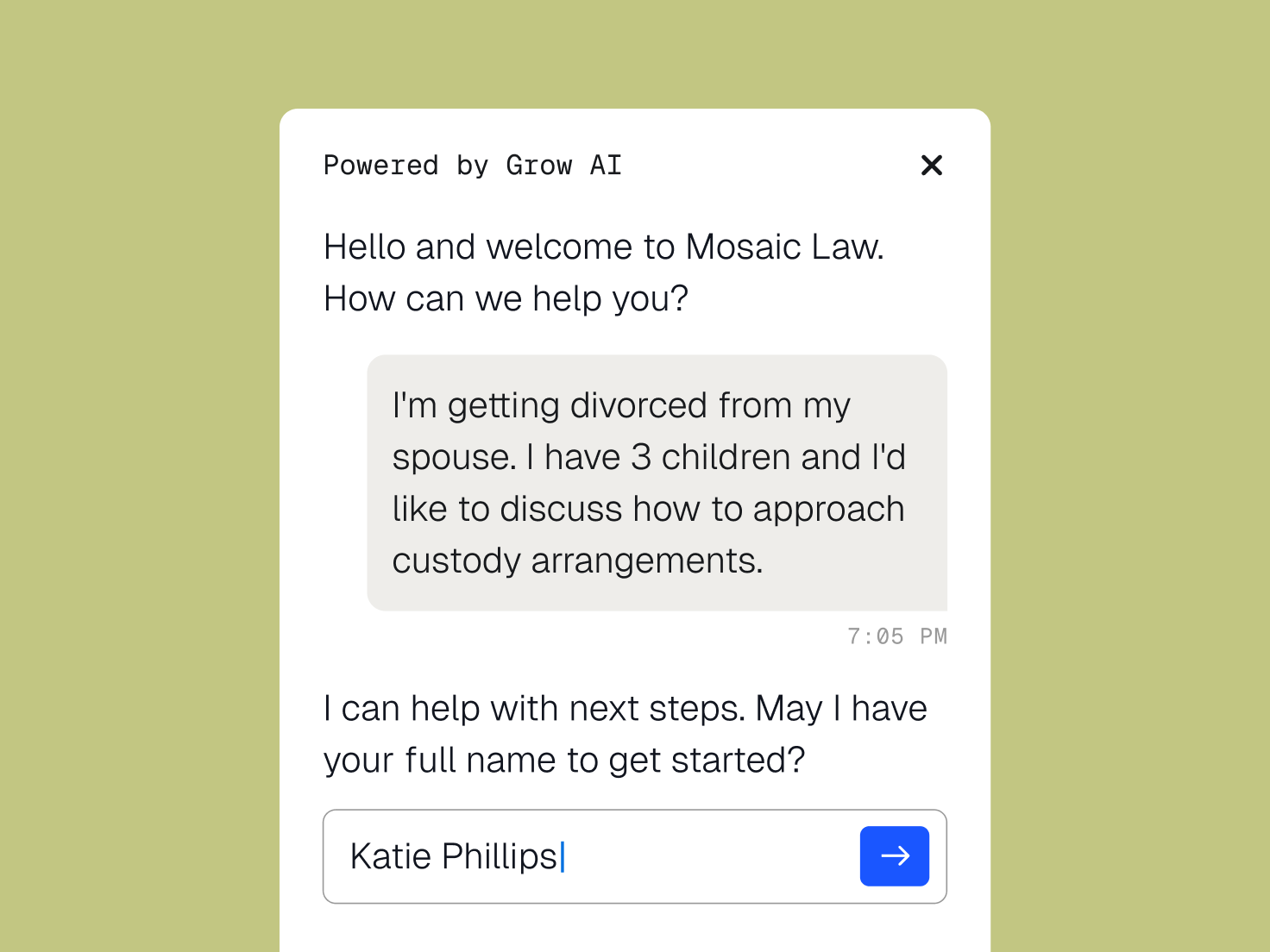
AI client intake for the busiest part of your week
Grow AI covers the first steps of intake, so a lead doesn’t wait until someone is free.
Who We Serve
Software for sole practitioners, Large Law and in-house teams, across every area of law.
Grow AI covers the first steps of intake, so a lead doesn’t wait until someone is free.
New inquiries by email, website chat, or phone get a response, including nights and weekends.
Each lead is scored against your firm’s past successful cases, and the best matches rise to the top.
A conflict check runs against your Clio records as each inquiry comes in.
Good-fit prospects get an appointment with your firm before they call the next one on their list.
We’ve hired 1-2 additional clients a month just by having a voice agent handle after-hours calls that otherwise would have gone to voicemail. I’m not digging through messages in the morning either. The lead’s already sitting in Clio Grow with the notes done.
Intake Paralegal, Rosenberg Perry & Associates
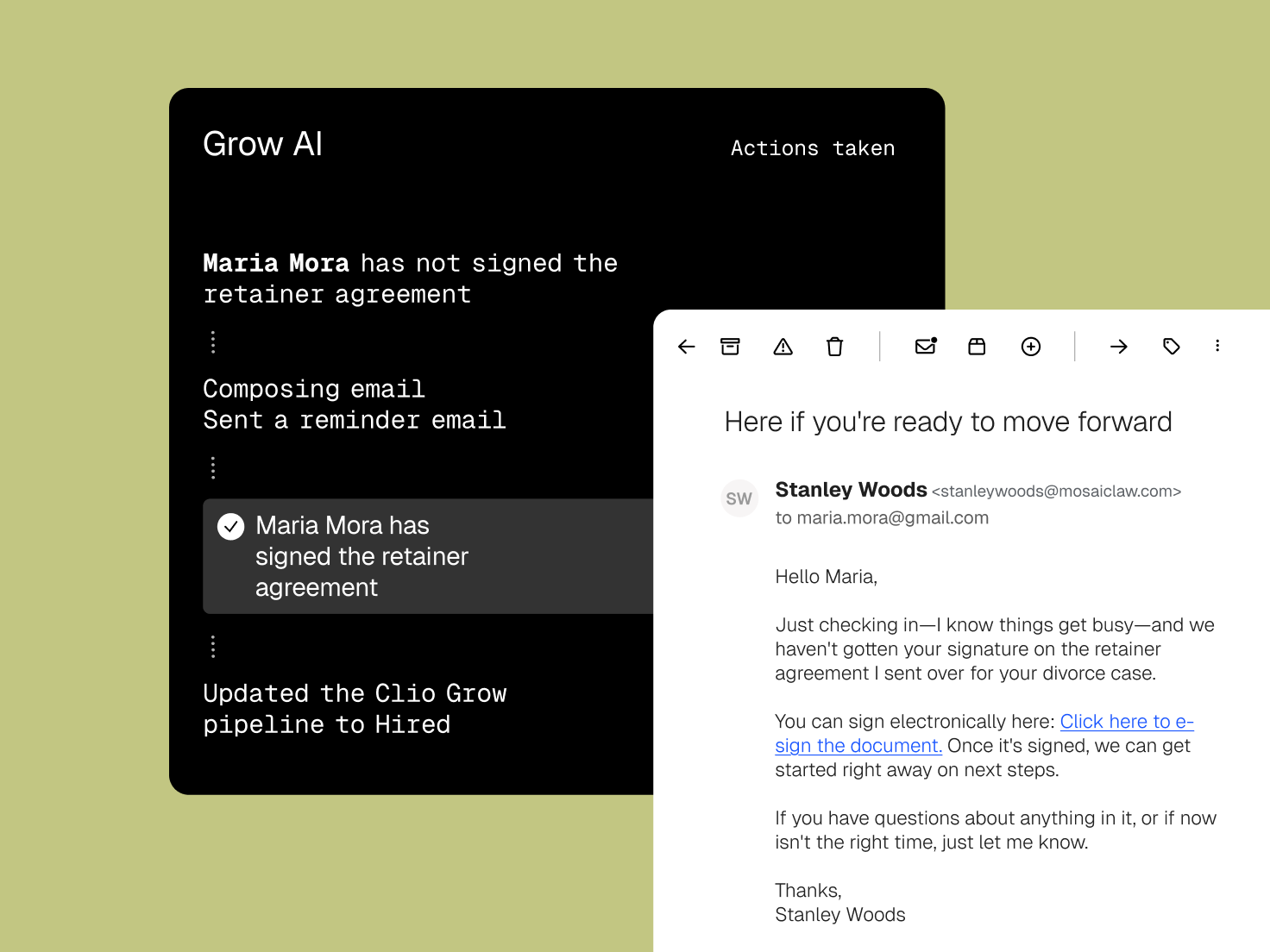
Between the first conversation and the engagement letter, Grow AI handles the reminders so a full calendar doesn’t cost you a client.
The right intake form goes out, with reminders until it comes back complete.
Unsigned agreements get follow-ups, and you can see which ones are still outstanding.
Stalled leads land in front of your team with the context attached.

Grow AI sends check-ins timed to the work you handled, so your firm comes to mind when a new legal need comes up.

Request feedback from satisfied clients through reputation management when their matter closes.

Returning clients already have a record in Clio, so their history is there when new work starts.
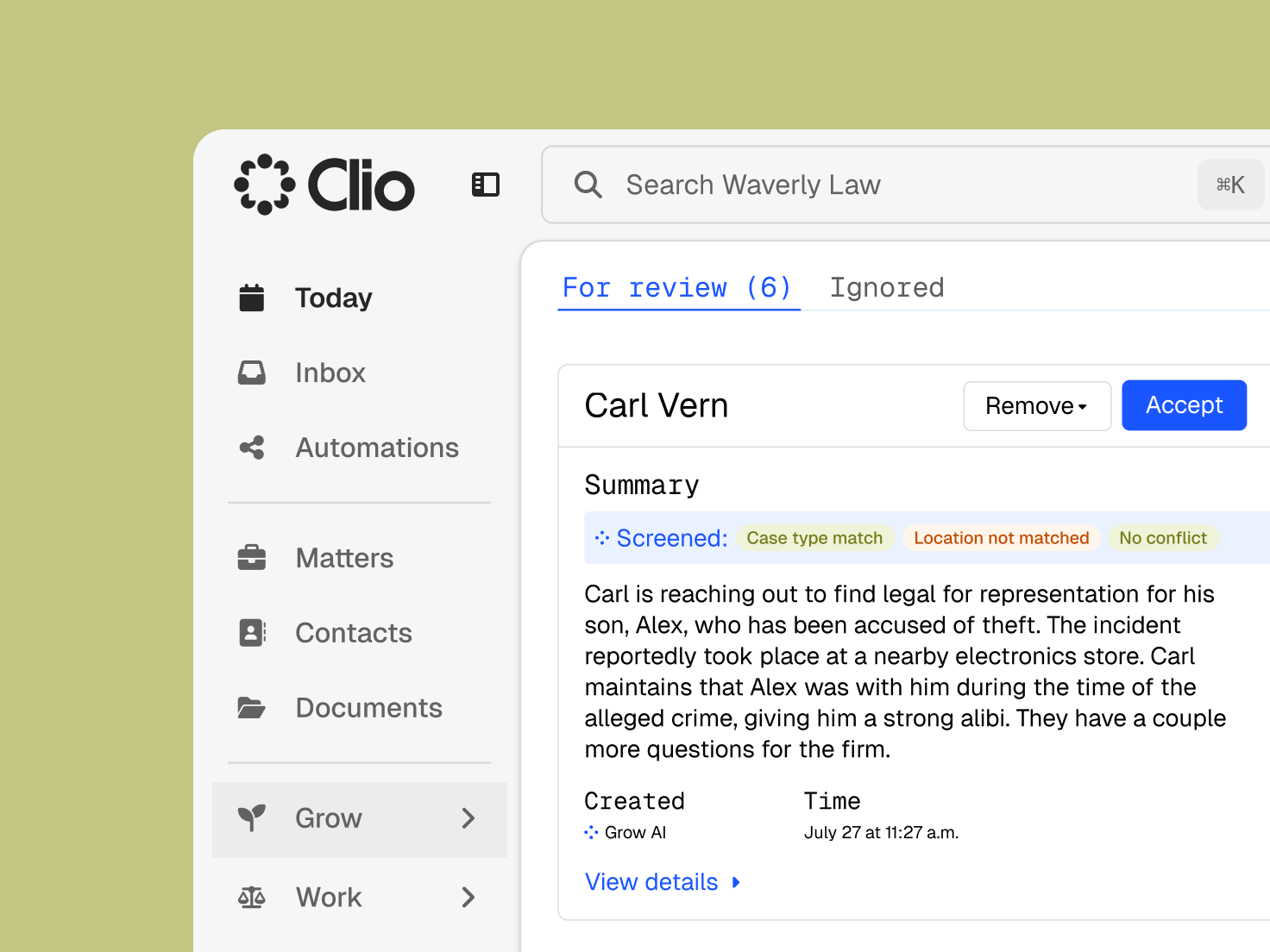
Grow AI gathers information and suggests next steps. Your team decides which clients to take on.
See why a lead was scored the way it was before you accept or decline the matter.
Tell Grow AI which practice areas, locations, and case types fit your firm.
Prospect details remain in your Clio account, are encrypted, and are never used to train public AI models.
It captures, qualifies, and follows up with potential clients, so fewer inquiries slip away before they hire you. Grow AI does this inside Clio Grow: it replies to new leads, scores fit, checks for conflicts, books consultations, and keeps in touch with former clients. Get a demo.
Grow AI is the AI in Clio Grow for intake and follow-up. It answers inquiries by email, website chat, and phone, screens each lead, schedules good-fit prospects, and sends check-ins to past clients. Get a demo.
No. Grow AI extends Clio Grow, so the leads it handles move through the pipeline, forms, and booking your firm already uses, then into Clio Manage once the client signs. Explore Clio Grow.
Email inquiries, website chat, and phone calls. Each conversation is logged in Clio Grow with notes, so your team picks up where Grow AI left off. Get a demo.
It compares each inquiry with your firm’s past successful cases and the criteria you set, such as practice area and location, and shows the reasoning behind each score. Get a demo.
No. It collects details, assesses fit, and flags possible conflicts. Your lawyers and staff review the lead and make the call on every matter. Get a demo.
It only accesses information in your Clio account and runs on Clio’s secure cloud infrastructure. Data is encrypted, processed in line with regional data protection laws, and never used to train public AI models. Read about Clio security.
Firms where response time decides who gets hired: solos and small teams without dedicated intake staff, and growing firms that lose leads to slow follow-up. Family law, estate planning, personal injury, immigration, and criminal defense practices are a common fit. Get a demo.
You pay when Grow AI helps turn a lead into a hired client, and you can set a monthly cap to stay on budget. A report shows what Grow AI worked on and how many clients it helped you sign each month. Compare plans.