Clio vs. on-premise
On-premise

On-premise
Uptime
Uptime
Show Less
On-premise
Be on guard
Because on-premise systems are tied to your physical office, they’re more vulnerable to local events like power failures or water damage. System uptime depends heavily on your in-house IT setup and backup plans.
Enjoy peace of mind
Clio guarantees 99.9% uptime and handles all hosting in secure, geo-redundant data centres—so your access to files isn’t tied to your office location or infrastructure.
Remote access
Remote access
Show Less
On-premise
Limited remote access
Remote work typically requires extra tools like VPNs or remote desktop software, which can be clunky, expensive, and unreliable.
Easy access from anywhere, anytime
You can log into Clio from any device with a browser and internet connection. There’s no extra setup required, and mobile access is seamless through our iOS and Android apps.
Ease of use
Ease of use
Show Less
On-premise
Outdated and clunky
Many on-premise tools are built on older systems and interfaces. They often feel outdated and require more training and IT support to use effectively.
Intuitive and easy-to-use
Clio is designed to be intuitive, with a clean interface that most firms can adopt quickly. It’s used by thousands of firms across Canada and globally, and consistently ranks high for usability.
Total cost of ownership
Total cost of ownership
Show Less
On-premise
Additional server, hardware, and maintenance costs
The initial licence may seem like a one-time expense, but it usually comes with ongoing costs: servers, IT support, hardware, physical storage space, electricity, and annual maintenance packages.
We make sure your operating costs stay low
Clio is subscription-based and includes hosting, updates, and support in the monthly cost. You don’t need to maintain physical infrastructure, which helps reduce overhead and simplify your operations.
Support
Support
Show Less
On-premise
Limited support and resources
Support can be slow and inconsistent—especially if issues are tied to your specific IT setup. Fixing server problems often requires a paid technician or in-house IT team.
Comprehensive support and self-serve resources
Clio includes support with your subscription. You can reach our Canadian and global support teams by phone, email, or chat, Monday to Friday. You also get access to training tools and how-to guides.
Security
Security
Show Less
On-premise
Security becomes one more thing you need to worry about
Security is entirely on you. That means handling firewalls, encryption, and regular backups yourself—or paying someone to do it. Physical access to your office is also a factor.
Dedicated security team with stringent policies in place
Clio follows strict industry standards and has a full-time security team. Data is encrypted, backed up automatically, and stored in secure data centres. This lets firms focus on legal work—not IT.
Upgrades
Upgrades
Show Less
On-premise
Manual updates that come with extra costs
Updates are manual and often require paid maintenance agreements. If you skip them, you may lose support or run into compatibility issues later.
Instantly get access to new features and updates
Updates happen automatically in the background. New features are added regularly, and you get access right away—with no extra fees.
-
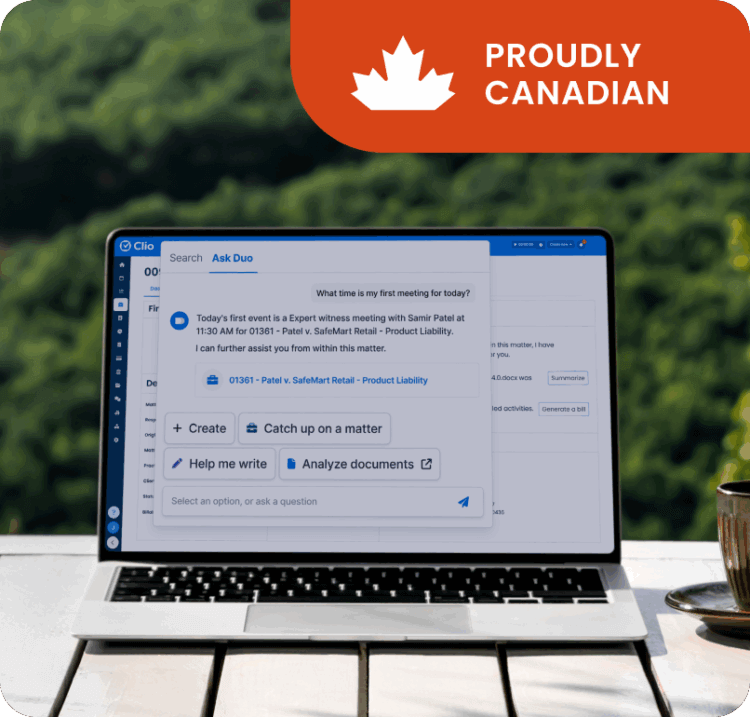

Built in Canada, priced in CAD, and hosted on Canadian servers
Clio is developed with Canadian legal practices in mind. Pricing is in Canadian dollars, so there’s no need to factor in exchange rates or cross-border fees.
For firms concerned about data residency, Clio also offers the option to store data on servers located in Canada—helping you meet privacy requirements and stay aligned with local compliance standards.
Whether you’re managing a small firm or scaling up, Clio supports the operational and regulatory needs of Canadian lawyers with tools that work in a Canadian context.
Worried about moving your data? We’ll walk you through it.
Switching from on-premise software doesn’t have to be a headache. Clio’s dedicated migration team will guide you through every step—at no extra cost.
-

Migration consultation
Meet one-on-one with a Customer Onboarding Specialist to go over the process and timeline.
-

Data export and prep
Our Migration Specialists will help you export your data and get it ready for Clio.
-

Import and review
Once your data is imported, we’ll review it with you to make sure everything’s accurate and ready to go.
Other ways Clio supports its customers
-

Industry-leading insights and resources
Stay up to date with the latest insights on running a successful law firm. Clio provides expert content through blog posts, our annual Legal Trends Report, and in-depth webinars, all designed to help you improve your practice’s efficiency and profitability.
-

Customer Community
Connect with other legal professionals in The Law Community. This platform allows Clio users to share knowledge, discuss legal topics, and learn how to use Clio more effectively, with a focus on practice-area specifics.
-

Biggest event in legal
Join thousands of legal and tech professionals at ClioCon, one of the biggest events in the legal industry. It’s a chance to learn, get inspired, and stay ahead of the curve.
See why 400,000+ lawyers have ditched their outdated on-premise software
Frequently Asked Questions
I have a lot of data on my old system. How does migrating to Clio work?
Our Data Migrations team will help move your data from another practice management system into Clio—no manual entry required and no extra charge. You’ll have a consultation beforehand so you know what’s included and how it works.
How much storage does Clio include?
Clio offers unlimited storage at no additional cost. Upload as many documents and files as you need.
Is my data secure in Clio?
Yes. Clio is monitored 24/7 by a dedicated security team and updates automatically. Unlike on-premise systems—where you’re responsible for hardware, physical threats, and manual updates—Clio handles security for you.
Does Clio have built-in accounting?
Yes. Clio includes legal-specific and trust accounting tools that are easy to use and built to meet compliance needs.
What syncs between Clio and QuickBooks?
Clio syncs contacts, bills, time entries, expenses, and payments with QuickBooks.
What kind of contract does Clio require?
You can choose between monthly or annual subscriptions. No long-term contracts or commitments.
How long does installation take?
Clio doesn’t require installation. Just log in from your browser.
