
New product features in Clio
-
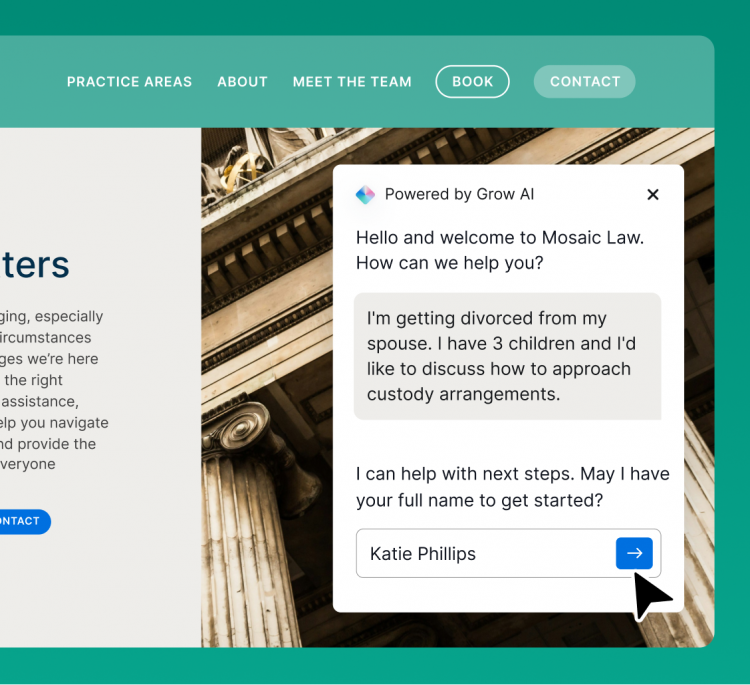

Attract, assess, and acquire clients around the clock
Never miss a chance to grow. Grow AI responds to leads after hours, screens them for fit and conflicts, books qualified prospects into appointments, and nurtures them after the case closes, building a reputation clients return to.
See Grow AI in Action
-
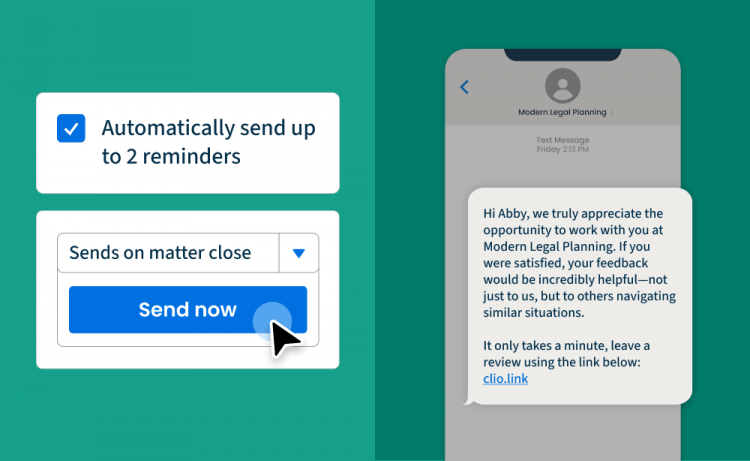
Grow your reputation on autopilot
Send review requests automatically when a matter closes. Boost your review volume and ensure your firm stands out when potential clients search for legal services on Google or through AI tools.
Explore reputation management
-

Use AI to automate your legal drafting right in Clio
Clio Draft is now available in Canada!
Cut legal drafting time by up to 80% with the AI-powered solution for fast, accurate legal documents. AI converts your own documents into reusable templates, then generates client questionnaires for you so you can ditch your tedious document tasks.
Learn more
-

Turn routine tasks into completed work with Manage AI
Use AI in Clio Manage to transform court documents into calendar events, matter activity into high-quality client updates, and time or expense entries into payment-ready bills.
Learn more
-

Clio Manage just got even easier on the eyes
Whether you want to reduce eye strain at night or simply prefer the look, dark mode is now available on desktop and in the mobile app.
Turn on dark mode
-

New options for recurring payments
Use ongoing payment plans to collect automatically—perfect for long-term or recurring work.
Find out how
Not a Clio user? Book a demo to learn about all these features and more.
Popular product enhancements for Canadian law firms
Your to-do list, built for you
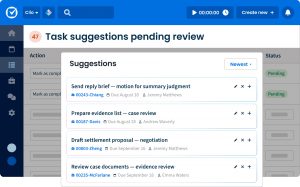
Clio turns your emails, notes, and client messages into fully drafted tasks, with the description, assignee, due date, and linked matter already filled in so you don’t have to.
Apply the right tax rate to every invoice
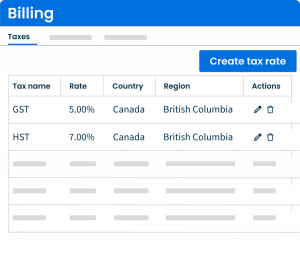
Set up and apply multiple tax rates to individual line items on your bills. This ensures every invoice is accurate, no matter the jurisdiction or practice area.
Document automation now supports Multi-Client Matters

Generate documents that automatically include all clients on a matter, or select which client’s information populates the document. No more manual edits or template workarounds.
Record and bill expenses across currencies
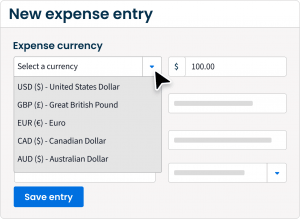
Track time, activities, and expenses in your default currency and convert when generating invoices. Every bill will reflect the right amount, no matter where your clients are.
Attach receipts directly to expense entries
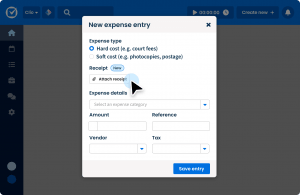
Capture and attach receipts to expense records right in Clio. This keeps your billing documentation organized and eliminates the need to track down supporting files when it’s time to bill.
Intake and billing stay in sync for multi-client matters
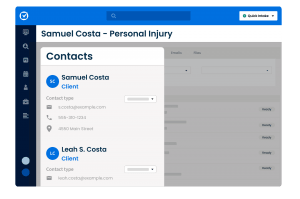
Designate multiple clients on a matter in Clio Grow and have that information carry over automatically when it converts to Clio Manage. Your records remain accurate from intake to billing, with no manual updates needed.
Upload documents to the Client Portal in bulk
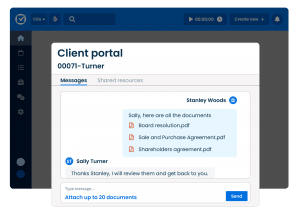
Upload multiple files to the client portal in one go, which saves time when sharing large batches of documents with clients.
Make your bills look like your brand

Build fully customized invoice templates. Adjust formatting, organize line items, and choose layouts that reflect your firm and client preferences.
Find what you need in Clio Manage, faster
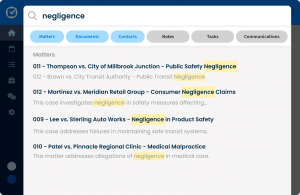
Clio Manage now offers granular filters, tags, and a preview panel to help you quickly locate the firm data you’re looking for, less scrolling, more doing.
Submit LEDES bills with confidence

Reduce billing errors and avoid rejected or partially paid invoices. Make UTBMS and activity codes mandatory for specific matters, access a modernized code library, and download bills in additional file formats beyond 1998B and 1998BI, so you spend less time fixing errors and more time getting paid.
Get bills paid automatically with Autocharge

Never run a card payment again. Autocharge ensures bills are paid based on pre-set triggers, which saves you the hassle of running every charge yourself.
Easier ways to get paid at intake

Get paid at intake without any extra work. Request payment right from Clio Grow, which makes it effortless to get paid for consults, retainers, and more.
Get paid upfront, while clients pay over time

Pay Later has arrived in Canada! Get paid upfront and in full, while clients pay in monthly installments.
Get deeper insight into your payment activity
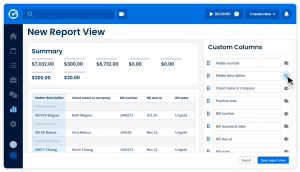
Build custom reports on your Clio Payments data to track collections, outstanding balances, and payment trends. This gives you the visibility you need to manage your firm’s cash flow.
Clio Work remembers how you work
Clio Work Memory retains context about your preferences, clients, and past interactions, so every AI response gets more tailored and useful over time, without you having to repeat yourself.
Reimagined conflict check for a clear go/no decision to represent a client

Scan every corner of Clio Grow and Clio Manage to uncover potential conflicts of interest across contacts, case notes, calendar events, matters, and more.
Upgrades to revenue reports in Clio Grow
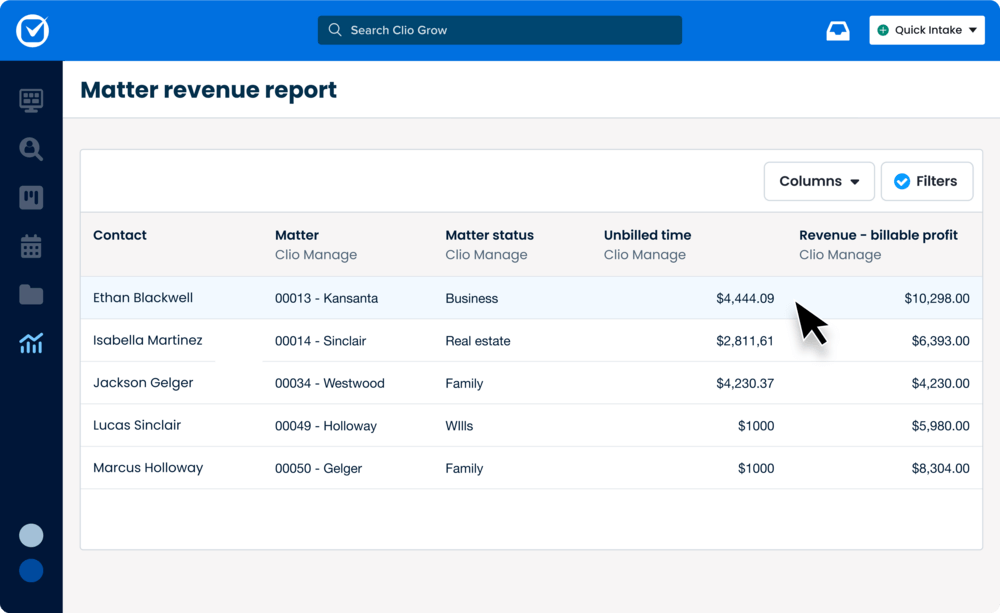
Clio Grow’s upgraded revenue reports deliver clearer, actionable insights with matter counts and conversion rates in the lead source report—plus a totals row in both lead source and matter revenue reports for quick analysis across all lead sources.
Skip delays in your intake process with automation
Keep your intake process moving, from sending intake forms, to booking appointments, to assigning tasks. Automated workflows handle next steps so you can bring on new clients faster, and with less effort.
More control over user access
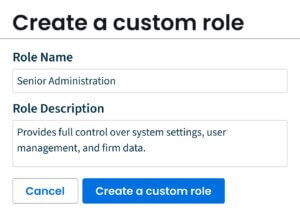
Set clear access levels with custom roles. Protect sensitive data, reduce mistakes, and give every user just the permissions they need.
Custom reports built for your firm

Easily tailor reports to your needs with flexible filters and groupings, then save and share them in PDF, Excel, or CSV for faster insights.
Clio announcements
-
Stay on top of Clio’s latest product updates in the Clio community
Get answers to your Clio questions, learn more about upcoming pilot programs, and connect with fellow Clio customers.
-
