

Build the record at intake
Capture the client, the agency, and the tribunal on day one, then add the order or action, the statutory authority, and the known dates.
Overview
Resources
Explore insights, guidance, and learning to help you get more from your practice.
Trending Topics & Tools
Training & Events
Clio is the legal AI platform for administrative matters. It keeps the notice, the agency record, deadlines, research, and submissions on one matter, from the agency’s first action through review, appeal, or compliance. When a decision arrives, you’re ready to respond.

Capture the client, the agency, and the tribunal on day one, then add the order or action, the statutory authority, and the known dates.
Use rules-driven calendaring where a court ruleset is available, or custom dates, tasks, and reminders for other proceedings, with the source notice on the matter.
Read the statutes, regulations, cases, and rules that control the decision with the agency record open, then prepare submissions or hearing materials for your review.
Evidence, orders, and reconsideration or appeal work live on the matter, alongside your time, bills, payments, and approved client updates.
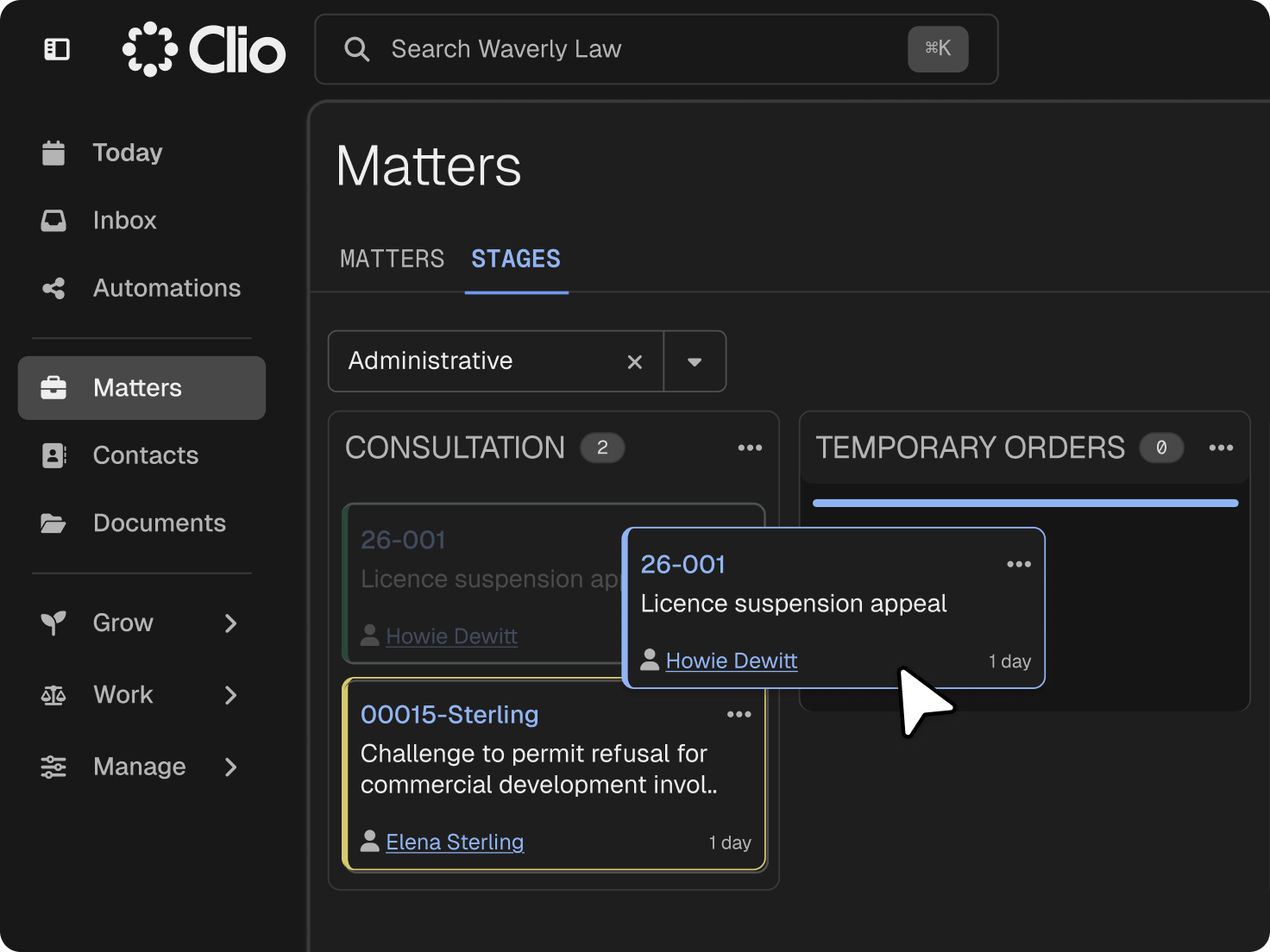
An administrative matter often starts with a notice, a decision, or an enforcement action, and the clock may already be running. Clio captures the agency, the parties, and the proceeding at intake, so the matter opens with the dates and the record in place while you confirm jurisdiction and remedy.

Applications, correspondence, prior decisions, transcripts, and exhibits live on the matter, so the record you build is the record you work from. Documents you collect at intake join the file, so you can compare it with the record the agency relied on and spot what’s missing. Record certification and forum-specific requirements stay your firm’s responsibility.
A filing or appeal date may run from service, issuance, receipt, publication, or a hearing event. Calendaring keeps each date on the matter as a task and calendar event, with the notice, decision, or order behind it.
Legal research reads the statutes, regulations, cases, and procedural rules that control the decision against a library of over 1 billion legal documents, each source linked for you to open and verify. With the notice and agency record on the matter, you can frame each question around the case’s procedural posture.
Evidence lists, affidavits, witness materials, and the hearing bundle stay on the matter, alongside your time, billing, and client funds. Drafting can prepare an affidavit or an application for judicial review from the record, for you to approve before it goes out.
legal professionals trust Clio
law societies and bar associations recognize Clio
rating across 13,000+ reviews
When someone sends something, Clio gives me just enough information to know whether it’s important. It keeps me on track with deadlines.

Attorney, Law Office of Schantell S. Comegys, PLLC (Washington DC)
Administrative law software keeps the notice, the agency record, the procedural route, the deadlines, the submissions, and the hearing in one connected matter, so the work holds together from the agency’s first action through review, appeal, or compliance. Get a demo.
Yes. Each proceeding runs on its own matter, with the agency, the parties, the tribunal, and the procedural stage recorded at intake. Matter stages, tasks, and reminders show where the proceeding stands, from the first notice through the hearing and decision. Get a demo.
Clio provides rules-driven tracking for supported court deadlines. For agency proceedings, custom dates, tasks, and reminders track the deadlines you verify, on the same matter as the notice or decision behind them. Get a demo.
Yes. Applications, correspondence, prior decisions, transcripts, and exhibits live on the matter, and record certification and forum-specific requirements stay your firm’s responsibility. Tasks and reminders track what’s still outstanding, so you can see the gaps before the hearing or review. Get a demo.
Yes. Clio’s legal AI researches statutes, regulations, cases, and procedural rules across federal law and every province and territory except Quebec, with each answer linked to its source for you to open and verify. You can research the governing authority with the agency record in view on the matter. Get a demo.
Agency, tribunal, and court filing systems vary by forum. Clio doesn’t currently offer electronic filing in Canada, so filings go through the forum’s own system. Save each filed copy and confirmation to the matter, then set the next deadline it triggers. Get a demo.
Yes. The agency record, hearing materials, and decision stay on the matter, so reconsideration, appeal, or judicial review work starts from the record you built. Custom deadlines track the appeal window you verify, and Clio’s legal AI helps prepare the factum or memorandum of fact and law for your review. Get a demo.
Bill hourly, by flat fee, or both on the same matter, and record time and disbursements as the work happens. Bills draw from the matter, and client funds held in trust stay on separate ledgers. Your firm stays responsible for its law society’s trust accounting rules. Get a demo.