Trusted by 400,000+ legal professionals
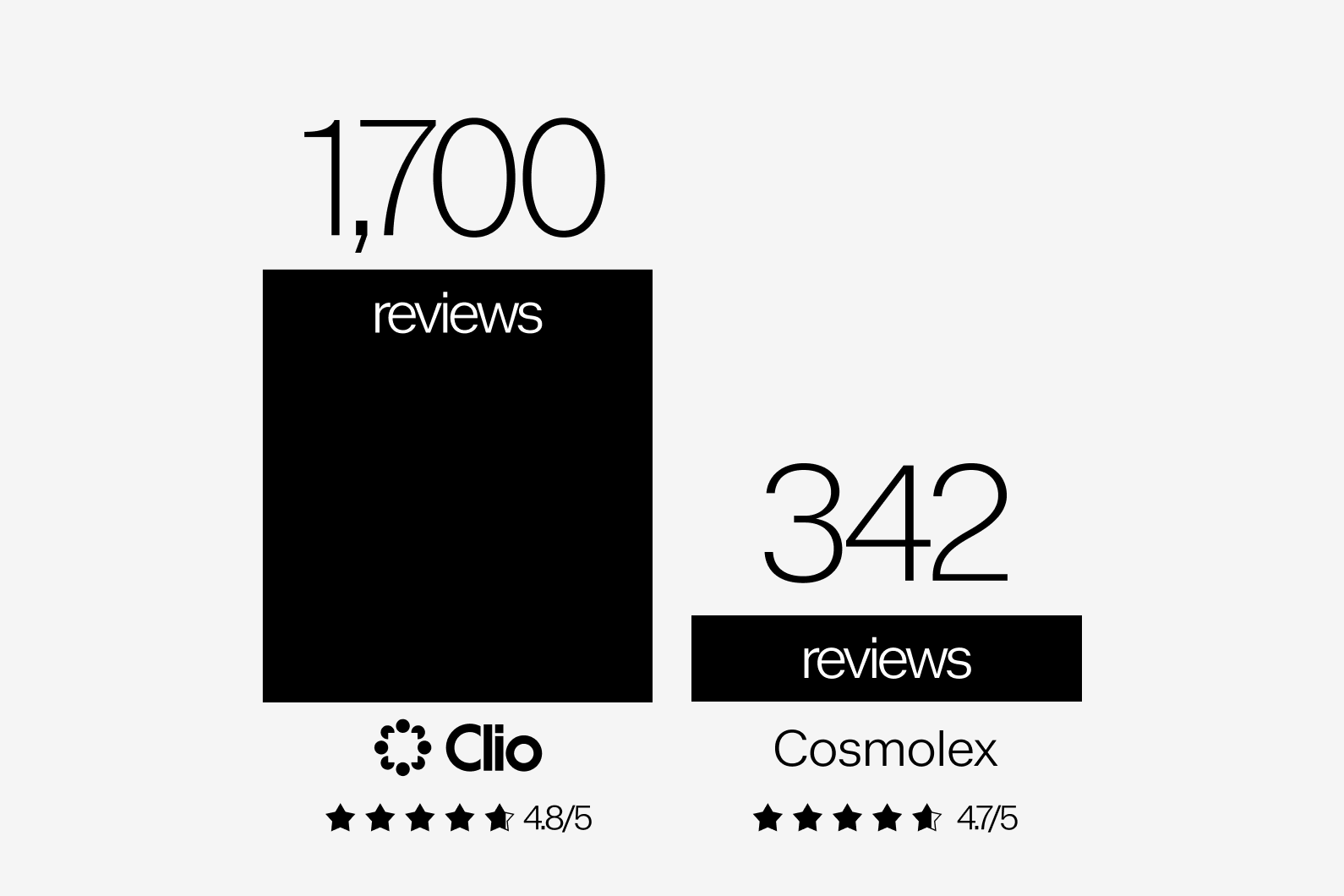
Clio has garnered the most 5-star reviews of any legal practice management system available.
How does Cosmolex compare to Clio? This page will help you understand the differences between Cosmolex and Clio—and to help you choose the best software for your law firm.
Clio has garnered the most 5-star reviews of any legal practice management system available.
For Canadian firms, Clio offers pricing in Canadian dollars, which eliminates concerns over currency conversion fees and simplifies budgeting. This feature ensures that your firm pays in the local currency, making financial planning more straightforward.
Additionally, Clio provides the option of storing data on Canadian servers, which can be crucial for law firms that need to comply with Canadian privacy regulations. Canadian server storage offers an added layer of confidence, ensuring that your client data is stored securely within Canada, in line with local data protection standards.
This combination of local pricing and secure, locally hosted data storage makes Clio a compelling choice for Canadian law firms seeking a reliable and compliant practice management solution.
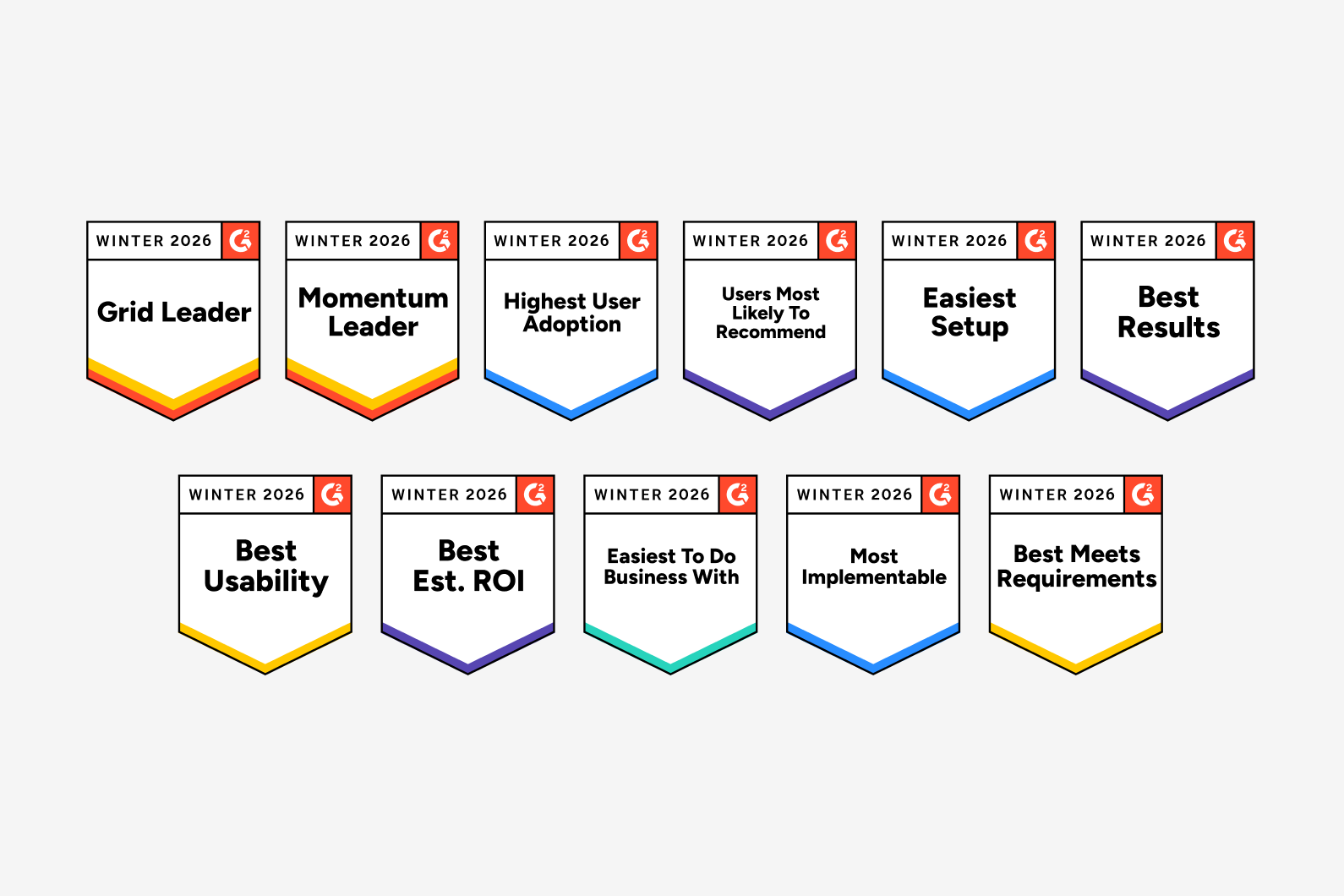
G2 has ranked Clio as the #1 legal practice management solution and #1 in market presence eight years in a row.
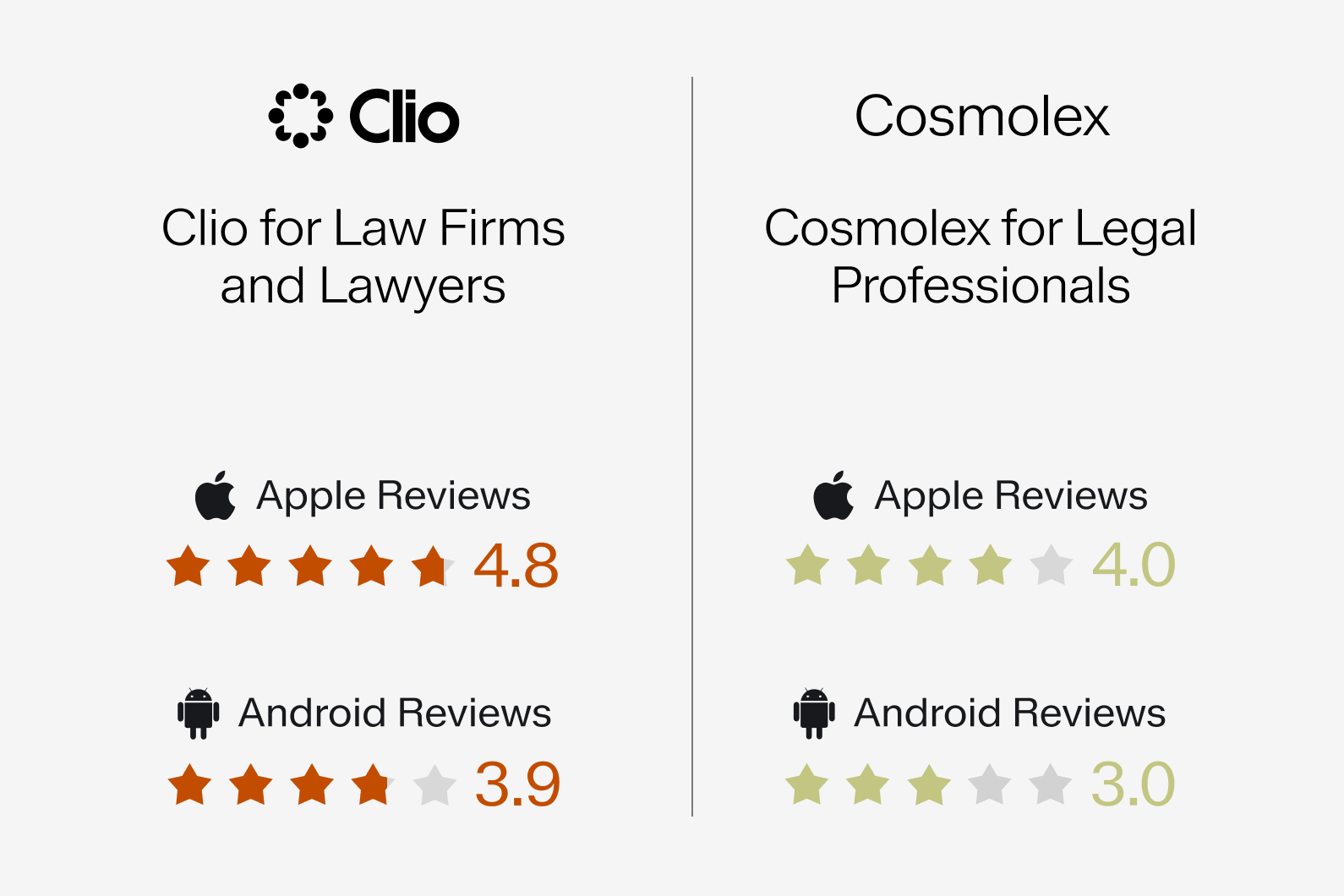
Today’s lawyers and legal professionals are always on the go, and want the freedom to work from anywhere. That’s why we take a mobile-first approach to technology.
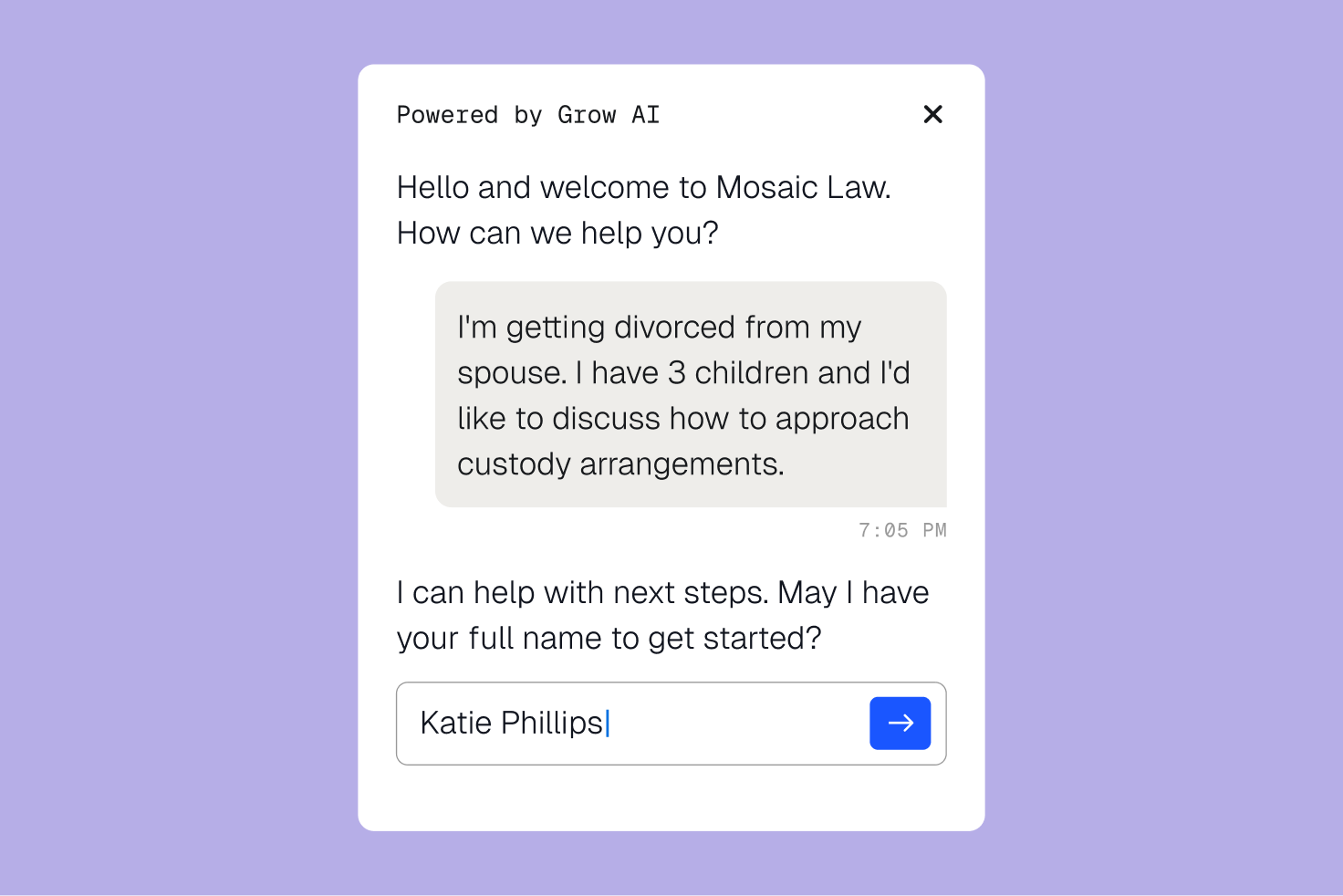
With customizable online intake forms, you can quickly collect necessary client information, making onboarding smoother and faster. Clio ensures no inquiries are overlooked by keeping all potential clients organized in one place. You can easily book consultations, accept payments, and manage your client pipeline—everything you need to turn prospects into paying clients.
Clio makes managing your legal documents easier than ever. With unlimited storage, you can save, edit, and access your documents directly within each case, without needing a third-party solution. If you prefer, Clio also integrates with tools like Dropbox, Google Drive, OneDrive, Box, NetDocuments, and iManage. Its simple, user-friendly design reduces unnecessary clicks, saving you time and effort. No more downloading and re-uploading documents after edits—everything stays organized and accessible in one place.
| Feature | Clio | Cosmolex |
|---|---|---|
| Unlimited Storage | Included | Included |
| Individual File Size Limit | 5GB | 100MB |
| Edit & Save Documents Automatically | Included | |
| Desktop Drive | Included | |
| Full Text Document Search | Included | |
| Attach Documents to Intake Forms | Included | |
Clio integrates with the tools you already use, like Outlook, QuickBooks, Zoom, and practice-specific solutions. With more integrations than any other legal software, Clio helps you connect your existing technology and customize your workflow to fit your firm’s needs.
Clio
Integrations
Cosmolex
Integrations
Our support team in Canada is available 24/5 to assist you by phone, email, or live chat—ensuring you get the help you need quickly. You can also access a detailed library of articles in our help center, or learn how other legal professionals are using Clio by visiting our customer community.
| Feature | Clio | Cosmolex |
|---|---|---|
| Phone Availability | 24/5 | 11 hours |
| Chat Availability | 24/5 | 12 hours |
| Included | Included | |
| Self Help Articles | Included | Included |
| Customer Community | Included | |

Clio provides the perfect balance between power and ease-of-use. Whether you’re a large established firm with unique processes or a new firm just figuring it all out, Clio meets you where you are and scales with you as you grow.
Clio helped me start my firm and really take off into becoming a virtual law firm. I love that it links to QuickBooks, it has storage for all my files, the tracking system for billables, and the fact that it is accessible from anywhere.
Burlington, Ontario
Clio has successfully built more than a piece of software. It’s also built a supportive community of like-minded, entrepreneurial lawyers looking to build innovative law firms.
Spring Law, Toronto
Clio is the reason I was able to start my firm virtually straight after articling.
St. Catherines, Ontario
We understand migrating data from one system to another can be overwhelming. That’s why our dedicated onboarding team is ready to assist your firm’s transition to Clio.
Start with a one-on-one meeting with your dedicated customer onboarding specialist to discuss the process and timelines.
Our migration specialists will give you guidance on how best to export your data. They will then prepare your data to be imported to Clio.
Once the import is complete, our migration specialists review the accuracy of your data and make sure you’re ready to get started with Clio.
I was really nervous about the data migration but it was pretty much seamless. It was such a relief to hear that all the client files and data had been quickly migrated so that I could start working on the cases.

Owner, Abdullah and Schneck Immigration Law Group LLC