

Clio versus PCLaw
PCLaw

PCLaw
Support
Support
Show Less
PCLaw
Expect long wait times
Phone support is available Monday through Friday, but users report long delays, sometimes taking days or weeks to get help.
24/5 support (Monday through Friday)
We offer unlimited 24/5 support at no extra cost, with a North American-based team available by phone, email, or live chat.
Training
Training
Show Less
PCLaw
Limited learning resources
To access training, you must buy an annual maintenance plan, which includes self-guided resources.
Comprehensive learning resources
We provide 1:1 live training, on-demand videos, 24/7 help centre access, and a growing legal community for support at your own pace.
Remote access
Remote access
Show Less
PCLaw
Limited remote access
Remote access is limited.
Easy access from anywhere, anytime
Clio is accessible anywhere, anytime, with no restrictions.
Security
Security
Show Less
PCLaw
Keeping data secure is on your shoulders
Security relies on on-premises servers, meaning you’re responsible for maintaining it and protecting client data from threats.
Security is one less thing you have to worry about
Clio’s dedicated security team ensures your data is protected with the highest standards. We provide automatic backups and use geo-redundant servers to safeguard against physical threats.
Product updates
Product updates
Show Less
PCLaw
Forced paid upgrades
You’re required to pay for mandatory updates, including the risk of data corruption or system incompatibility if you don’t upgrade.
Instantly get access to new features and updates
Get automatic access to new features with your subscription, with no additional costs and no disruption.
Total cost of ownership
Total cost of ownership
Show Less
PCLaw
Additional server, hardware, and maintenance costs
In addition to maintenance plan fees, you’ll incur extra costs for hardware, installation, IT support, and security.
We make sure your operating costs stay low
Clio keeps costs low by including maintenance and support in your subscription. No need for hardware upgrades—you can use any device.
Online payments
Online payments
Show Less
PCLaw
No native online payment functionality
PCLaw doesn’t offer native online payment functionality, meaning you must use a separate service.
Get paid faster with Clio Payments
Clio Payments makes it easy to get paid online, automatically syncing payments to your client accounts and accounting ledger. We also ensure compliance with trust accounting rules.
-
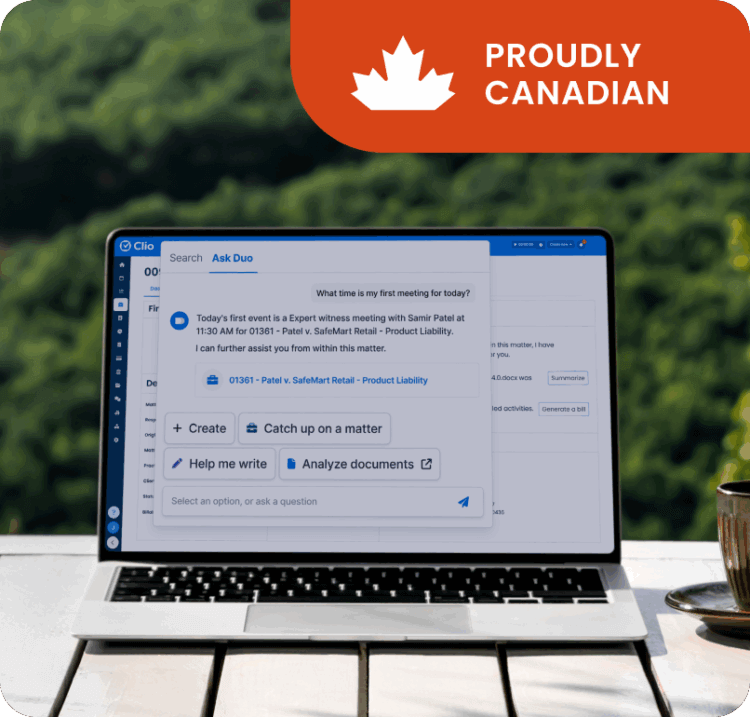

Built in Canada, priced in CAD, and hosted on Canadian servers
Clio is designed with Canadian law firms in mind—offering straightforward pricing in Canadian dollars to simplify budgeting and eliminate currency conversion hassles. Plus, with the option to store your data on Canadian servers, Clio helps you meet local privacy and compliance requirements with confidence. It’s a practice management solution that understands—and supports—the unique needs of Canadian legal professionals.
Already using PCLaw? Switching to Clio is simple.
Migrating data can be a hassle, but we make it easy. When you switch to Clio, our dedicated data migration team is here to help every step of the way. We ensure your data is securely transferred with no surprises.
-

Migration Consultation
Start with a one-on-one session with your Customer Onboarding Specialist to go over the process and timeline.
-

Data Export & Processing
Our specialists will guide you through exporting your data and preparing it for import into Clio.
-

Data Import & Review
After your data is imported, our team will check for accuracy and ensure everything’s set for you to start using Clio.
Other ways Clio supports its customers
-
Industry-leading insights and resources
Stay up to date with the latest insights on running a successful law firm. Clio provides expert content through blog posts, our annual Legal Trends Report, and in-depth webinars, all designed to help you improve your practice’s efficiency and profitability.
-
Customer Community
Connect with other legal professionals in the Clio Community. This platform allows Clio users to share knowledge, discuss legal topics, and learn how to use Clio more effectively—with a focus on practice-area specifics.
-

Biggest event in legal
Join thousands of legal and tech professionals at ClioCon, one of the biggest events in the legal industry. It’s a chance to learn, get inspired, and stay ahead of the curve.
See why 400,000+ lawyers choose Clio
Schedule a free demo of Clio
Frequently Asked Questions
Can Clio help me migrate data?
Yes. Our Migration Specialists will handle the data transfer from PCLaw to Clio, so you don’t have to worry about doing it manually.
How long does the data migration process take?
The timeline depends on the quality and organization of your data. Make sure your data is properly formatted, backed up, and secure before starting the migration. If you’re unsure about any details, consult with your Migration Specialist.
Is customer support included with my Clio subscription?
Yes. Clio offers 24/5 customer support at no extra charge. You’ll have access to personalized help from our award-winning support team, with no separate fees for support or product updates.
Is Clio cloud-based?
Yes. Clio is cloud-based, which means you can access it from any device with an internet connection and a supported browser like Chrome, Firefox, Safari, or Microsoft Edge.
Does Clio integrate with accounting software?
Yes. Clio integrates with QuickBooks to ensure your trust transactions and disbursements are properly synced, with full visibility into your firm’s accounts.
