


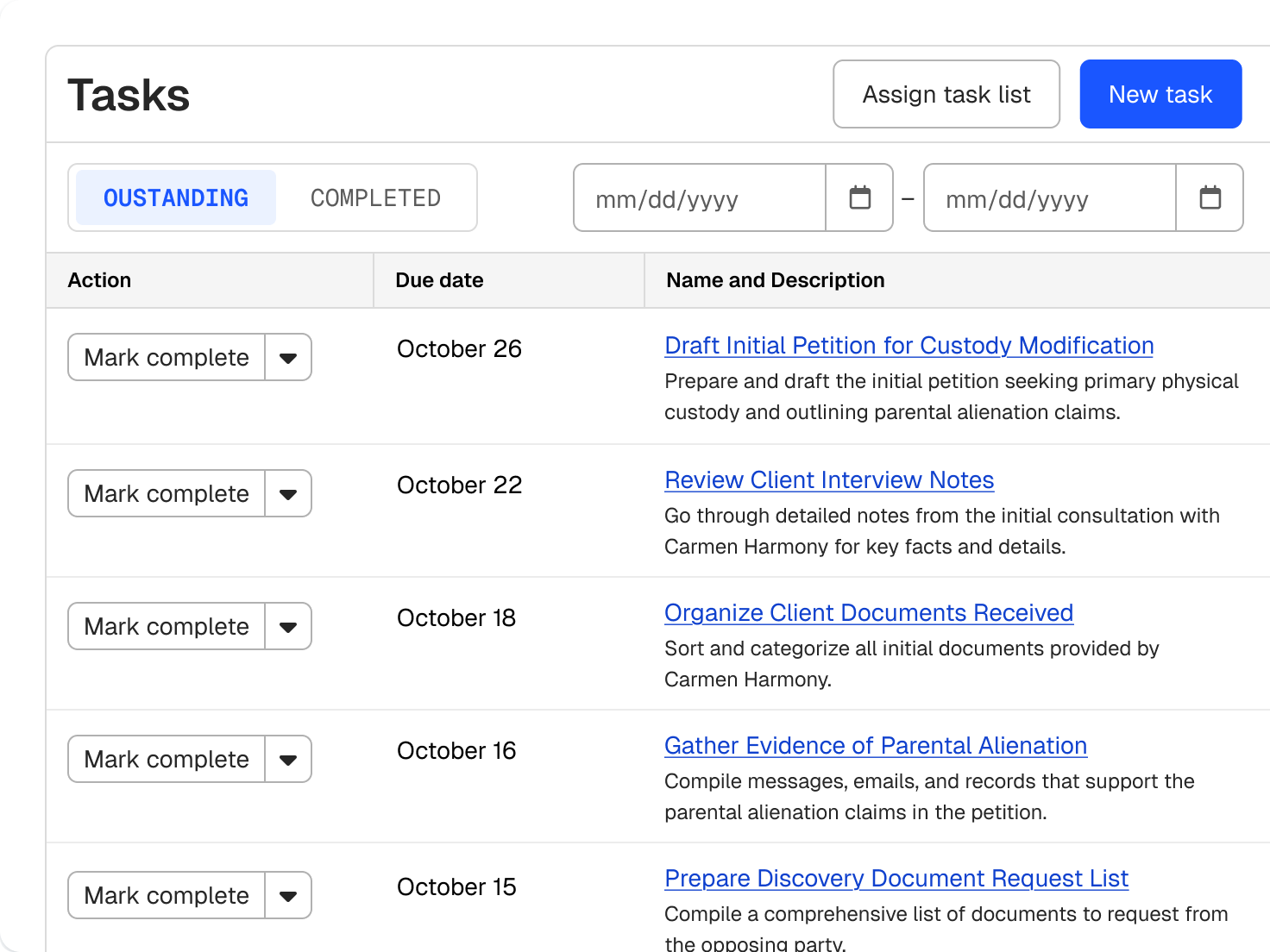
Law firm task management the whole team can see
A matter’s tasks show by due date, overdue work is flagged, and your dashboard opens on what’s due today.
Overview
Resources
Explore insights, guidance, and learning to help you get more from your practice.
Trending Topics & Tools
Training & Events
A matter’s tasks show by due date, overdue work is flagged, and your dashboard opens on what’s due today.
Give each task a named owner and a matter, so responsibility is clear.
Move tasks through Pending, In Progress, In Review, and Complete, with High, Normal, or Low priority.
Private tasks stay visible only to the creator, the assignee, and admins.
Assign work to outside counsel through a secure portal, with reminders and a notice when they finish.
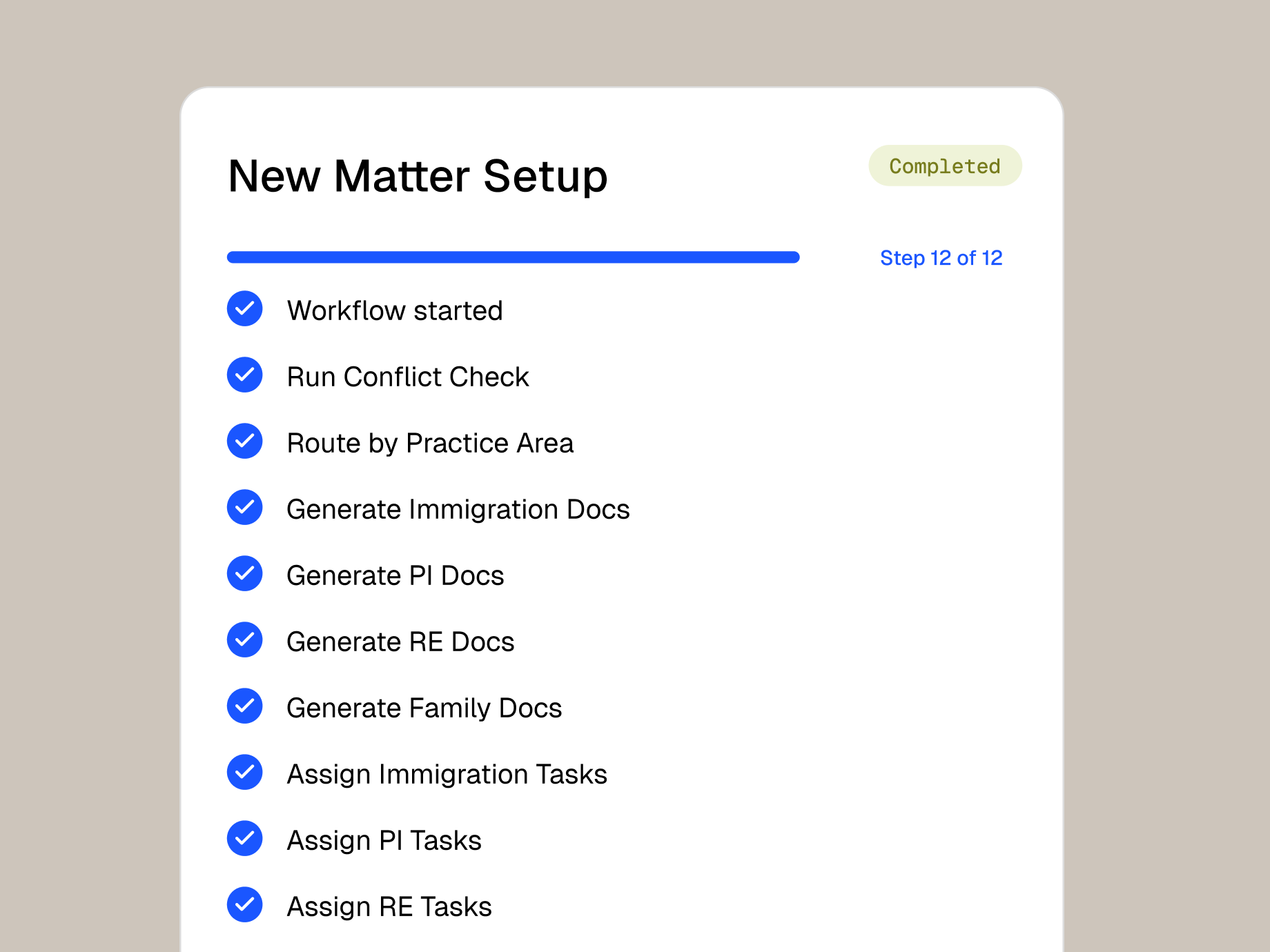
Turn your process for each case type into a reusable task list with relative deadlines.
Apply a saved task list to a new matter, or duplicate one and adjust it for a variation.
Set custom stages for each practice area and see matters on a kanban board.
Stage changes can assign the next task list and generate the documents that go with it.
legal professionals trust Clio
bar associations and law societies worldwide approve Clio
from 13,000+ reviews

Tasks appear in Clio’s calendar, where you can mark them complete.

Get reminders from minutes to weeks ahead, plus a notice when someone finishes a task.

Create and update tasks in the mobile app between meetings.
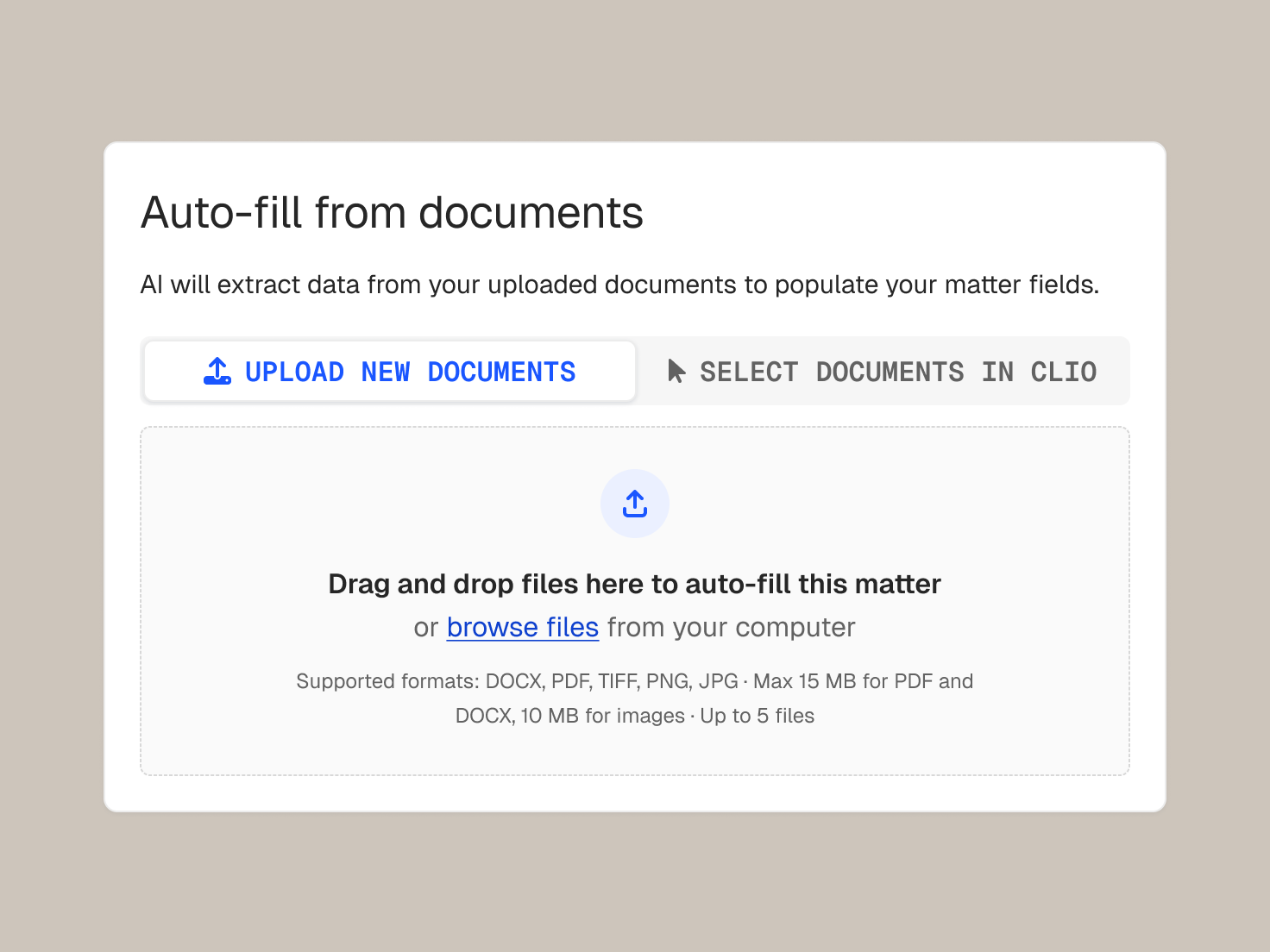
Clio’s AI drafts the matter setup and suggests priorities, and you make the call.
Clio’s AI fills a new matter with tasks, events, notes, and expenses for you to review before you proceed.
Get recommended priorities and flagged risks based on matter activity.
Change or decline anything Clio’s AI proposes, and its access follows your existing permissions.
Legal task management software tracks the work on each matter: who owns each task, when it’s due, and what’s done. Clio ties tasks to matters, calendars, reminders, and time entries. Get a demo.
Yes. Tasks on a matter are visible to everyone with access to it, except private tasks, which only the creator, assignee, and admins can see. Start a free trial.
Tasks appear in Clio’s calendar, where you can complete them. A one-way feed sends tasks to external calendars, and changes made there don’t sync back. Get a demo.
Tasks move through Pending, In Progress, In Review, and Complete, with High, Normal, or Low priority. Start a free trial.
Yes. Turn on completion notifications, and set multiple reminders from minutes to weeks before a task is due. Get a demo.
Clio’s AI can fill a new matter with tasks, events, notes, and expenses, and recommend priorities and risks from matter activity. You review, edit, or reject each suggestion, and AI access follows the permissions you already set. Get a demo.
Reports show upcoming, overdue, and completed tasks by user, filtered by category, client, matter, or date, and compare estimated time with recorded time. Get a demo.
Yes. Add billable or non-billable time from a task, and see which tasks have no time entry before you bill. Start a free trial.
They overlap. Task management covers individual pieces of work and deadlines, while project management looks at the whole matter plan. Clio supports both with task lists, stages, and reports. Get a demo.