

Get oriented without asking
See the key documents and deadlines behind the assignment, with the source a click away.
See the key documents and deadlines behind the assignment, with the source a click away.
Ask the legal question with the matter facts in view, open every citation, and see which later decisions have cited a case.
Draft from matter context and cited law, or from an approved template. You verify, refine, and own the final work.
Comments, tracked revisions, and approved versions stay connected, so the next draft reflects the feedback.
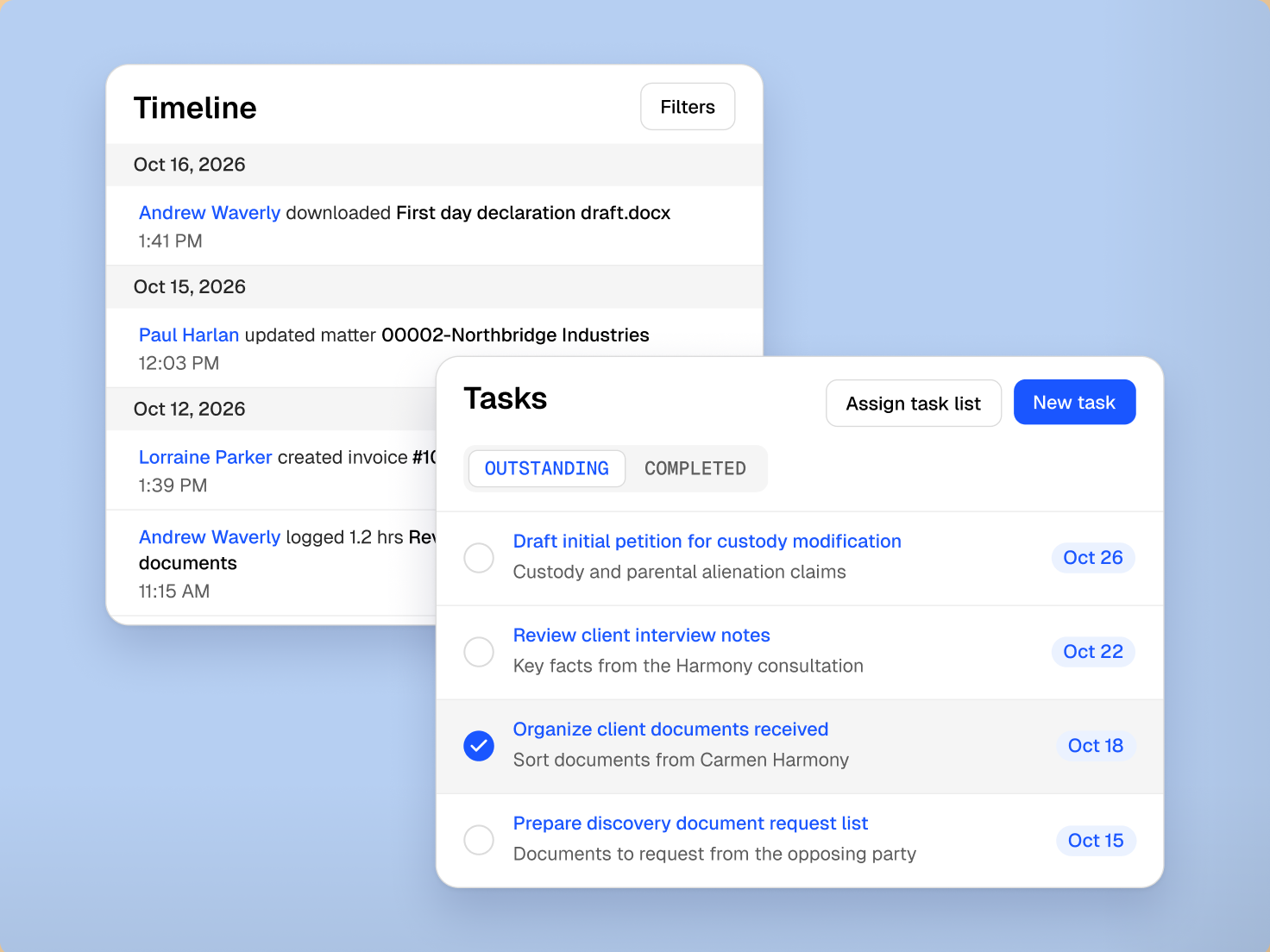
Clio can pull recent activity, deadlines, open tasks, and documents into one summary, with the source behind every point ready to open.
Clio brings case law, statutes, treatise commentary, and citations into the matter. Research a question in your province, open and check the citations, and have the argument set out against your facts, then keep the result for the draft or advice that follows.
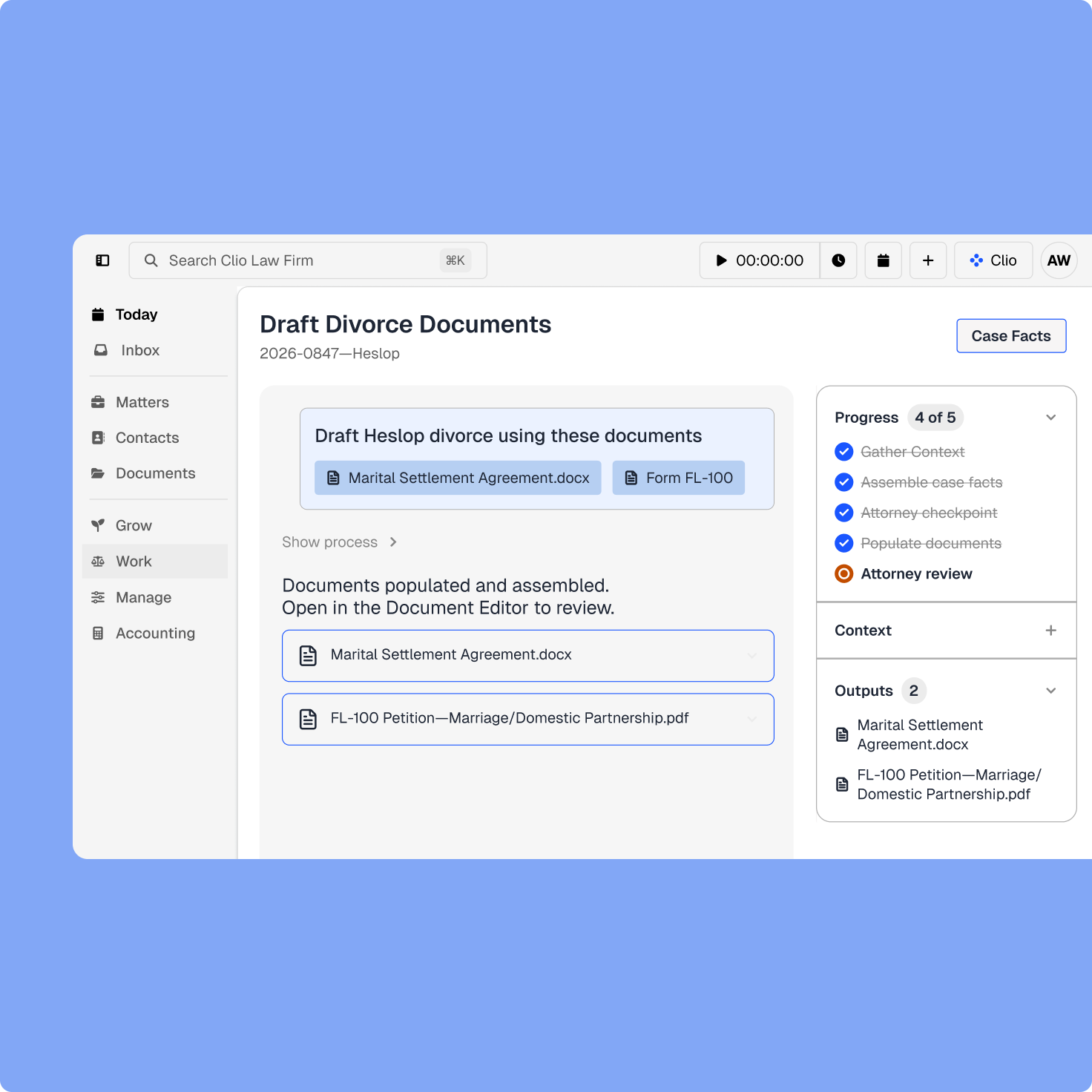
A first draft is stronger when it starts with the actual parties, facts, documents, instructions, and law. Clio can prepare motions, agreements, letters, memos, and facts for review, with citations linked to the source, while you decide the argument, structure, and final language.
Partner feedback makes more sense when the comment, source clause, earlier version, and client instruction stay together. Clio keeps the draft and its review history on the matter, so the reasoning doesn’t scatter across orphaned files and email.
Recent matter activity already shows what changed and what needs attention next. Clio can prepare a client update from that context for your review, so you add the judgment and nuance the relationship needs. Capture time as you work, while you still remember what you did and why.
legal professionals trust Clio
global legal documents
years serving legal professionals
Clio has helped with increasing billable hours by keeping track of my work and my progress and keeping me accountable!
Associate, KRB Avocats / Lawyers Inc.
Associate lawyer software helps you understand matters, organize documents, research, draft, collaborate through review, manage deadlines, communicate with clients, and capture time. Clio connects those responsibilities to the current matter and to the case law, statutes, and citations behind it. Get a demo.
Yes, on Core and above. Clio can pull the operational detail, recent activity, upcoming deadlines, open tasks, and financial position of a matter into one view, summarize the documents on it, organize a chronology, and surface the issues for your review. The underlying records stay available to open. Get a demo.
Yes. Clio’s legal AI researches federal and provincial statutes, case law, and treatise commentary from publishers like Irwin Law and Emond, and every point comes back with the authority cited. Each citation opens the source, and you can see which later decisions have cited a case. Get a demo.
Yes. Clio can prepare a motion, agreement, letter, memo, factum, or pleading from the matter’s facts and the law that applies, with case law and statutory citations embedded inline and hyperlinked to the source so you can check each one. You verify, revise the analysis, and finalize the work. Get a demo.
Yes. An approved template or document set populates from the matter record, and court forms for family and probate work in British Columbia, Ontario, and Alberta begin with the matter data already in place. Your firm’s own precedents can become templates too. Get a demo.
Yes. Rather than reading across from the authority to the matter yourself, Clio can take the facts already on the file, query the case law, and return a structured memo setting the argument against them. You test the reasoning and decide what survives. Get a demo.
Yes. You can draft and review in Microsoft Word with the matter’s context available, and proposed changes arrive as tracked redlines you accept or reject. The document and its history come back to the matter. Get a demo.
Yes. You can record time and expenses against the matter as you work, so research, drafting, calls, and review are captured while you still remember what you did and why, not reconstructed at month end. Get a demo.
Yes. Summaries, research, drafted documents, and suggested next steps are prepared for your review, with the underlying sources available to open and check. You apply the law, choose the argument, and own the final work. Get a demo.