Approved by 100+ bar associations & law societies






Experience the power of the industry’s leading AI law firm case management software.
With a centralized dashboard, you have a complete overview of all case information. Link every contact, document, calendar event, note, time entry, and bill to the appropriate case to make every task flow as smoothly as possible.

Comprehensive AI software for lawyers that is user-friendly and incredibly powerful
Amplify the way your firm works with AI-powered legal technology.

Client intake & CRM

Case & Matter MGMT

Document & File MGMT

Billing & Invoicing

Payments (ACH, eCheck, Credit)

Time & Expense Tracking

Workflow Automation

Legal Calendaring
Legal practice management software that works for every member of your firm
Efficiently manage your firm
Set your team up for success with a solution that makes everyone’s day-to-day smoother.
Standardize workflows with AI-extracted deadlines
Accelerate billing with auto-generated invoices
Keep matters organized with AI-suggested file naming
Improve collaboration with automated client updates
Analyze financial performance with AI-powered reports
Maximize billable hours with smoother processes
Manage cases from one hub
See next steps with AI-powered recommendations
Keep clients informed with draft updates you can send instantly
Collaborate with your team using shared AI-driven task lists
Reduce stress by letting AI handle admin details
Software that supports you, so you can support your firm
Organize and access documents with AI-suggested naming
Track time and expenses with precision
Never miss a deadline with AI-extracted court dates
Draft client communications automatically
Keep your day organized with AI task prioritization
Consider Clio admin support for legal admins
Streamline tasks by letting AI handle scheduling orders
Simplify accounting with anomaly detection in invoices
Accelerate cash flow with auto-routed approvals
Keep communication consistent with AI-drafted updates
Improve coordination by surfacing firm-wide priorities
Industry-leading security protocols mean you can rest easy know your firm is safe.
Easily manage user roles and permissions
Double down with Two-Factor Authentication
Reduce data loss risks with automated backups
Unprecedented security including 24/7 monitoring and regular security audits
GDPR, PCI, HIPAA, and SOC2 compliant
Streamline your legal billing while improving cashflow
Get paid faster with auto-generate accurate invoices with AI
Detect anomalies before approval
Simplify trust accounting
Access real-time AI-powered reports for financial clarity
Take advantage of intuitive accounting software made just for law firms
Run your entire law firm from one central place
Grow and market your firm
Optimize client intake with Clio.
Stress-free document drafting
Automate legal documents with Clio.
Get paid, manage your books
Oversee your finances in one system of record with Clio.
Run your firm your way
Access industry-leading security, support with Clio.
Increase productivity
Get more done—individually and as a team with Clio.
How Clio AI is Different
Most “legal AI” tools focus on one narrow task—drafting, research, or automation. But they don’t understand how law firms actually operate.
Clio takes a different approach. AI for the entire legal workflow
-


AI for the Business of Law
Run a more efficient, profitable firm without adding complexity
Designed for firm owners, managing partners, and operations leaders, Clio’s AI helps reduce administrative overhead and improve financial performance.
Automates intake and matter setup so work starts faster
Captures billable activity automatically and prepares invoices with less manual effort
Plans tasks and workflows to keep work moving forward
Surfaces insights into firm performance and cash flow
Less time managing the firm. More confidence in how it’s running.
-

AI for the Practice of Law
Spend less time on busywork and more time practicing law
Built for lawyers, paralegals, and legal teams, Clio’s AI supports everyday legal work without replacing professional judgment.
Assists with legal drafting and routine communications
Extracts deadlines directly from court documents—with verification
Keeps documents, tasks, and matter activity connected
Helps legal teams stay organized and on trackFaster work. Fewer missed details. Better client outcomes.
Clio—designed and built to meet the exact needs and nuances of your law firm
Every practice area. Any law firm size, small or large.

-
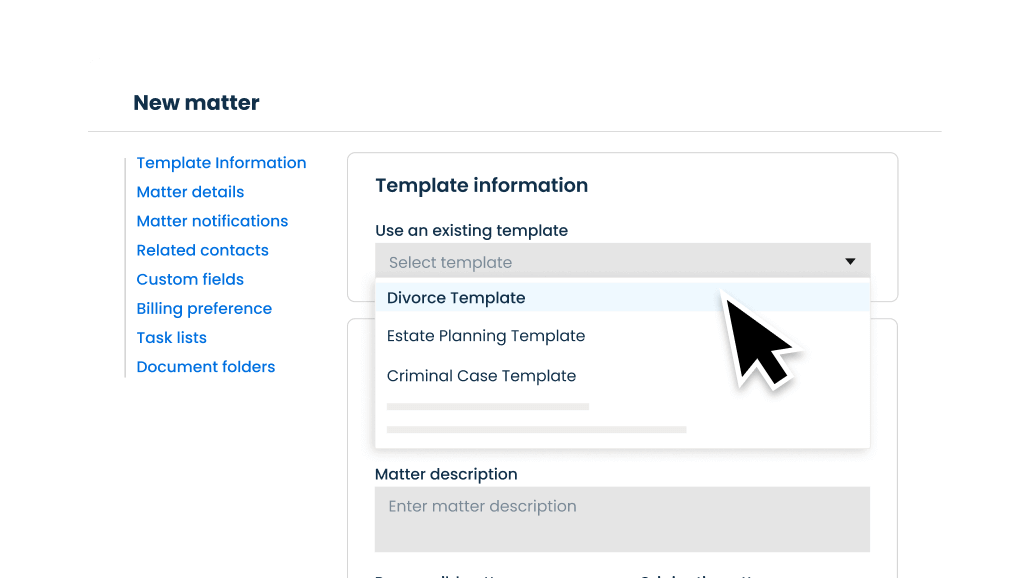
Reduce redundant tasks
Optimize your law firm with Clio: Manage documents, bill, track time, and more. Automate tasks, matter set up, and document creation to complete them more efficiently so you can focus on work that is the most important to your legal practice.
Learn more about task management
-
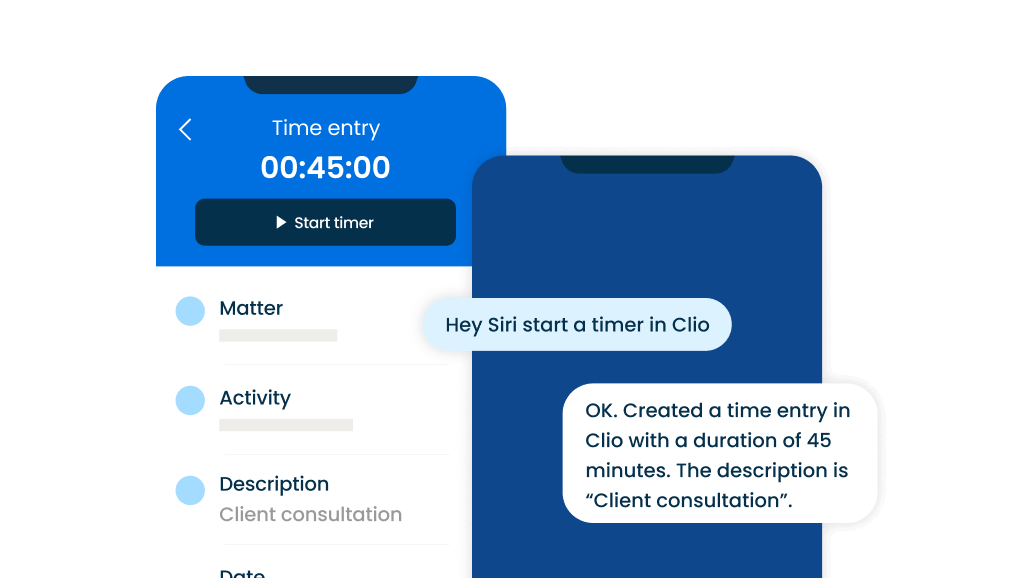
Access every case detail from anywhere
Securely access documents, bills, client info, and more from any device with an internet connection. With Clio’s law firm mobile app, you can manage your cases anytime, anywhere and keep your entire practice in your pocket.

See Legal AI For Yourself
From deadlines to billing, see how AI reduces busywork across your firm.

AI-powered case management that handles the busywork, so you can focus on what really matters
Designed to take the weight of routine tasks off your shoulders—so you can do the meaningful work only you can do
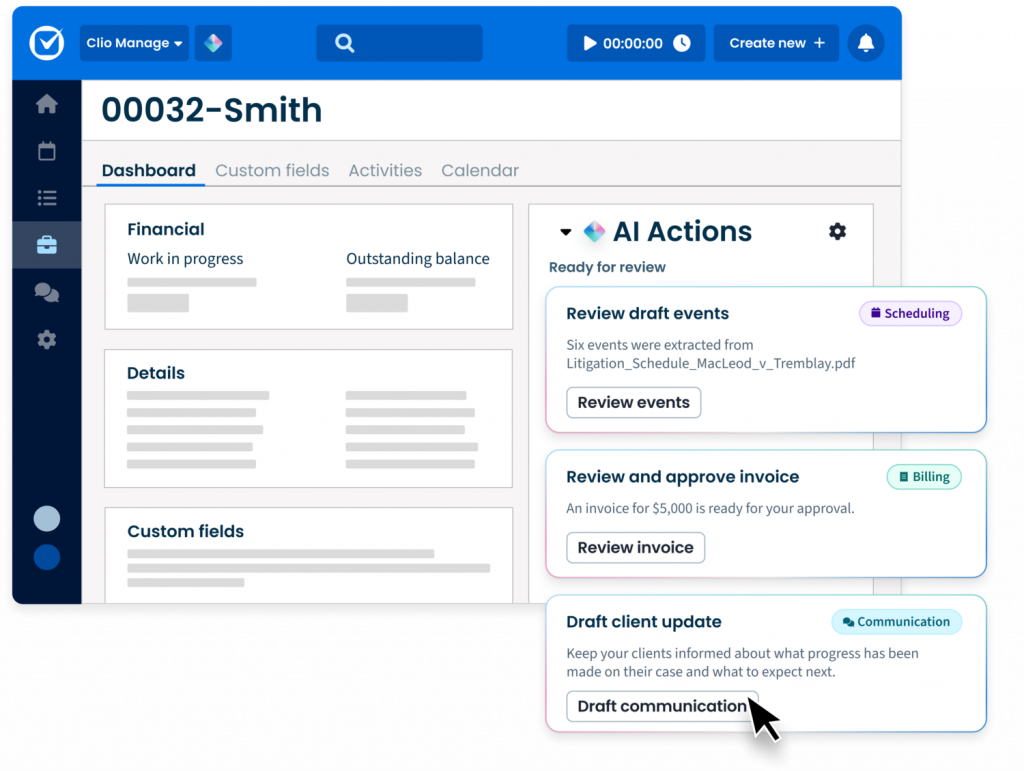
Turn court documents into deadlines automatically
Pull deadlines straight from court documents, create calendar events instantly, and show them side-by-side with the source so you can verify accuracy and trust every result.
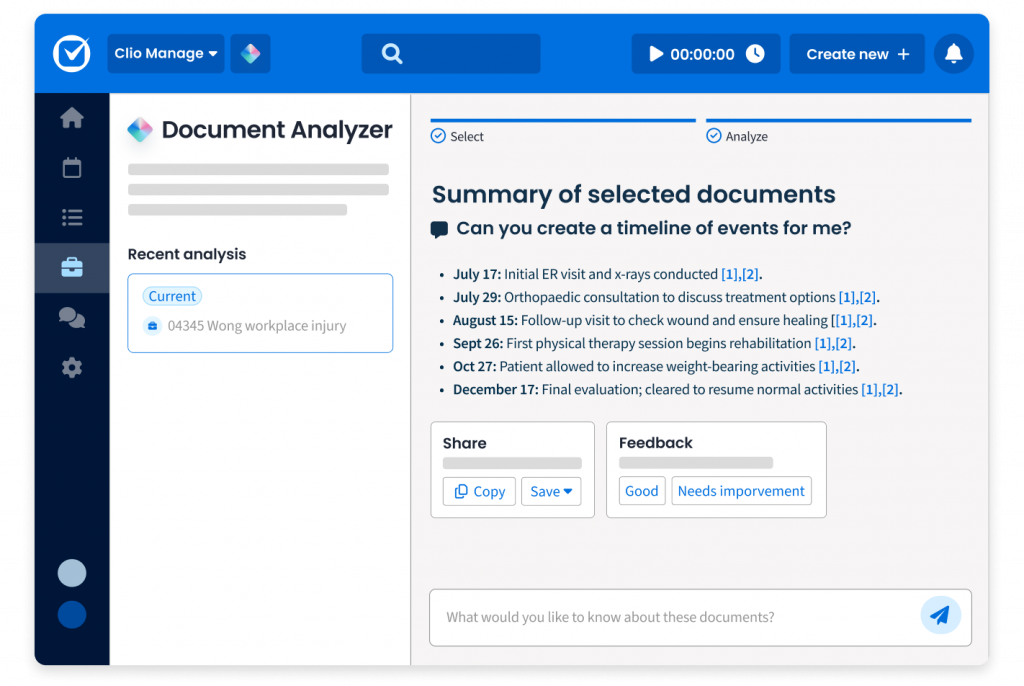
Stay ahead with AI-powered recommendations
Manage AI highlights your most pressing tasks, surfaces recommendations directly in your matters, and flags risks in context—so you can take action and prioritize the work that truly matters.

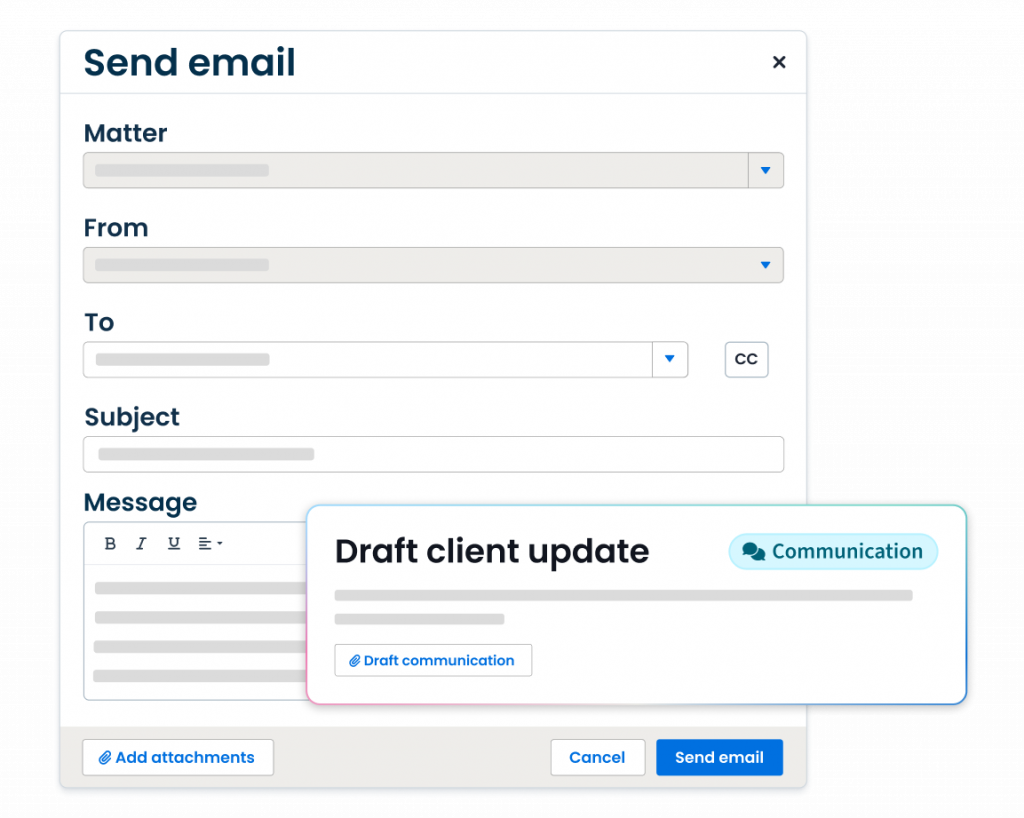
Keep clients informed at the right moment
Get recommendations on when to send client updates based on matter activity, have the messages drafted for you, and send them in a single click.
Automate your billing process with AI
Set-up billing parameters so draft invoices are automatically generated on your schedule and formatted how you like. Clio Manage will automatically flag errors, and route approvals—so bills go out quickly, accurately, and with less effort.
Focus on the work that only you can do—let Clio handle the rest
Bring the power of AI to the industry’s leading case management software.
Primary law, secondary sources, and ongoing updates across jurisdictions.
Spot the Insights That Matter
See the key passages, case validity, and statute changes instantly.
Stay Current Without Extra Work
350K+ new documents daily keep your research up to date.
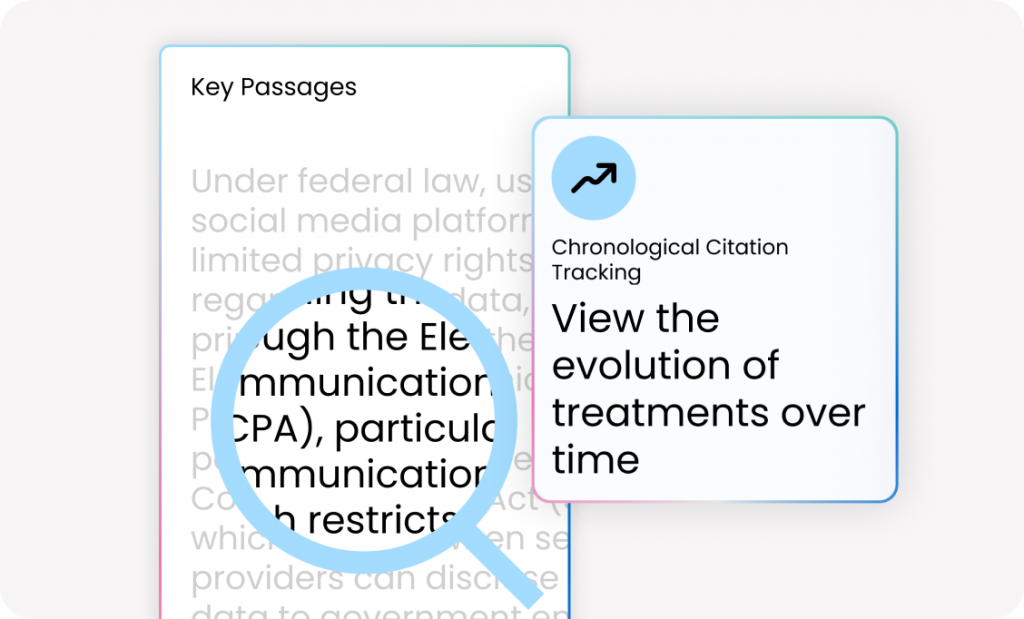
Signals, key passages, and citation analysis for faster confidence.
Cite the Right Version Every Time.
Access the law exactly as it stood at any moment in time.

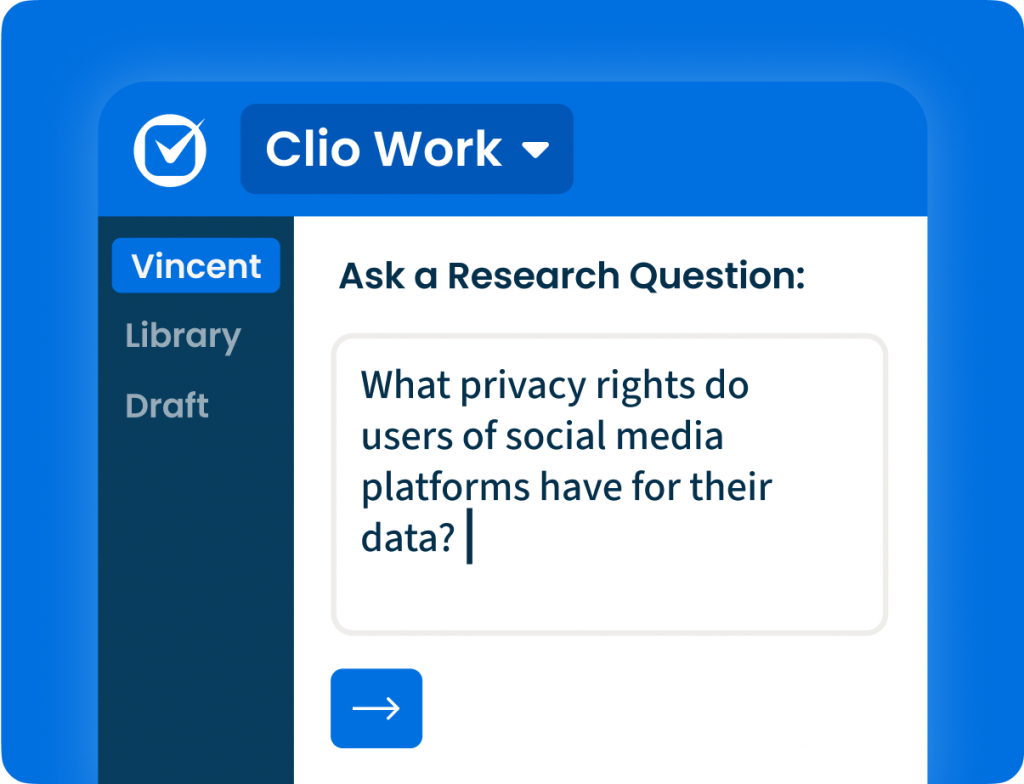
Ask Vincent and validate in Library for citation-backed answers.
Build Stronger Arguments with Precedent.
Follow how principles evolve to strengthen every argument.
Work Smarter, Not Harder
Practical, intuitive workflows tailored to small firms.
An award winning platform, loved by our customers



-

Worried about adopting AI? We’ve got you covered.
Introducing AI into your firm can feel like a big shift. That’s why Clio’s AI is built directly into familiar workflows and supported by a dedicated onboarding team. We ensure adoption is smooth, secure, and controlled.
See Clio in Action
Migration
Consultation
Data Export
& Processing
Data Import
& Review
Law firm software that’s secure, reliable, and scalable.
-

Industry Leading Security
Every byte of data—both yours and your clients’—securely stored in the cloud.
Dedicated 24x7x365 security team
Learn More
Continuous vulnerability monitoring
GDPR, SOC2, PCI compliance, and more
-

Award-Winning Care
Exceptional customer support from the most experienced team in the industry, 24/5.
Free on-demand training
Learn More
Data migration support
Comprehensive self-serve support site
Integrate Clio with the tools you already use and love
With over 250 apps available in the Clio App Directory, the tools your firm loves and needs are only a click away.

Frequently Asked Questions About Clio's Legal AI Software
What is the best legal software with AI?
Clio is trusted by over 150,000 legal professionals and is approved by more than 100 bar associations and law societies worldwide, making it the best legal software for law firms that want AI-powered efficiency and trusted compliance. Clio’s AI features are purpose-built for legal work, so you get real results without risking accuracy or confidentiality In addition, Clio has an average rating of 4.5/5 stars across 3,000+ reviews on G2 Crowd, SoftwareAdvice.com, Capterra, and Lawyerist.
What happens when a potential client actually becomes a client?
We offer an end-to-end solution to managing and growing your firm. Once a client is secured, you can seamlessly transition their case information into our legal case management software.
Why should my law firm use AI-powered case management software?
With AI-powered automation and document creation, case management software keeps you organized on matters and cases, helps you capture more billable time, and ensures nothing falls through the cracks. AI recommendations surface priorities, summarize case files instantly, and automate repetitive work—so you can manage more clients in less time and focus on high-value legal work.
Case management solutions help lawyers spend more time focusing on practicing law and serving clients, and less time doing administrative and non-billable tasks.
What kind of customer support is included?
The best support. We offer unlimited support 24 hours a day, 5 days a week, so we can answer any questions you might have without impairing your working day.
How do I transfer my current cases into my new software?
Our data migration team can assist in bringing over information from another legal case management solution to our software so that you don’t have to do it manually.
What features does legal case management software with AI have?
In addition to core features like document management, calendaring, billing, and client communication, today’s best case management software includes AI-driven tools that summarize documents, draft correspondence, and provide real-time insights. When evaluating solutions, look for AI that is built specifically for legal workflows, keeps data secure, and integrates seamlessly into your firm’s existing tools.
Case management: The ability to manage clients and cases and keep all case information organized, with AI surfacing deadlines, summarizing matters, and highlighting next steps so you can prepare faster and never miss a critical detail.
Client/contact management: Case management also takes place on a per-client or per-contact basis, and AI can automatically draft timely client updates based on matter activity, helping you keep communication consistent and professional.
Task management: The ability to create and assign tasks to different staff and lawyers. With AI in Clio Manage, deadlines are extracted directly from court documents and converted into tasks, while billing tasks can be drafted, routed, and approved automatically—shortening cycles and improving cash flow.
Calendar: Your case management tool needs a full calendar with capabilities with AI, scheduling orders and court dates are automatically parsed into accurate events, with the source document displayed side-by-side so you can verify accuracy and ensure nothing slips through the cracks.
Timekeeping: The ability to enter time as you work or after the fact. Case management software with timers helps you capture more billable time while you work. This means you will be able to streamline your billing process and keep on top of all the cases your practice handles.
Email: Your legal case software should integrate with your chosen email provider. With AI, it can go further by drafting professional client emails and SMS updates automatically, pulling context from recent matter activity so you never miss the right moment to follow up.
Document management: Can you use it to organize and store documents, and collaborate on them? Does it integrate with GSuite or your Microsoft Office package? These are questions that need answering so you can fully integrate your chosen software solution into your workflow.
Document automation: Many case management softwares allow you to use templates to automatically create new documents, saving lawyers valuable time.
Accounting: Your legal case software may not have a full accounting solution, but with AI, invoices are automatically generated with accurate descriptions and expenses, routed for approval, and flagged for anomalies. All the while reducing errors, accelerating collections, and freeing up staff from chasing down billing issues.
Trust accounting: The ability to track transactions related to operating accounts and trust accounts separately. The software should also allow you to send notifications through to trustees when their account has reached the minimum amount and needs topping up.
Invoicing and billing: Your practice management software should help you seamlessly generate bills and send them to clients. This saves you considerable time and money and allowing you to focus on the more important tasks like answering client questions and reassuring clients.
Online credit card payments: More and more clients want to pay their lawyers via credit card or online. Your practice management software should offer the option to process payments via credit card, making it more convenient for your clients.
Client portal: For sharing sensitive files and communications, an encrypted client portal with your case management software is the best option for ensuring client information is kept confidential. This portal should also allow you to schedule client appointments and phone calls so that you can make sure they are well looked after, therefore, contributing to building up a solid business relationship with your clients.
Integrations: Your practice management software is the central hub for your law firm, but it needs to connect with the tools you already use and tools you might want to use in the future. You need to make sure it connects to your email client, your accounting software, and any other tools you need. Integrating all those tools will allow for a smoother workflow and increased productivity.
Reports: How is your firm doing financially? How are you tracking against your goals? With AI in Clio Manage, you can generate custom reports that highlight productivity, profitability, and risks—giving you proactive insights instead of static snapshots.
Does Clio's legal billing software integrate with Quickbooks?
Yes! Clio’s legal billing software integrates with Quickbooks. Read this Help Center article to find out how to sync Quickbooks to your Clio account. It is easy to do and quick to connect.
Can I set permissions and restrict access to specific documents?
Yes, you can use Clio’s user permissions to restrict access to specific users at the Matter level. Only those who have permission to a Matter will be able to access the documents within that Matter.
What are the system requirements for cloud-based legal practice management software?
The only system requirement for Clio’s cloud-based legal practice management software is your internet browser (with an internet connection).
Join thousands of legal professionals at the legal industry's #1 conference