

Additional Kitchen sink pages
https://www.clio.com/about/brand-assets/kitchensink/featured-resources/
https://www.clio.com/about/brand-assets/kitchensink/video/
https://www.clio.com/about/brand-assets/kitchensink/testimonials/
https://www.clio.com/about/brand-assets/kitchensink/custom/
https://www.clio.com/about/brand-assets/kitchensink/flexible-column-layout
https://www.clio.com/about/brand-assets/kitchensink/speakers/
https://www.clio.com/about/brand-assets/kitchensink/form/
https://www.clio.com/about/brand-assets/kitchensink/shortcodes/
Simple text
Welcome to the Clio Nike "kitchen sink" page. This page will display all the site section components available for use on www.clio.com. This is the "simple text" site section.
About Site Section Components
Site sections are flexible content blocks that display information in a given format. There are currently 13 site section components, some of which have multiple layout options. Zip link example Site section components can be displayed in any order on the page, with the exception of the masthead which always comes first.
How to Start a Law Firm: A Complete Guide with Checklists
Going solo is a massive step in your legal career. Go forward confidently with our guide—includes insights and advice from legal experts.
Get the Guide

We can place images, video
In some cases instead of logo slider we had request to show logos grouped together


Every site section has a few common fields:
- Section Title – optional, but recommended. Is displayed as an H2 at the top of each section.
- Section Subtitle – optional. A good place to add summarizing content about the section. The Section Title and Subtitle are great for enhancing scan-ability and SEO.
- Section Background Color – Every site section allows you to select a background colour from a pre-defined list. (White, Blue, Green, Light Grey, Dark Grey)
- Section CTA – Every site section allows you to define a CTA. It is usually displayed centre-aligned at the bottom of the component. (See below).
More on CTAs
In addition to the Section CTA, CTAs are also available as an element inside of some site sections. All CTAs take the following options:
- CTA Text – the anchor text
- CTA Style
- Primary – filled-in Button
- Secondary – hollow Button
- Highlighted – button with animated arrow
- Normal – nothing special; just a link
- CTA Link
- WordPress -Recommended for internal links. Select another page in WordPress
- External URL – Any URL
- Video Pop-up – Will cause a video to pop up
- Anchor Link – link to an #anchor on the page
Some examples of Simple Text elements:
H1 Text and Spacing
H2 Text and Spacing
H3 Text and Spacing
H4 Text and Spacing
H5 Text and Spacing
Bold Text Italicized Text
Paragraph Text Feature
Paragraph Text Normal Paragraph Text Small
- Ordered list item 1
- Sub-item 1
- Sub-sub-item 1
- Sub-item 1
- Ordered list item 2
- Ordered list item 3
- Unordered list item 1
- Sub-item 1
- Sub-sub-item 1
- Sub-item 1
- Unordered list item 2
- Unordered list item 3
Blockquote Text. We have 13 affiliated offices and thousands of clients and Clio has been instrumental in helping us provide the best representation possible for each and every one of them.
| Table Column 1 | Table Column 2 |
|---|---|
| Row 1 | Row 1 |
| Row 2 | Row 2 |
| Row 3 | Row 3 |
| Row 4 | Row 4 |
| Row 5 | Row 5 |
This is new component - Sticky-Scrolly
Under Component Content - you can switch theme between dark (mountain colour) and light (bone colour) for the left side of the component - Sticky part.
H3 Example
For the content on the right side each ‘card’ can have a different colour. For example ‘Ocean’. Can be text only. Get the most out of Clio with help from our award-winning customer success team, available by phone, email, and live chat. Take advantage of online training and consultation sessions to get even more out of Clio.
Example of h3
We can have any text with headers. Background is set to Sand colour. Get the most out of Clio with help from our award-winning customer success team, available by phone, email, and live chat. Take advantage of online training and consultation sessions to get even more out of Clio.
Example of h3
Background is set to Cobalt colour. This component can have minimum 3 ‘cards’. Lets add an image below.  Get the most out of Clio with help from our award-winning customer success team, available by phone, email, and live chat. Take advantage of online training and consultation sessions to get even more out of Clio.
The same Sticky-Scrolly with dark theme selected
Under Component Content - you can switch theme between dark (mountain colour) and light (bone colour) for the left side of the component - Sticky part.
H3 Example
For the content on the right side each ‘card’ can have a different colour. For example ‘Ocean’. Can be text only. Get the most out of Clio with help from our award-winning customer success team, available by phone, email, and live chat. Take advantage of online training and consultation sessions to get even more out of Clio.
Example of h3
We can have any text with headers. Background is set to Sand colour. Get the most out of Clio with help from our award-winning customer success team, available by phone, email, and live chat. Take advantage of online training and consultation sessions to get even more out of Clio.
Example of h3
Background is set to Cobalt colour. This component can have minimum 3 ‘cards’. Lets add an image below. Get the most out of Clio with help from our award-winning customer success team, available by phone, email, and live chat. Take advantage of online training and consultation sessions to get even more out of Clio.
Example of h3
We can have any text with headers. Background is set to Sand colour. Get the most out of Clio with help from our award-winning customer success team, available by phone, email, and live chat. Take advantage of online training and consultation sessions to get even more out of Clio.
The same Sticky-Scrolly with dark theme selected
Under Component Content - you can switch theme between dark (mountain colour) and light (bone colour) for the left side of the component - Sticky part. Clio Grow
H3 Example
For the content on the right side each ‘card’ can have a different colour. For example ‘Ocean’. Can be text only. Get the most out of Clio with help from our award-winning customer success team, available by phone, email, and live chat. Take advantage of online training and consultation sessions to get even more out of Clio.
Example of h3
We can have any text with headers. Background is set to Sand colour. Get the most out of Clio with help from our award-winning customer success team, available by phone, email, and live chat. Take advantage of online training and consultation sessions to get even more out of Clio.
Example of h3
Background is set to Cobalt colour. This component can have minimum 3 ‘cards’. Lets add an image below. Get the most out of Clio with help from our award-winning customer success team, available by phone, email, and live chat. Take advantage of online training and consultation sessions to get even more out of Clio.
Example of h3
We can have any text with headers. Background is set to Sand colour. Get the most out of Clio with help from our award-winning customer success team, available by phone, email, and live chat. Take advantage of online training and consultation sessions to get even more out of Clio.
Column Layout - Example 2
As you can see, each column also supports a CTA and you can do multiple rows. The images can be specified as icons from a predetermined list, or you can upload an image file.
-
World-class support
Get the most out of Clio with help from our award-winning customer success team, available by phone, email, and live chat. Take advantage of online training and consultation sessions to get even more out of Clio.
-
Complimentary data migrations
Our dedicated migration team has brought thousands of law firms’ data from their existing software into Clio—at no additional cost.
-
Industry-leading security
With Digicert verification, 256-bit SSL encryption, storage redundancies, and more, you can rest easy knowing your firm’s data is secure with Clio.
-
Affiliate Partner
The first step towards becoming a Clio Certified Consultant. Submit a firm as a lead, and trust they’ll be in good hands with our expert sales, migrations, training, and support teams. Earn a one-time commission on successful Clio account subscriptions. No training or minimum requirements to maintain partnership.
-
Clio Certified Consultant
Successfully refer three new account subscriptions to Clio, and you’ll be eligible to become a Clio Certified Consultant. Build stronger relationships with your clients by providing a tailored sales, onboarding, and support experience with Clio.
-
Gold Clio Certified Consultant
Refer $1,000 of new subscription revenue and earn Gold status! Get invited to participate in active sales conversations with the Clio sales team.
Column Layout - Example 2
As you can see, each column also supports a CTA and you can do multiple rows. The images can be specified as icons from a predetermined list, or you can upload an image file.
-
World-class support
Get the most out of Clio with help from our award-winning customer success team, available by phone, email, and live chat. Take advantage of online training and consultation sessions to get even more out of Clio.
-
Complimentary data migrations
Our dedicated migration team has brought thousands of law firms’ data from their existing software into Clio—at no additional cost.
-
Industry-leading security
With Digicert verification, 256-bit SSL encryption, storage redundancies, and more, you can rest easy knowing your firm’s data is secure with Clio.
-
Affiliate Partner
The first step towards becoming a Clio Certified Consultant. Submit a firm as a lead, and trust they’ll be in good hands with our expert sales, migrations, training, and support teams. Earn a one-time commission on successful Clio account subscriptions. No training or minimum requirements to maintain partnership.
-
Clio Certified Consultant
Successfully refer three new account subscriptions to Clio, and you’ll be eligible to become a Clio Certified Consultant. Build stronger relationships with your clients by providing a tailored sales, onboarding, and support experience with Clio.
-
Gold Clio Certified Consultant
Refer $1,000 of new subscription revenue and earn Gold status! Get invited to participate in active sales conversations with the Clio sales team.
Column Layout - Example 1
The flexible column layout allows for a wide variety of display options, with 2, 3, or 4 columns, three image sizes, a choice of left or center alignment, and a "block" background option that can appear as any colour.
-


World-class support
Get the most out of Clio with help from our award-winning customer success team, available by phone, email, and live chat. Take advantage of online training and consultation sessions to get even more out of Clio.
-

Complimentary data migrations
Our dedicated migration team has brought thousands of law firms’ data from their existing software into Clio—at no additional cost.
-
 Experience Volatile market situations lead to a lack of predictability in how your firm should best respond. You feel like you don’t have the facts you need to understand what’s happening, causing stress and a lack of clarity. It becomes difficult to commit to a plan and carve a path forward. Behavior
- Analysis paralysis
-
 Experience You identify which key factors influence your decision-making process and actively seek out what you need to create a better path forward. You accept that the old way of doing things may not serve you anymore and are prepared to create a better normal. Behavior
- Engaging with others in dialogue
- Reflecting on learnings
Column Layout - Example 3
Image is full width per column
-

Setting up Your Workplace
When starting your own law firm, you should consider what the right workplace setup will be for how you work.
-
Setting up Your Workplace
When starting your own law firm, you should consider what the right workplace setup will be for how you work.
Max 4 columns








Z Pattern
Z Patterns display any combination of a title, text, testimonial, and CTA; next to an image or video. Z Patterns can be started with the image/video on the left or on the right.
-

Title + Text + CTA + Image
Get in-depth analyses on today’s legal consumer: Learn what makes them hire, what makes them recommend your services, and how they want to communicate with their lawyer. You’ll also get updated insights on efficiency metrics and hourly rates—based on aggregated and anonymized data from tens of thousands of legal professionals—to help inform your legal practice.
-
Title + Testimonial + CTA + Video
CTA (Secondary) -
Text + CTA + Image A very simple layout. Everything on the Z-pattern component is optional except for the image.
CTA (Primary)
Product Spotlight
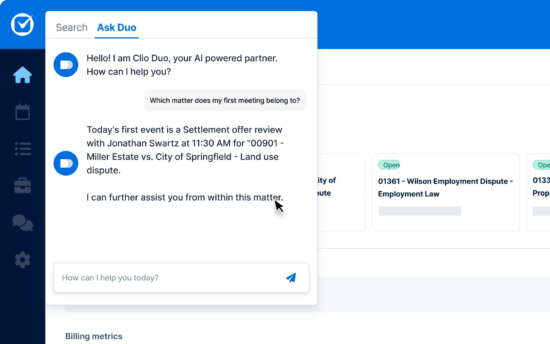
This site section component is intended to highlight the Clio product and its features. You can put the image on the left or the right. Also note that the Section CTA displays in a slightly different location for this site section.
-
Feature 1
Feature description goes here. Clio is awesome!
Learn More -
Feature 2
This feature also shows that links are optional.
-
Centralize your firm's data
This feature also shows that you can customize the title and CTA.
Case Management
Product Spotlight - Many Features
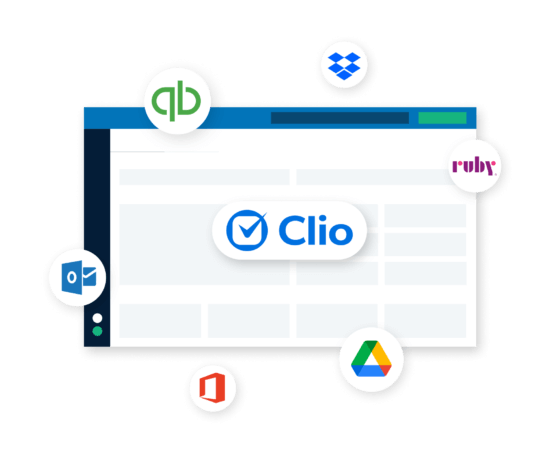
Sometimes, we want to display many features in the component. It is usually best to break these up into multiple product spotlights, but we can also display a larger list of features nicely.
-
Feature 1
Feature description goes here. Clio is awesome! Clio helps you collaborate easily with your team.
-
Feature 2
Feature description goes here. Clio is awesome! Clio helps you collaborate easily with your team.
-
Feature 3
Feature description goes here. Clio is awesome! Clio helps you collaborate easily with your team.
-
Feature 4
Feature description goes here. Clio is awesome! Clio helps you collaborate easily with your team.
-
Feature 5
Feature description goes here. Clio is awesome! Clio helps you collaborate easily with your team.
-
Feature 6
Feature description goes here. Clio is awesome! Clio helps you collaborate easily with your team.
-
Feature 7
Feature description goes here. Clio is awesome! Clio helps you collaborate easily with your team.
-
Feature 8
Feature description goes here. Clio is awesome! Clio helps you collaborate easily with your team.
Product Spotlight - No Image
If we don't have a nice screenshot, image, or gif to highlight the product, the product spotlight looks like this.
-
Feature 1
Feature description goes here. Clio is awesome!
-
Feature 2
Feature description goes here. Clio is awesome!
-
Feature 3
Feature description goes here. Clio is awesome!
-
Feature 4
Feature description goes here. Clio is awesome!
Featured Testimonial(s) + Social Proof - Multiple
This component is extremely flexible. It will display a combination of testimonials, customer stories, logos, and statistics. You can display any number of these in almost any order and it will look great.

Featured Testimonial(s) + Social Proof - Multiple
This component is extremely flexible. It will display a combination of testimonials, customer stories, logos, and statistics. You can display any number of these in almost any order and it will look great.


Highlight's from last year's summit
Featured Testimonial(s) + Social Proof - Single
You can also use this component to display a single customer quote very prominently.

Multiple testimonial
Multiple testimonial
Multiple testimonial
Logo Carousel
The logo carousel displays a rotating selection of images. You can pull these images in from the Bars, Consultants, and Integrations already in WordPress (preferred), or upload your own images.


Logo Carousel dark background





Featured Resource(s) - Multiple
Featured resources are added into WordPress under Blog, Press, and Resources. You can add any number of resources into this component and it will display properly.






Featured Resource(s) - Multiple
Featured resources are added into WordPress under Blog, Press, and Resources. You can add any number of resources into this component and it will display properly.
Featured Resource(s) - Single
This is what it looks like when you add only one resource to this component.
Trusted by over 150,000 legal professionals, and approved by over [variable field="bar_partners"]
100+
[variable field="bar_partners"] bar associations and law societies worldwide, our legal case management tool is the clear choice amongst lawyers.

FAQs
Straightforward site section that allows any number of questions + answers.
Security
Clio works with some of the world’s leaders in Internet security to keep law firm information safe. Learn more about our security standards.
Getting Set Up
To get set up as a Clio Academic Access Program user, please follow these steps: 1. Apply for Academic Access using this form. 2. A member of our CAAP team will reach out to determine the account structure that’s right for your needs. 3. Sign an agreement. Any institutions new to the CAAP program are required to complete our User License Agreement before a free account can be created. Once the agreement is executed, additional accounts can be requested as needed. 4. Create your account and get started. You’ll have access to our free training resources and be ready to accelerate your classroom or legal clinic’s learning with Clio. If you have already created a trial Clio account, you can continue to use that account by emailing [email protected] or you can create a new one. Please note, Student Legal Services providers are not eligible for Clio’s Academic Access Program
Training
We’ve got you covered when it comes to training options. Simply choose the one that works best for you: 1. Clio University 2. Clio’s Support Site 3. Clio CAAP Guide Clio does not provide on-premise training. In some cases, Clio Certified Consultants are available to provide on-premise training for a fee.
Contact Us
If you have any questions about Clio or encounter any problems when setting up your account, please contact Clio Support at 1-888-858-2546 ext 2 or [email protected]. If your institution or program has specific questions about the Clio Academic Access Program, please email us at [email protected].
Marketo Form - Top to Bottom
Marketo forms can be displayed with text on top of - or to the left of - the form. All you need is the 4-digit Marketo Form ID.

Marketo Form - Left to Right
An example of the Marketo form component with a “Left to Right” layout, which allows you to add extra content.
Optional parameters for the Marketo Form site section component:
- Custom redirect (thank you) URL
- Custom inline thank you message
- Custom next form ID

Title example
Subtitle example
Marketo Form - Left to Right - Known form
An example of the Marketo form component with a “Left to Right” layout, which allows you to add extra content.
Optional parameters for the Marketo Form site section component:
- Custom redirect (thank you) URL
- Custom inline thank you message
- Custom next form ID
Title example
Subtitle example
Comparison Table
Comparison tables allow you to compare any two things.
Option 1 Title
Option 1 detail. Option 1 looks a little better on the screen, so let's put Clio-related stuff on this side :)
vs.
Option 2 Title
Option 2 detail. Option 2 looks kind of drab on the screen, so let's put competitor/alternative related stuff on this side >:)
Option 2 Title
Option 2 detail. Option 2 looks kind of drab on the screen, so let's put competitor/alternative related stuff on this side >:)
Tell us a bit more about why it rocks.
Element #1
Tell us a bit more about why it sucks.
Clio allows you to set a budget for any matter.
Matter Budgets
PracticePanther puts you at risk of exceeding your client's budget.
66
You can put nice numbers or text in these boxes as well.
Bar Associations
16
You can put nice numbers or text in these boxes as well.
Option 1 Title
Option 1 detail. Option 1 looks a little better on the screen, so let's put Clio-related stuff on this side :)
vs.
Option 2 Title
Option 2 detail. Option 2 looks kind of drab on the screen, so let's put competitor/alternative related stuff on this side >:)
Option 2 Title
Option 2 detail. Option 2 looks kind of drab on the screen, so let's put competitor/alternative related stuff on this side >:)
Tell us a bit more about why it rocks.
Element #1
Tell us a bit more about why it sucks.
Clio allows you to set a budget for any matter.
Matter Budgets
PracticePanther puts you at risk of exceeding your client's budget.
66
You can put nice numbers or text in these boxes as well.
Bar Associations
16
You can put nice numbers or text in these boxes as well.
Map
You can display an address or location with the map component.
Simple text component with html grid
Could be used as a table to display content
Clio
vs.
Other Payment Processors
2.8% All cards
Credit & debit card transaction fees
Up to 4.5% + fixed fee Fees vary by card type
$2.00
eCheck fees
Up to 1.5% Fees vary
No fees
Card network fees
Fees vary by transaction and card type
No fees
Other fees (Monthly memberships, processing minimum penalties, additional trust accounts, and PCI compliance)
Fees vary
Simple text component with html grid
Could be used as a table to display content
California
May transfer to: AL, AK, AZ, AR, CA, CO, CT, DE, FL, GA, HI, ID, IL, IN, IA, KS, KY, LA, ME, MD, MA, MI, MN, MS, MO, MT, NE, NV, NH, NJ, NM, NY, NC, ND, OH, OK, OR, PA, RI, SC, SD, TN, TX, UT, VT, VA, WA, WV, WI, WY
Alabama
May transfer to: AL, AK, AZ, AR, CA, CO, CT, DE, FL, GA, HI, ID, IL, IN, IA, KS, KY, LA, ME, MD, MA, MI, MN, MS, MO, MT
Simple CTA - Left
Simple CTAs are often used as the last component. They display the section title, description, an image, and up to 2 CTAs. You can also see that this component has a background color.
Simple CTA - Center
Example of a center-aligned CTA with an image. Also with a background color! Recall that ANY site section can have a background colour. Observe that the text inside of a site section will automatically change color so that it looks nice with the background.
Section Title on Cobalt
Some examples of Simple Text elements:
H1 Text and Spacing
H2 Text and Spacing
H3 Text and Spacing
H4 Text and Spacing
H5 Text and Spacing
Bold Text Italicized Text
Paragraph Text Feature
Paragraph Text Normal Paragraph Text Small Text Link
Chapter Four Video Summary Is Here
Miso dressing green tea chai tea red grapes cherry bomb pepper blueberry chia seed jam lime pineapple salsa chili pepper red lentil curry enchiladas toasted hazelnuts mediterranean artichoke hearts. Coconut sugar Thai basil curry pine nuts soy milk Thai dragon pepper green tea lime walnut pesto tart instant pot eating together salty.

Access up-to-date libraries of thousands of official Lawyaw court forms.

Split CTA with Image Header 1
Example of Split CTA with Image. Left side background colour can be Bone (default), White, or Sand.
Split CTA with Image Header 2
Example of Split CTA with Image. Right side background colour can be Blue (default), Light Sky, Cobalt, Mountain, or Emerald.

Split CTA with Image Header 1
Example of Split CTA with Image. Left side background colour can be Bone (default), White, or Sand.
Split CTA with Image Header 2
Example of Split CTA with Image. Right side background colour can be Blue (default), Light Sky, Cobalt, Mountain, or Emerald.
Reusing existing layout with embed of social feed
 Paleo mlkshk direct trade salvia skateboard. Fashion axe brooklyn 90’s cred selfies. Art party bushwick distillery humblebrag paleo tote bag artisan keffiyeh. Raw denim selfies blue bottle narwhal cold-pressed messenger bag art party chicharrones.


fdafda
fdasfdafda Try Clio For Free
fdasfdafafdafdafdasfdsaf

dasfdasfdsaas
dafdasdfa
Blockquote Text. We have 13 affiliated offices and thousands of clients and Clio has been instrumental in helping us provide the best representation possible for each and every one of them.
 fdja ;fsadjsa;dfesa;fka;gadgjds;ofewafdsdgfdgda. gsgfdsgds gds gfds gfdsgagrsg rshgfdhfd jdhtjyd hdjdgjdgf
SEO Friendly tabber

test
test
test