What’s new and improved in Clio

Discover this year’s top releases and enhancements that help simplify how law firms do business.

Discover What's New in Clio Illustration

New Product Features in Clio

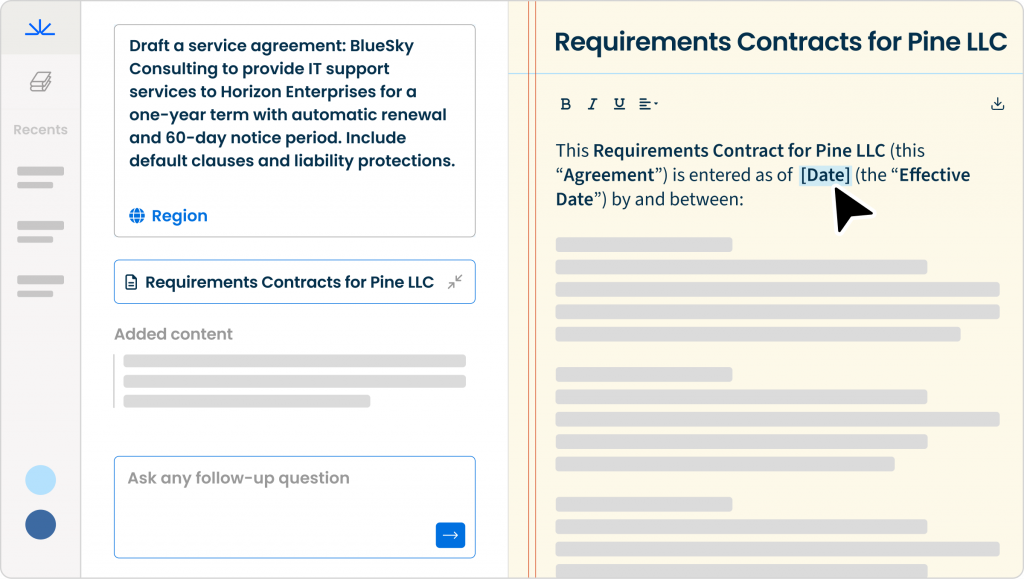
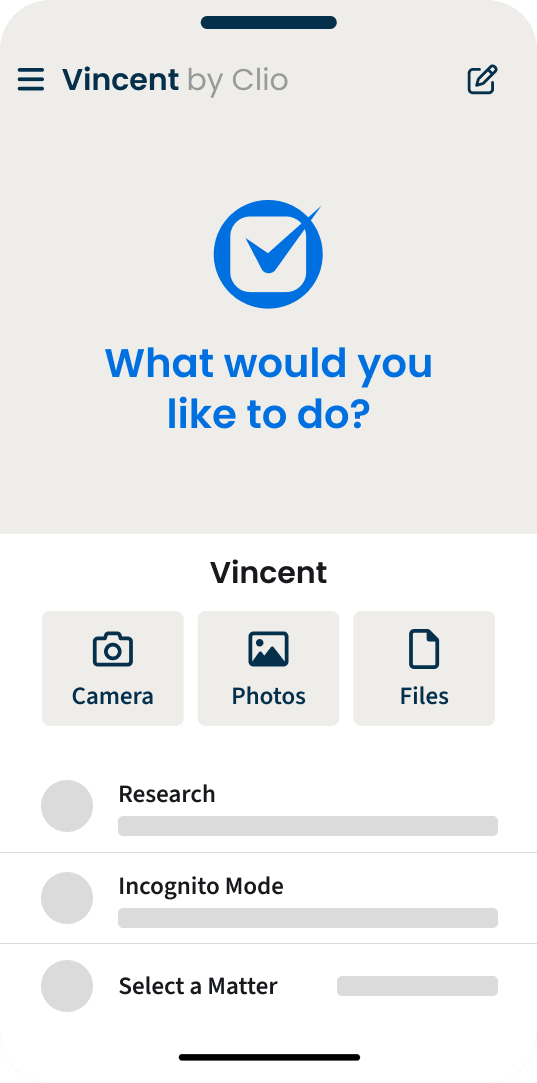
  • Vincent Clio Work Write an update Medium US

    Introducing Clio Work

    Get to know Clio Work, the first and only AI that understands your cases, their context, and the law – delivering research, analysis, and strategy you can trust.

    Get a Demo
  • Screenshot of the Clio Manage dashboard showing an AI Actions card with Review draft events, Review and approve invoice, and Draft client update actions.

    Turn routine tasks into completed work with Manage AI

    AI runs across key processes and workflows in Clio Manage to turn routine work into completed tasks. Transform documents into calendar events, matter activity into high-quality client updates, and time and expense entries into payment-ready bills.

    Meet Manage AI
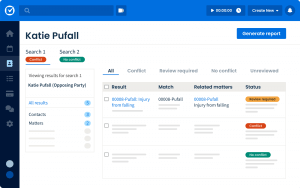
  • Reimagined conflict check for a clear go/no decision to represent a client

    Scan every corner of Clio Grow and Clio Manage to uncover potential conflicts of interest across contacts, case notes, calendar events, matters, and more.

    See it in action
  • Screenshot of the Clio Manage New Custom Report screen. A user checks the Client reference number column field.

    Custom reports built for your firm

    Easily tailor reports to your needs with flexible filters and groupings, then save and share them in PDF, Excel, or CSV for faster insights.

    Learn more

Build stronger client relationships and boost business by sending emails from Clio Grow

Easily send targeted emails with ready-to-use templates to minimize effort and keep leads and clients engaged. Use your existing Clio data to segment contacts, send the right message, and track which emails drive new or repeat business.

Get started today

  • Create a custom role screen in Clio Manage. Role details include Role Name: Senior Administration, and Role description: Provides full control over system settings, user management, and firm data. Select a role template shows Administration. Contact management options are displayed, with Edit contacts, Create contacts, and Bulk delete contacts checked. An arrow cursor points to the Apply Changes button.
    Create a custom role screen in Clio Manage. Role details include Role Name: Senior Administration, and Role description: Provides full control over system settings, user management, and firm data. Select a role template shows Administration. Contact management options are displayed, with Edit contacts, Create contacts, and Bulk delete contacts checked. An arrow cursor points to the Apply Changes button.

    More control over user access

    Set clear access levels with custom roles. Protect sensitive data, reduce mistakes, and give every user just the permissions they need.

    Learn more
  • Clio Manage screen: A modal window titled Combine files is open. It prompts the user to Name and rearrange the files before previewing the final document. Altering signed documents is at your discretion. The Folder is 00010-Wiszok and Sons. The user is asked to enter a File name for a PDF. Four files are listed under Arrange selected files: Family Law Doc.docx, 2014-06-13 - 1-12-cv-07754 - No. 159-1-Hayman Private Equity, LLC ANSWE, 2021-12-08 - 1-21-cv-00729 - No. 72-4 RESPONSE IN OPPOSITION re 44 MOT, and 2022-12-13 - 2-21-cv-01399 - No. 89-4 PRETRIAL REPORT of the Parties by. Each file has up and down arrow icons for reordering. Cancel and Combine buttons are at the bottom.
    Clio Manage screen: A modal window titled Combine files is open. It prompts the user to Name and rearrange the files before previewing the final document. Altering signed documents is at your discretion. The Folder is 00010-Wiszok and Sons. The user is asked to enter a File name for a PDF. Four files are listed under Arrange selected files: Family Law Doc.docx, 2014-06-13 - 1-12-cv-07754 - No. 159-1-Hayman Private Equity, LLC ANSWE, 2021-12-08 - 1-21-cv-00729 - No. 72-4 RESPONSE IN OPPOSITION re 44 MOT, and 2022-12-13 - 2-21-cv-01399 - No. 89-4 PRETRIAL REPORT of the Parties by. Each file has up and down arrow icons for reordering. Cancel and Combine buttons are at the bottom.

    Quickly combine documents in Clio Manage

    Save time by combining different documents into a single PDF.

  • Clio Draft screen showing Templates created with files Engagement letter.docx, Transaction details.docx, and Petition for divorce.docx.
    Clio Draft screen showing Templates created with files Engagement letter.docx, Transaction details.docx, and Petition for divorce.docx.

    Level up your efficiency with AI-powered document drafting

    Start drafting faster with AI that turns your documents into reusable templates for you, and standard templates preloaded on day one. Plus AI-powered questionnaires draft questions and proactively ensure you’re only asking the right ones.

    Check it out
  • Automated workflows Bone

    Never miss a deadline with automated workflows in Clio Manage

    Quickly set up automations with ready-to-use templates to minimize manual work and ensure no steps are missed. Automatically assign tasks, generate documents, and update matter set up as cases move forward.

    Watch video
  • Simplified Product UI Clio Manage Clio Accounting

    Accounting made approachable

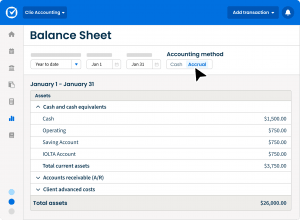
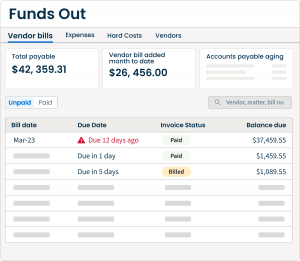
    Automatically match bank account transactions, reconcile accounts, print checks, prepare financial statements, and analyze every financial transaction related to running your firm all in one system of record.

    Find out more
  • Settlement Statement Generator crop

    Instantly generate settlement statements with Personal Injury Add-On

    Seamlessly create, collect, and store signed settlement statements all in one place.

    Learn more
  • Two mobile screens show a $3,000 legal fee payment to Waverly Law and Affirm payment plan options.
    Two mobile screens show a $3,000 legal fee payment to Waverly Law and Affirm payment plan options.

    Get paid upfront, while clients pay over time

    Stop chasing, start collecting. With Pay Later through Affirm, you get paid upfront while clients pay in smaller monthly installments.

    Learn more
  • Feature Animation Clio Manage Clio File E filing 2025

    Clio File is here!

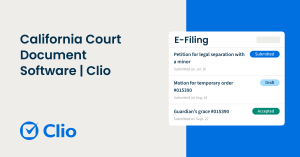
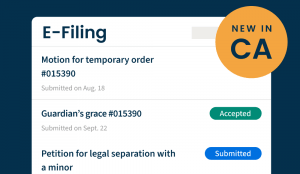
    Electronically file and serve court documents to Texas or Georgia state courts and California courts in Orange County from the same place you manage your firm, with more states and jurisdictions on the way!

    Check it out

Not a Clio user? Book a demo here to learn about all these features and more.

Book a demo

Popular product enhancements

Get paid sooner with text to pay in Clio Payments

Simplified Product UI_Clio Manage_Billing_Clio Manage Text to Pay-Desktop and Phone

Text bills, trust requests, and reminders straight to your clients, which is a faster, more direct alternative to email.

Set up Clio Payments

Clio Manage is now easier on the eyes with dark mode

Clio Dark Mode

Whether you want to reduce eye strain at night or simply prefer the look, dark mode is now available for desktop and the mobile app.

Learn more

Faster client information gathering in Clio Draft

Questionnaires in Clio Draft allow you to speed up client information gathering and document creation and provide your clients with a modern, easy-to-use experience that builds trust with your firm.

Check it out

Grow your firm with Google’s Local Services Ads

Google LSA Video Thumbnail

Finding new clients is one of the biggest challenges facing lawyers today. Google’s Local Services Ads for Clio helps law firms attract highly-qualified leads by appearing when and where clients are searching.

Learn more

Get your contacts in sync across Grow and Manage

Shared Contacts Illustration

Now, you can automatically sync your contacts across Clio Grow and Clio Manage, including contact name, email address, phone number, and address—with more coming soon!

Learn more

Automate your bookkeeping in Clio Accounting

Screenshot of the Clio Accounting automation screen, showing a list of rules and the Create rule panel.

Turn repetitive bookkeeping into a one-time process. With Clio Accounting, once automation is setup, transactions are automatically categorized and matched—keeping your books consistent and freeing you to focus on the work that matters.

Learn more

Clio announcements