Key benefits for your firm
Clear a years-deep document backlog in one pass
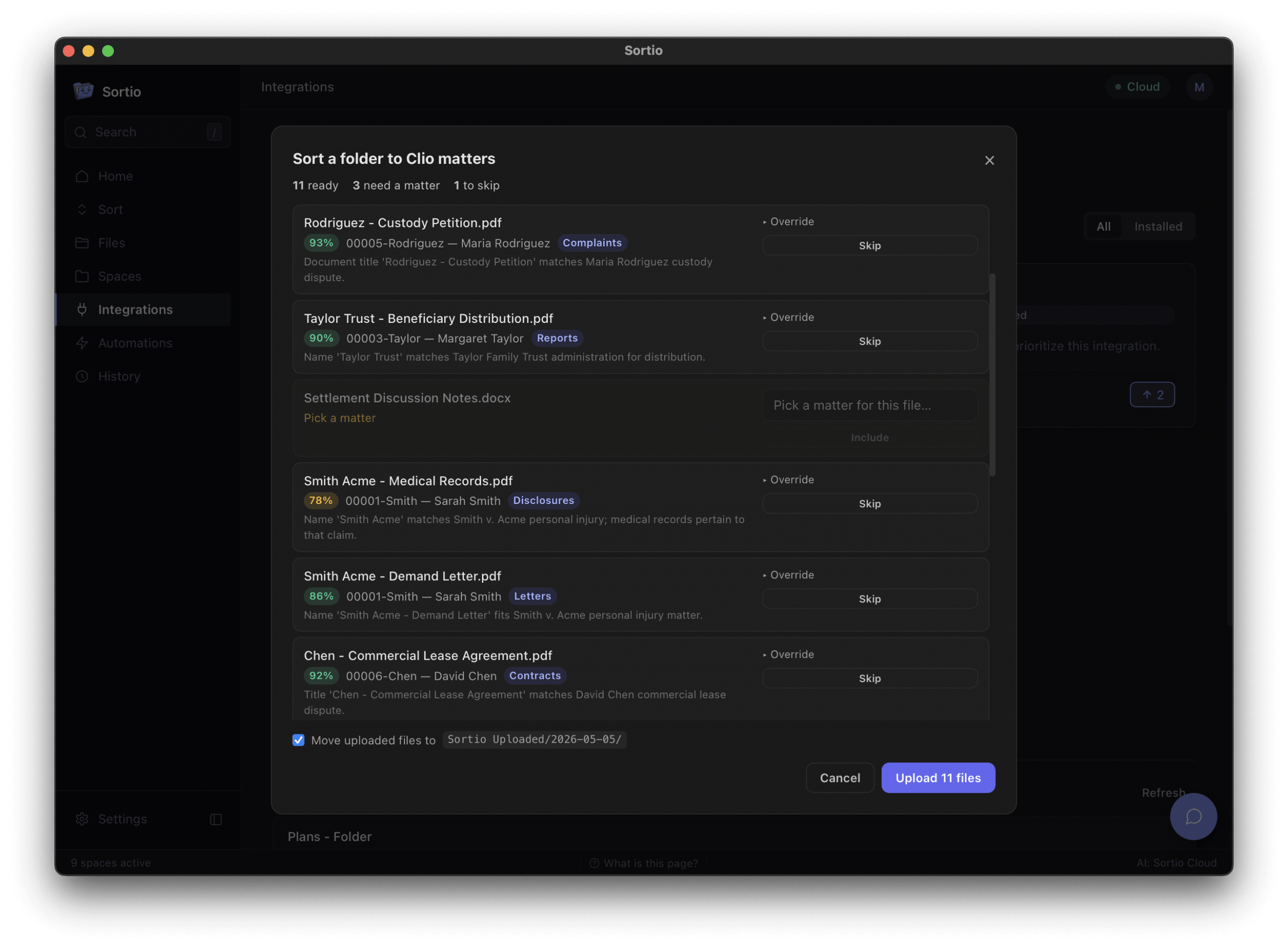
Point Sortio at any local folder and it proposes a destination Clio matter for every file, each with a confidence score and a one-line rationale. Firms review and approve hundreds of filings in minutes instead of working through them one upload at a time.
Files scanned paper correctly, not just tidy filenames
Sortio reads document text locally, including OCR on scanned PDFs and images, and uses the client and party names it finds to pick the matter. A file named "scan0043.pdf" still lands in the right place.
You approve every move, and the audit trail proves it
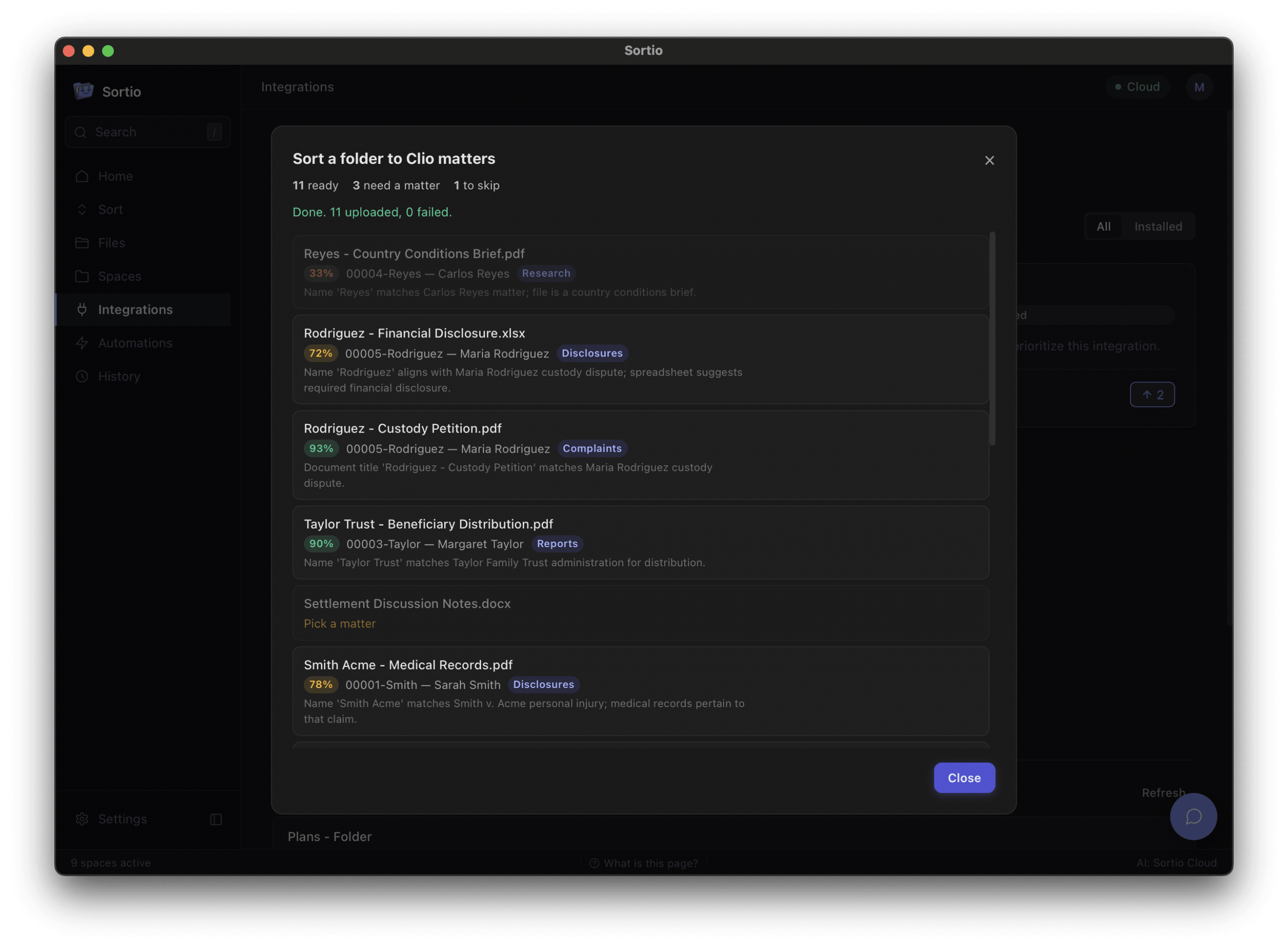
Nothing reaches Clio until you confirm the preview, low-confidence files default to skip, and any suggestion can be overridden with a matter typeahead. Every uploaded document carries a description recording its original path, timestamp, match confidence, and Sortio version, so chain of custody survives the move.
How Sortio works with Clio
Integrates with Clio Manage so an unsorted local folder becomes filed matter documents
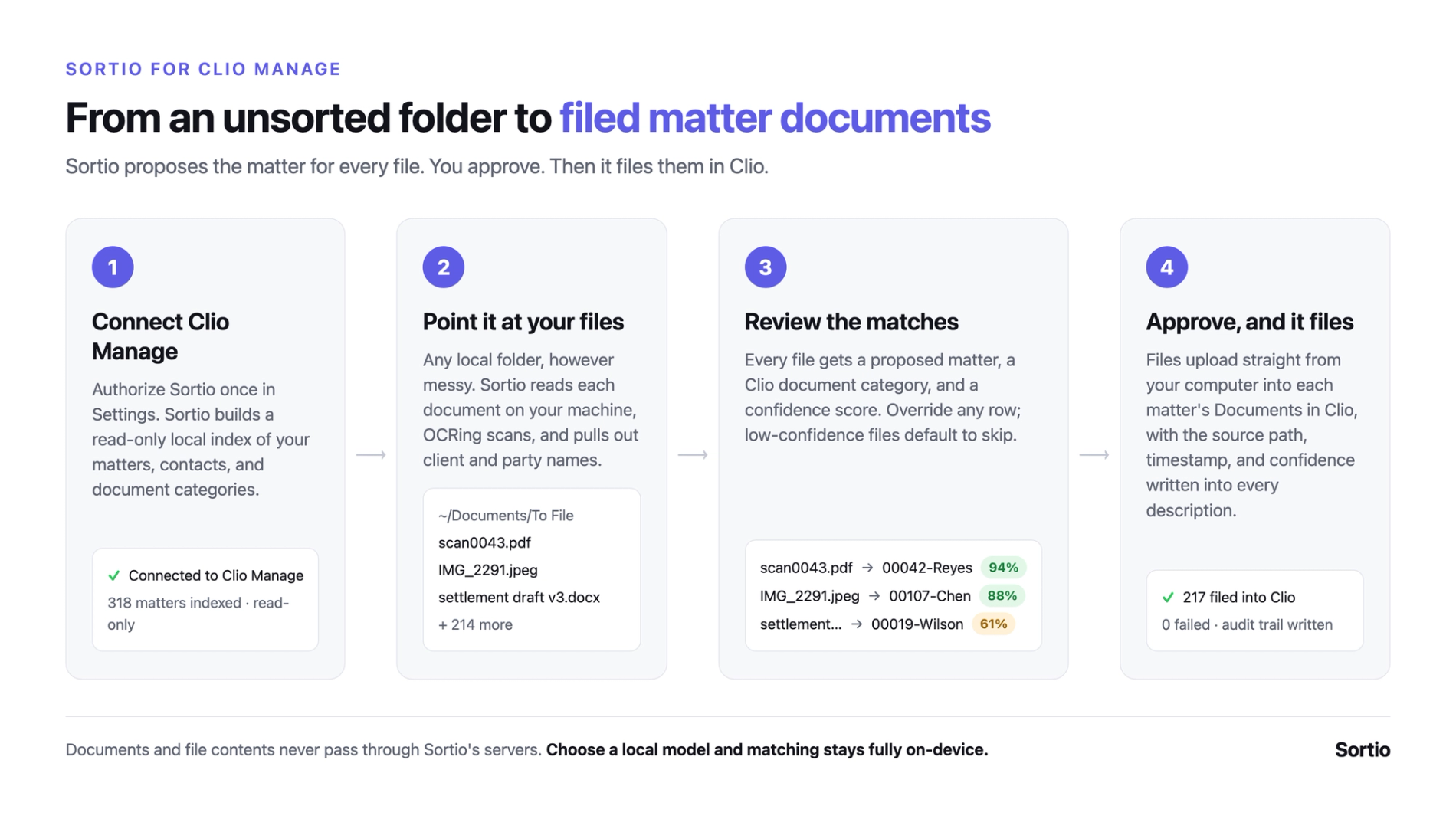
Connect Clio Manage from Sortio’s Settings and Sortio builds a read-only local index of your matters, contacts, and document categories. Point Sortio at a folder and the matter matcher proposes a destination matter and Clio document category for each file. You review that preview, override anything you disagree with, and only then does Sortio upload.
- Files upload directly from your computer to Clio Documents under each matter, paced under Clio’s API rate limit, through a queue that survives an app restart or a dropped
connection. - Classification sends only filenames, file types, and the party names Sortio extracted locally, alongside the candidate matter names it is choosing between. Document contents and the files themselves never pass through Sortio’s servers. Firms that prefer nothing leave the machine at all can point Sortio at a local model in Settings, which keeps the matter names and party names on-device too.
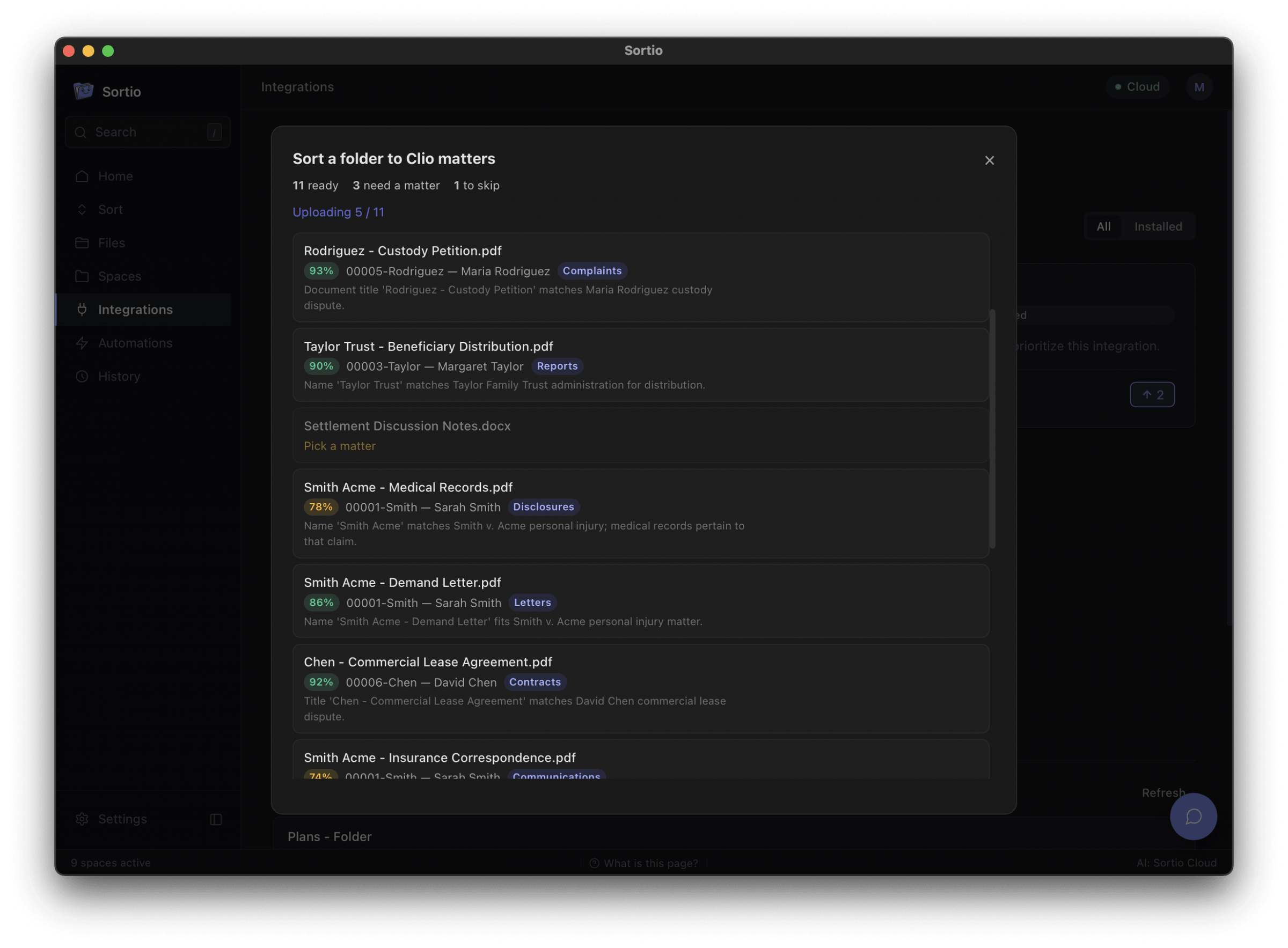
- Uploaded originals can optionally be moved into a dated “Sortio Uploaded” archive folder so the source folder empties as work completes.
- Permissions requested: Documents (read/write), Folders (read/write), Matters (read), Contacts (read), Users (read, for who_am_i).