

About This Template
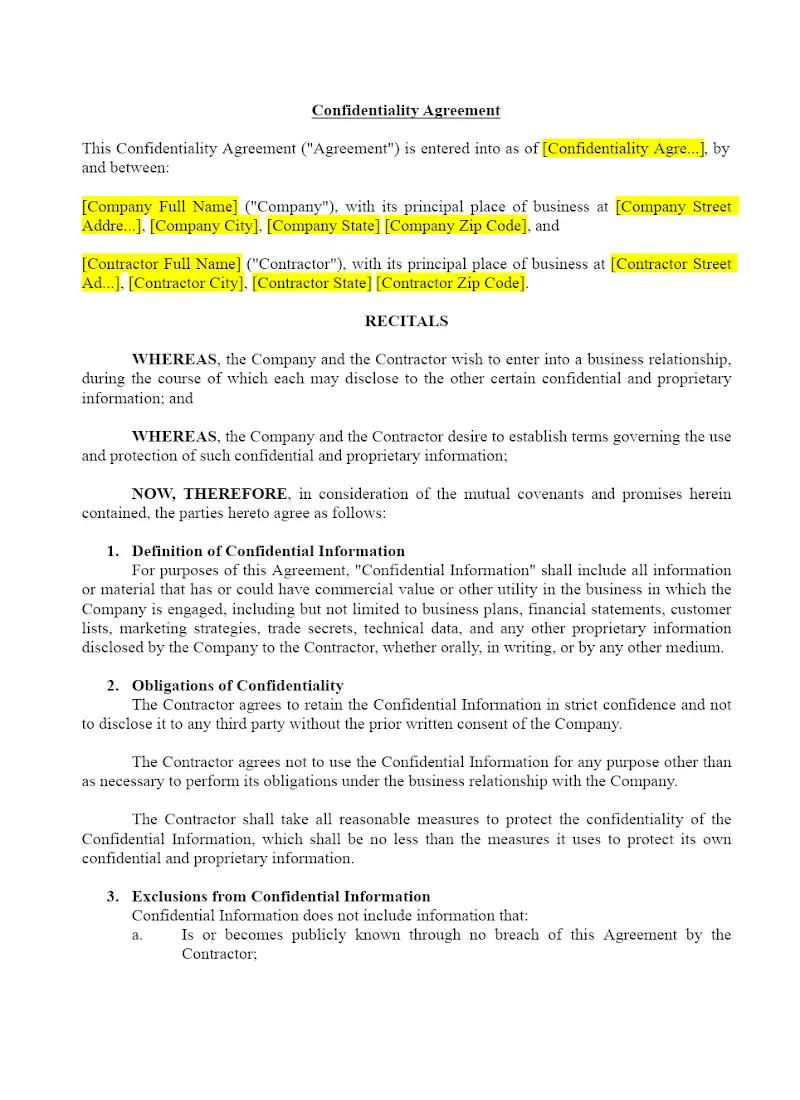
Many businesses routinely rely on independent contractors, making the protection of sensitive information crucial. This template offers a focused Confidentiality Agreement (or Non-Disclosure Agreement) specifically tailored for use with independent contractors. It quickly establishes a legal duty to protect proprietary data and trade secrets, preventing unauthorized disclosure. This essential compliance tool enables firms to efficiently advise business clients on safeguarding their valuable intellectual property.
Jurisdiction Notes
The enforceability of a Confidentiality Agreement is generally governed by common contract law, but it must also comply with state laws concerning trade secrets (e.g., the adoption of the Uniform Trade Secrets Act). Attorneys should ensure the definition of "confidential information" is clear and that the contract includes necessary clauses regarding remedies for breach. The agreement should explicitly state which state's law will govern its interpretation, especially when dealing with contractors in different jurisdictions.
What is this template?
This is a legal contract designed to protect a business's confidential information when shared with a non-employee (an independent contractor) for the purpose of completing a defined work assignment. The Confidentiality Agreement for Contractor template explicitly defines what constitutes "Confidential Information," specifies the contractor's non-disclosure and non-use obligations, and outlines the required handling and return of proprietary materials upon the contract's termination.
How to Customize
With Clio Draft
If this template is available in your region, you can activate it in your Clio Draft account. It will then be pre-filled with information from your contacts and matters, helping you save time.
- Click Request Template, and complete the Request Information form.
- Open the activation email to activate the template in Clio Draft.
- In Clio Draft, go to Library and select the Court forms subtab.
- Select a category to view all the court forms associated with that category.
- Find the form that you need. You can use the search bar to search by form number or form title.
- Click the Actions dropdown and then select Create form template.
- At this stage, you can configure any fields on the template that will remain consistent across multiple matters and specific practice areas.
- Purple fields: These fields are highlighted in purple because they are connected to linked fields that will automatically insert information entered on the Populate page. If you fill in a purple field, the data in that field will always populate when you draft a document from this form template and will not be overwritten by text entered on the populate page.
- Blue fields: These fields are highlighted in blue because they are unique to a specific matter. You will enter this information after you generate the form template, on the Populate page.
For detailed instructions for drafting form templates and more information about Clio Draft, see Clio Draft: Form Templates and Clio Draft: Draft and Manage Documents.
This form couldn't be loaded. Ad blockers and strict privacy settings can prevent it — disable your blocker for this site, then reload.