

About This Template
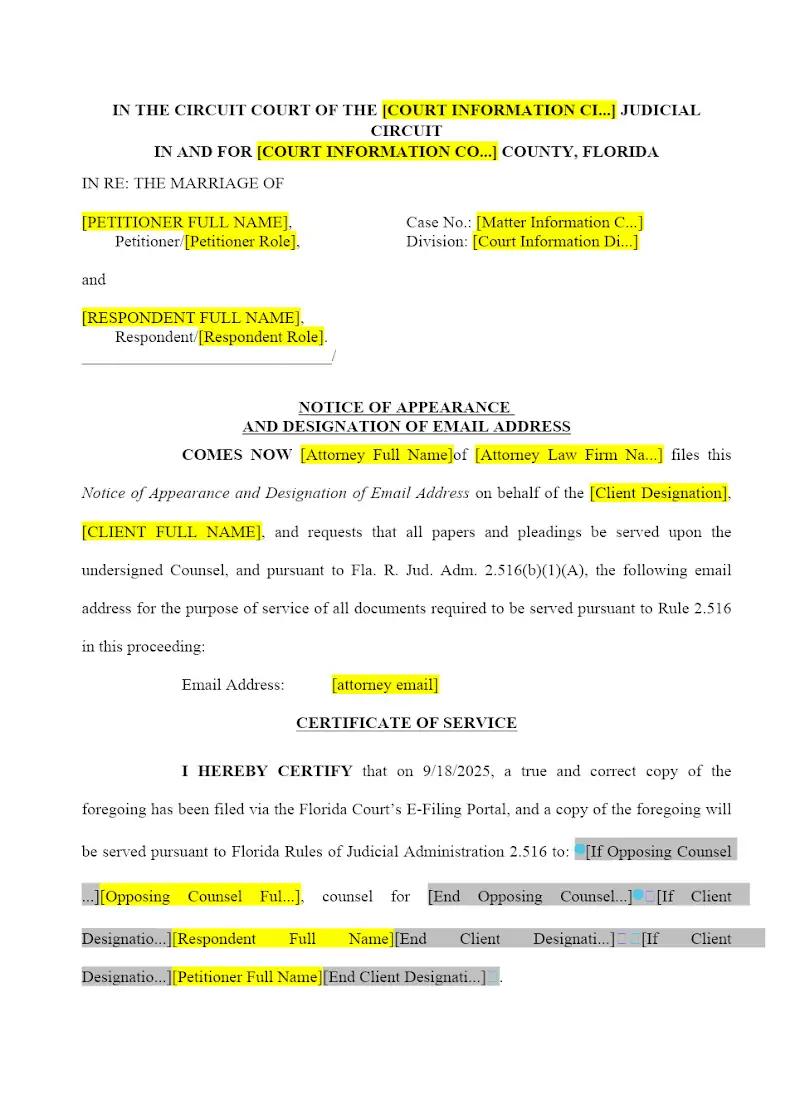
The formal step of notifying the court and all parties that a firm represents a client is procedural but mandatory. This template provides the correct Notice of Appearance form required for use in Florida Family Courts. This simple efficiency tool allows firms to quickly prepare and file the necessary pleading, ensuring compliance with the Florida Rules of Family Law Procedure and formally establishing the attorney of record for the client, thereby ensuring all court communications are properly directed.
Jurisdiction Notes
This template is specific to the procedural requirements of the Florida Rules of Family Law Procedure. The filing of a Notice of Appearance triggers the attorney's formal obligation to the court and the opposing party. Attorneys must ensure that their Florida Bar number and contact information are correctly included. While a simple form, strict adherence to the Florida rules for electronic filing (e-filing) via the state portal is also mandatory.
What is this template?
This is a formal pleading filed by an attorney with a Florida Circuit Court, notifying the court, opposing counsel, and the parties that the attorney is officially representing a party in the pending family law action. The Notice of Appearance template includes the necessary case caption, court designation, and the attorney's contact information, all compliant with the Florida Rules of Family Law Procedure and local court administrative orders.
How to Customize
With Clio Draft
If this template is available in your region, you can activate it in your Clio Draft account. It will then be pre-filled with information from your contacts and matters, helping you save time.
- Click Request Template, and complete the Request Information form.
- Open the activation email to activate the template in Clio Draft.
- In Clio Draft, go to Library and select the Court forms subtab.
- Select a category to view all the court forms associated with that category.
- Find the form that you need. You can use the search bar to search by form number or form title.
- Click the Actions dropdown and then select Create form template.
- At this stage, you can configure any fields on the template that will remain consistent across multiple matters and specific practice areas.
- Purple fields: These fields are highlighted in purple because they are connected to linked fields that will automatically insert information entered on the Populate page. If you fill in a purple field, the data in that field will always populate when you draft a document from this form template and will not be overwritten by text entered on the populate page.
- Blue fields: These fields are highlighted in blue because they are unique to a specific matter. You will enter this information after you generate the form template, on the Populate page.
For detailed instructions for drafting form templates and more information about Clio Draft, see Clio Draft: Form Templates and Clio Draft: Draft and Manage Documents.
This form couldn't be loaded. Ad blockers and strict privacy settings can prevent it — disable your blocker for this site, then reload.