

About This Template
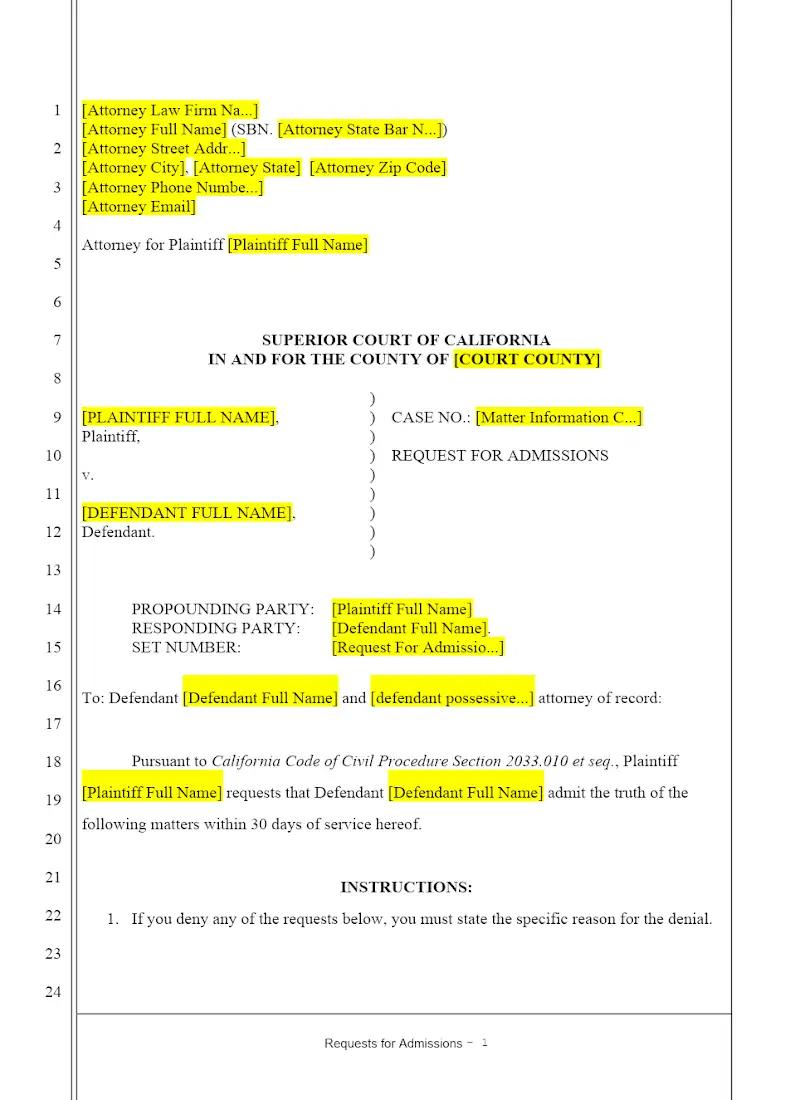
Requests for Admission (RFAs) are powerful tools to narrow the issues and streamline trial preparation. This template provides a specialized set of Plaintiff's Requests for Admission tailored for use in California personal injury cases. It allows litigation firms to efficiently draft targeted statements asking the defendant to admit or deny key facts regarding liability and causation. Using this focused template is vital for securing early admissions, improving case efficiency, and minimizing the necessary scope of expert testimony at trial.
Jurisdiction Notes
This template is subject to the California Civil Discovery Act (CCP $S$ 2033.010 et seq.). While there is no numeric limit on the number of requests for admission in California, they must be relevant, specific, and not unduly burdensome. Attorneys must be aware of the 30-day response deadline and the crucial sanction for an unwarranted denial: the recovery of the cost of proving the denied fact at trial. This template must be used precisely to secure those key admissions.
What is this template?
This is a formal discovery document served by the plaintiff on the defendant in a California personal injury action, requesting the opposing party to admit the truth of specific facts or the genuineness of certain documents. The Plaintiff's Requests for Admission template includes requests focused on undisputed facts, the genuineness of medical records, and specific elements of negligence or causation, all structured to comply with the California Code of Civil Procedure (CCP).
How to Customize
With Clio Draft
If this template is available in your region, you can activate it in your Clio Draft account. It will then be pre-filled with information from your contacts and matters, helping you save time.
- Click Request Template, and complete the Request Information form.
- Open the activation email to activate the template in Clio Draft.
- In Clio Draft, go to Library and select the Court forms subtab.
- Select a category to view all the court forms associated with that category.
- Find the form that you need. You can use the search bar to search by form number or form title.
- Click the Actions dropdown and then select Create form template.
- At this stage, you can configure any fields on the template that will remain consistent across multiple matters and specific practice areas.
- Purple fields: These fields are highlighted in purple because they are connected to linked fields that will automatically insert information entered on the Populate page. If you fill in a purple field, the data in that field will always populate when you draft a document from this form template and will not be overwritten by text entered on the populate page.
- Blue fields: These fields are highlighted in blue because they are unique to a specific matter. You will enter this information after you generate the form template, on the Populate page.
For detailed instructions for drafting form templates and more information about Clio Draft, see Clio Draft: Form Templates and Clio Draft: Draft and Manage Documents.
This form couldn't be loaded. Ad blockers and strict privacy settings can prevent it — disable your blocker for this site, then reload.