

About This Template
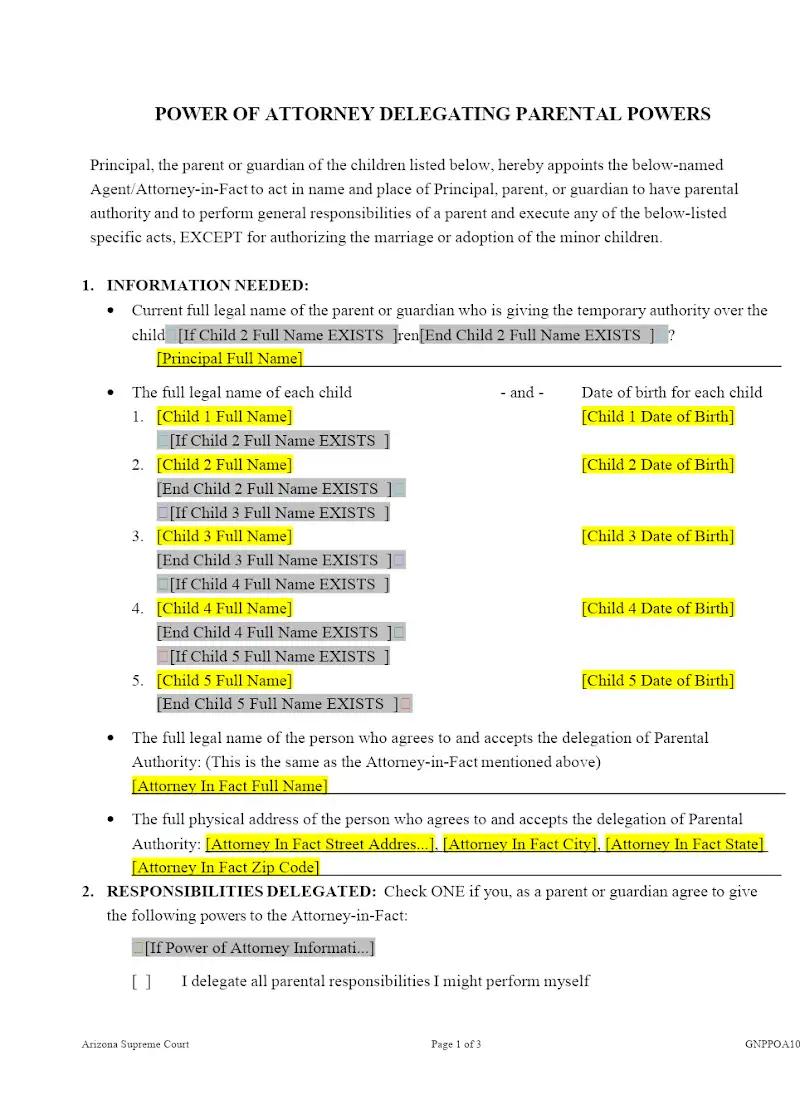
When a parent must be absent for an extended period (e.g., military deployment, medical treatment), delegating parental authority is essential for a child's care. This template provides a statutorily compliant Power of Attorney Delegating Parental Powers specific to Arizona law. This essential tool allows family law firms to quickly draft a temporary delegation document, ensuring the designated caregiver has the necessary legal authority to enroll a child in school or make medical decisions without needing immediate court intervention.
Jurisdiction Notes
This template is specific to Arizona Revised Statutes (A.R.S.), which strictly govern the delegation of parental powers, including the permissible duration and the mandatory content of the power of attorney. Attorneys must ensure the document explicitly states that the delegation is temporary and revocable and that it does not transfer all parental rights, which would require a formal guardianship or custody modification proceeding. Strict compliance with Arizona's execution requirements is crucial for the document's validity.
What is this template?
This is a legal document used by a parent in Arizona to temporarily transfer or delegate specific parental powers (like the power to consent to medical care or educational enrollment) to a caregiver, guardian, or other relative. The Power of Attorney Delegating Parental Powers template is drafted to comply with the relevant Arizona Revised Statutes and includes mandatory limits on the duration of the delegation (often 6 months to 1 year, depending on the circumstances) and the specific types of powers that are being transferred.
How to Customize
With Clio Draft
If this template is available in your region, you can activate it in your Clio Draft account. It will then be pre-filled with information from your contacts and matters, helping you save time.
- Click Request Template, and complete the Request Information form.
- Open the activation email to activate the template in Clio Draft.
- In Clio Draft, go to Library and select the Court forms subtab.
- Select a category to view all the court forms associated with that category.
- Find the form that you need. You can use the search bar to search by form number or form title.
- Click the Actions dropdown and then select Create form template.
- At this stage, you can configure any fields on the template that will remain consistent across multiple matters and specific practice areas.
- Purple fields: These fields are highlighted in purple because they are connected to linked fields that will automatically insert information entered on the Populate page. If you fill in a purple field, the data in that field will always populate when you draft a document from this form template and will not be overwritten by text entered on the populate page.
- Blue fields: These fields are highlighted in blue because they are unique to a specific matter. You will enter this information after you generate the form template, on the Populate page.
For detailed instructions for drafting form templates and more information about Clio Draft, see Clio Draft: Form Templates and Clio Draft: Draft and Manage Documents.
This form couldn't be loaded. Ad blockers and strict privacy settings can prevent it — disable your blocker for this site, then reload.