

About This Template
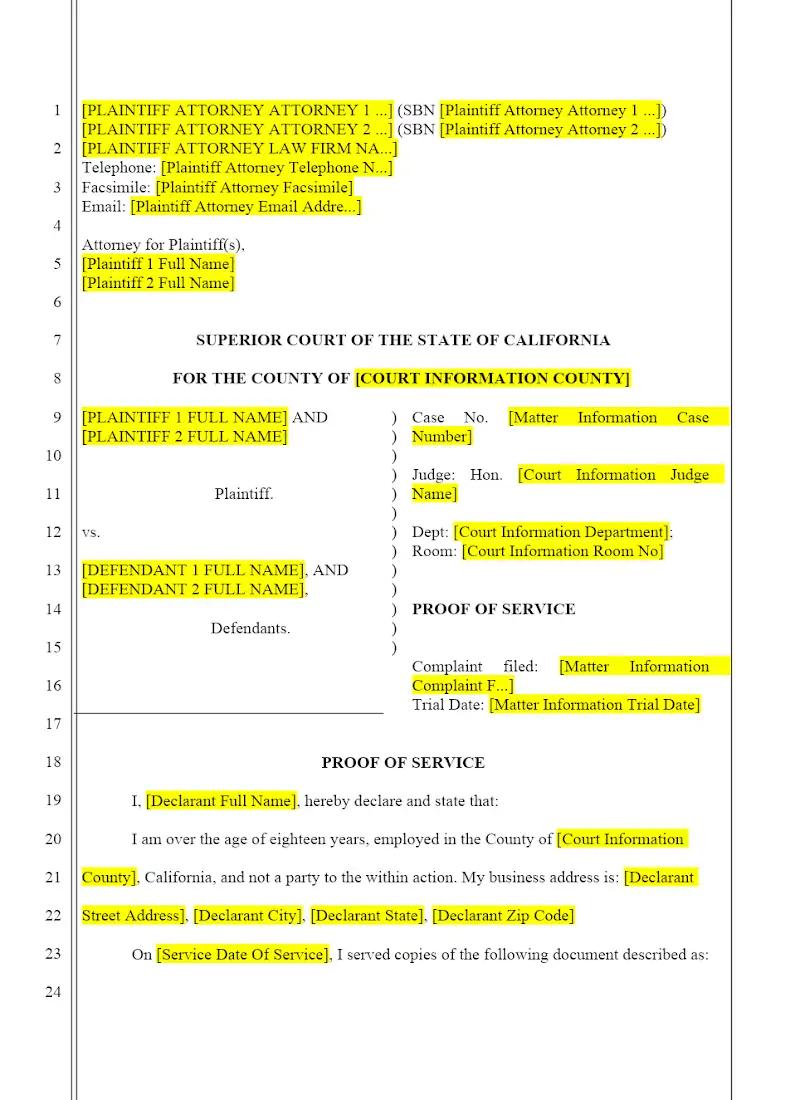
The successful filing of any litigation document hinges on accurate and compliant Proof of Service. This template provides the essential court form used to formally confirm that a summons, pleading, or other document has been legally served on the opposing party in a California Civil Litigation case. Utilizing this pre-drafted, compliant form ensures that law firms meet the strict procedural requirements of the California Rules of Court, avoiding costly delays or challenges to the service's validity, which is paramount for successful case progression.
Jurisdiction Notes
This template is specific to California Civil Procedure and must adhere to the formatting and content requirements of the California Rules of Court and the Code of Civil Procedure (CCP), particularly the statutes governing service of process (CCP § 413.10 et seq.). Attorneys and paralegals must ensure the form matches the exact method and entity served and that the declaration is executed by an authorized person, or else the service could be deemed defective.
What is this template?
This is the standard state-mandated form or declaration used in California Superior Courts to formally attest that a legal document has been delivered to a party in the lawsuit in a manner compliant with the law. The Proof of Service template requires the declarant to specify the method of service used (e.g., personal, mail, substituted), the date, and the location. It is a mandatory document that provides the court with jurisdictional evidence that the due process requirements of notice have been met.
How to Customize
With Clio Draft
If this template is available in your region, you can activate it in your Clio Draft account. It will then be pre-filled with information from your contacts and matters, helping you save time.
- Click Request Template, and complete the Request Information form.
- Open the activation email to activate the template in Clio Draft.
- In Clio Draft, go to Library and select the Court forms subtab.
- Select a category to view all the court forms associated with that category.
- Find the form that you need. You can use the search bar to search by form number or form title.
- Click the Actions dropdown and then select Create form template.
- At this stage, you can configure any fields on the template that will remain consistent across multiple matters and specific practice areas.
- Purple fields: These fields are highlighted in purple because they are connected to linked fields that will automatically insert information entered on the Populate page. If you fill in a purple field, the data in that field will always populate when you draft a document from this form template and will not be overwritten by text entered on the populate page.
- Blue fields: These fields are highlighted in blue because they are unique to a specific matter. You will enter this information after you generate the form template, on the Populate page.
For detailed instructions for drafting form templates and more information about Clio Draft, see Clio Draft: Form Templates and Clio Draft: Draft and Manage Documents.
This form couldn't be loaded. Ad blockers and strict privacy settings can prevent it — disable your blocker for this site, then reload.