

About This Template
Responding to standard discovery is a repetitive but mandatory task in civil litigation. This template provides a professional, structured format for drafting the Response to California Judicial Council Form Interrogatories. By standardizing the initial framework, firms can quickly respond to the boilerplate questions common in many California lawsuits. This efficiency allows litigators to focus their time on crafting substantive answers and legally defensible objections, improving the firm's capacity to handle discovery volume.
Jurisdiction Notes
This template is specific to California Civil Procedure and the use of Judicial Council forms. Attorneys must adhere to the Code of Civil Procedure (CCP § 2030.010 et seq.) requirements for responding to interrogatories, including the 30-day deadline and the mandatory signature under oath. Crucially, any asserted objections must be legally sound and specifically stated for each interrogatory, as general objections are usually waived in California courts.
What is this template?
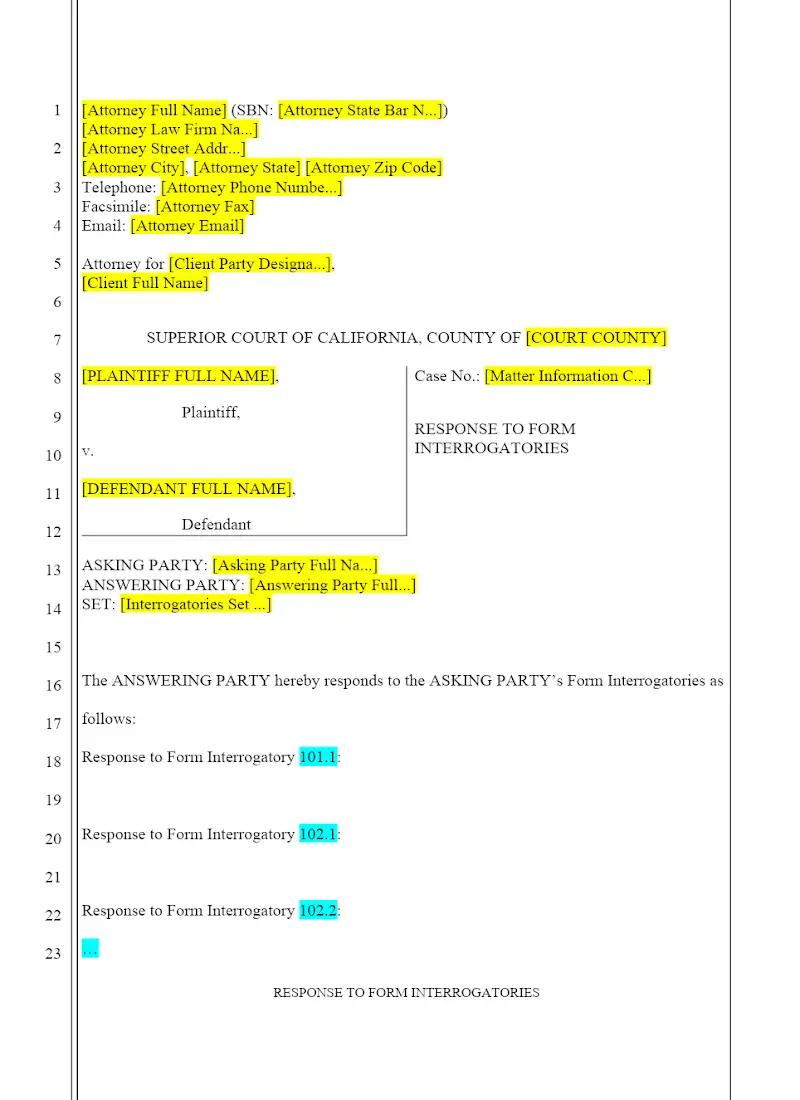
This document is the defendant's or plaintiff's formal answer to the standardized, pre-approved Form Interrogatories published by the California Judicial Council. The Response to Form Interrogatories template provides the necessary captions, introductory paragraphs, and the structured format for answering each interrogatory by either providing a substantive response, stating an objection, or asserting a privilege. It is designed for use in California Superior Courts.
How to Customize
With Clio Draft
If this template is available in your region, you can activate it in your Clio Draft account. It will then be pre-filled with information from your contacts and matters, helping you save time.
- Click Request Template, and complete the Request Information form.
- Open the activation email to activate the template in Clio Draft.
- In Clio Draft, go to Library and select the Court forms subtab.
- Select a category to view all the court forms associated with that category.
- Find the form that you need. You can use the search bar to search by form number or form title.
- Click the Actions dropdown and then select Create form template.
- At this stage, you can configure any fields on the template that will remain consistent across multiple matters and specific practice areas.
- Purple fields: These fields are highlighted in purple because they are connected to linked fields that will automatically insert information entered on the Populate page. If you fill in a purple field, the data in that field will always populate when you draft a document from this form template and will not be overwritten by text entered on the populate page.
- Blue fields: These fields are highlighted in blue because they are unique to a specific matter. You will enter this information after you generate the form template, on the Populate page.
For detailed instructions for drafting form templates and more information about Clio Draft, see Clio Draft: Form Templates and Clio Draft: Draft and Manage Documents.
This form couldn't be loaded. Ad blockers and strict privacy settings can prevent it — disable your blocker for this site, then reload.