

About This Template
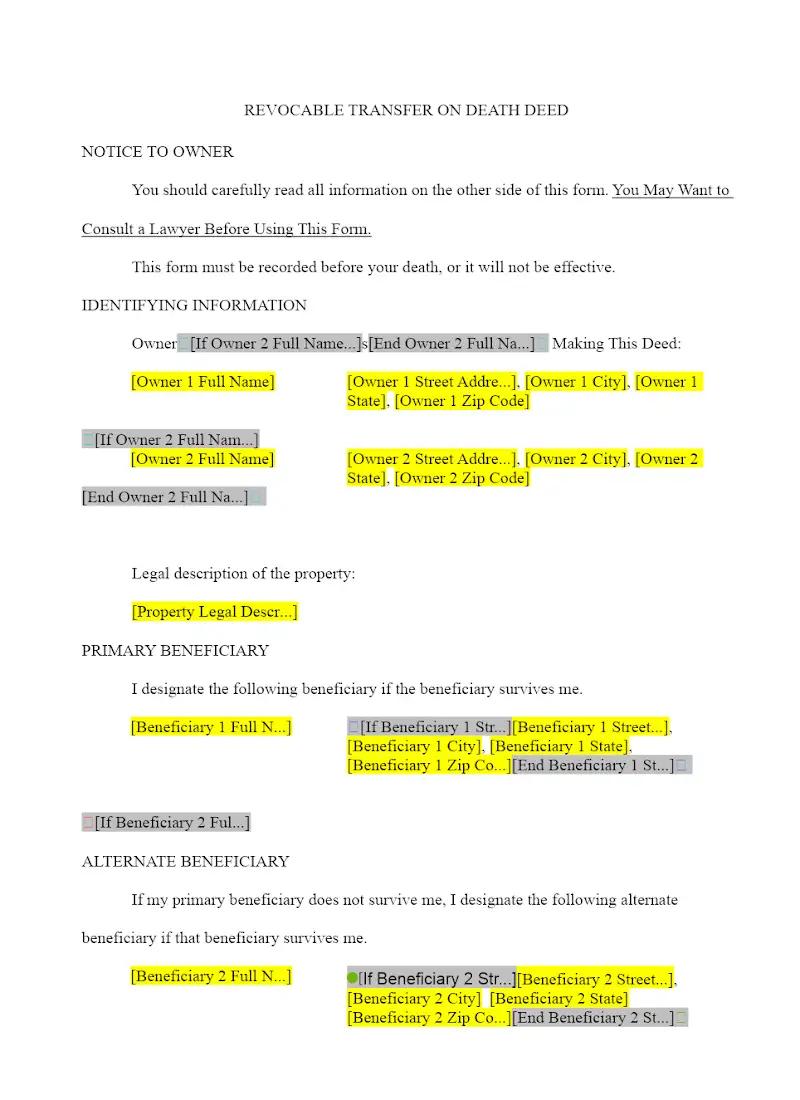
A Revocable Transfer on Death (TOD) Deed is an efficient, non-probate tool for transferring real property. This template provides a foundational deed that designates a beneficiary to receive property upon the owner's death while allowing the owner to retain full control during their lifetime. This tool allows estate planning and real estate firms to efficiently prepare a cost-effective, non-probate transfer instrument, simplifying the estate settlement process for a single piece of real estate.
Jurisdiction Notes
TOD Deeds are highly jurisdictional. Only about half of US states have adopted a form of the Uniform Real Property Transfer on Death Act or a similar statute. This general template is NOT suitable for use without significant revision to conform to the specific form, content, and execution requirements (e.g., specific statutory language, recording requirements) of the state where the property is located. Attorneys must verify if the client's state even permits this type of deed and ensure it is properly recorded to be effective.
What is this template?
This is a legal document that conveys a person's interest in real property to a designated beneficiary, but only upon the grantor's death. Crucially, the Revocable Transfer on Death Deed template allows the property owner to retain full ownership and the right to sell, mortgage, or revoke the deed during their lifetime. It typically includes the required legal description of the property, the designation of the beneficiary, and a notarized acknowledgment.
How to Customize
With Clio Draft
If this template is available in your region, you can activate it in your Clio Draft account. It will then be pre-filled with information from your contacts and matters, helping you save time.
- Click Request Template, and complete the Request Information form.
- Open the activation email to activate the template in Clio Draft.
- In Clio Draft, go to Library and select the Court forms subtab.
- Select a category to view all the court forms associated with that category.
- Find the form that you need. You can use the search bar to search by form number or form title.
- Click the Actions dropdown and then select Create form template.
- At this stage, you can configure any fields on the template that will remain consistent across multiple matters and specific practice areas.
- Purple fields: These fields are highlighted in purple because they are connected to linked fields that will automatically insert information entered on the Populate page. If you fill in a purple field, the data in that field will always populate when you draft a document from this form template and will not be overwritten by text entered on the populate page.
- Blue fields: These fields are highlighted in blue because they are unique to a specific matter. You will enter this information after you generate the form template, on the Populate page.
For detailed instructions for drafting form templates and more information about Clio Draft, see Clio Draft: Form Templates and Clio Draft: Draft and Manage Documents.
This form couldn't be loaded. Ad blockers and strict privacy settings can prevent it — disable your blocker for this site, then reload.