Automated Legal Intake: How AI Helps Firms Capture and Convert More Leads

Senior Editor and Content Strategist, Clio
The median law firm takes about 21 hours to make first human contact with a new lead, according to Clio’s 2026 Legal Trends Report. Many never respond at all. In a secret shopper study for the 2024 Legal Trends Report, 67% of firms didn’t respond to email inquiries, and 48% neither answered the phone nor called back.
Your firm may not have a lead problem. It may have an intake problem. A lead that waits most of a day has plenty of time to find another firm.
Automated legal intake is how firms close that gap. Among legal professionals at firms using AI, 44% say it has sped the conversion of inquiries into clients. It answers new inquiries fast, even after hours, and cuts the retyping of the same client details into an intake form, your practice management software, and then the engagement letter. That leaves more time for the clients and matters in front of you.
Here’s how AI helps at each stage of intake, what firms gain, and how to roll it out safely.
What is automated legal intake?
Automated legal intake uses software, and increasingly AI, to move a prospective client from their first message to a scheduled consultation. It handles the back-and-forth in between, from gathering case details to sending reminders, so every inquiry gets a prompt, consistent response without anyone managing each step by hand.
Older intake automation ran on rules: a form came in, a set email went out. It moved information but couldn’t understand it. AI reads each inquiry, weighs it against your firm’s criteria, and starts approved workflows on its own, bringing you in where your judgment is needed, whether the inquiry lands at 3 p.m. or 3 a.m.
How can AI help with law firm intake?
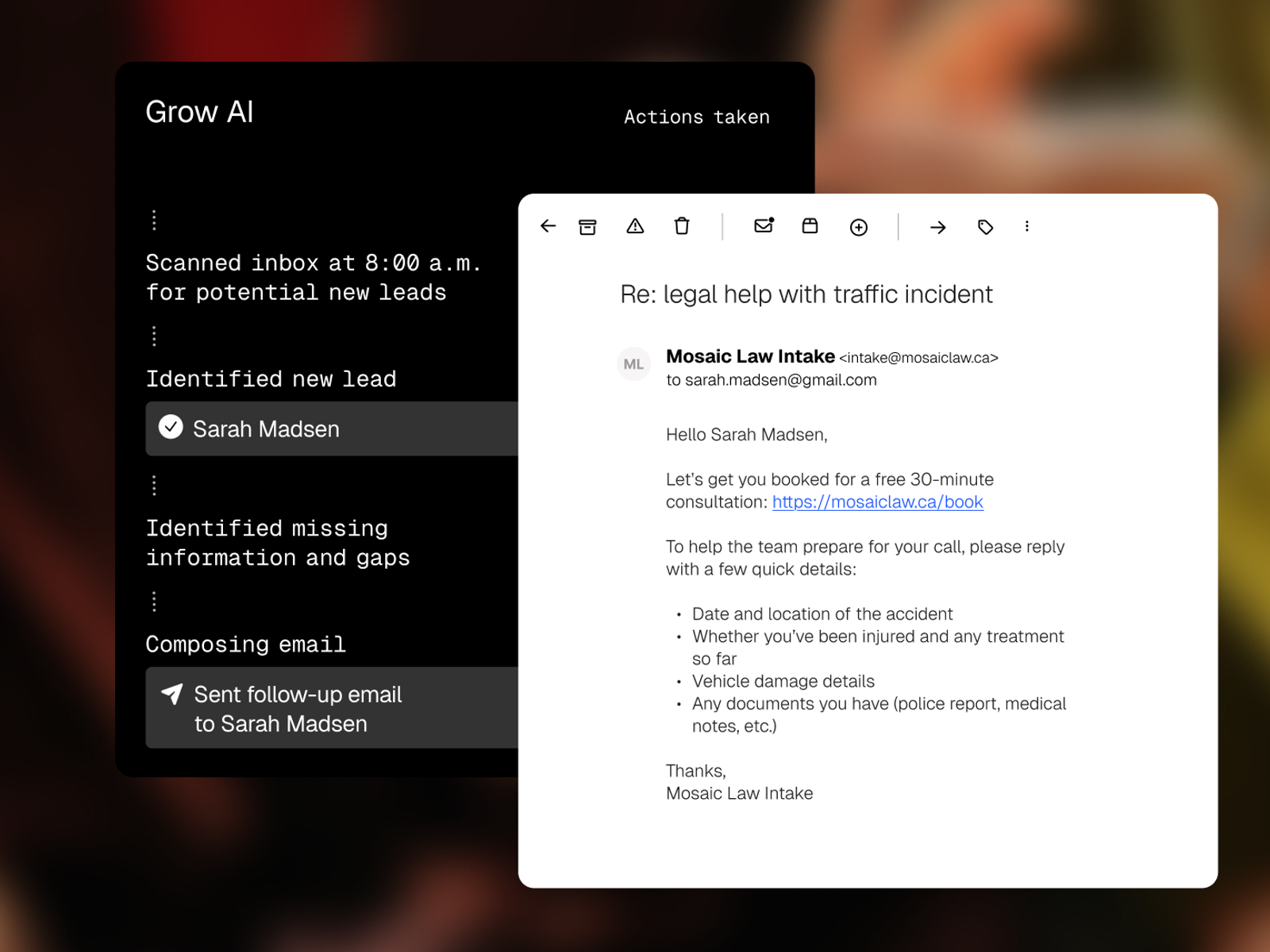
AI can help law firms respond to inquiries at any hour, collect and summarize lead information, assess whether a prospect is a good fit, flag potential conflicts, schedule consultations, and follow up with prospects who’ve gone quiet. Lawyers keep the decisions that need professional judgment, like clearing a conflict or accepting a client.
AI legal intake works well because the work is high-volume, repetitive, time-sensitive, and often arrives when nobody’s at a desk. The top AI use cases for legal intake line up with its four stages:
| Intake stage | What AI handles |
|---|---|
| First response | Answers inquiries, asks follow-up questions, and collects and summarizes details |
| Qualification | Evaluates fit and surfaces potential conflicts |
| Booking and engagement | Schedules consultations, sends reminders, and moves leads through intake |
| Follow-up | Re-engages prospects with incomplete intake steps |
First response
A slow first reply can cost you leads you’ll never know you lost. With AI, your first reply lands while the prospect is still on your site, on the phone, or watching for your email.
- Website chat greets visitors and starts the conversation the moment they land on your site.
- An email agent spots new leads in your inbox and replies right away, even overnight, with your firm’s approved follow-up questions.
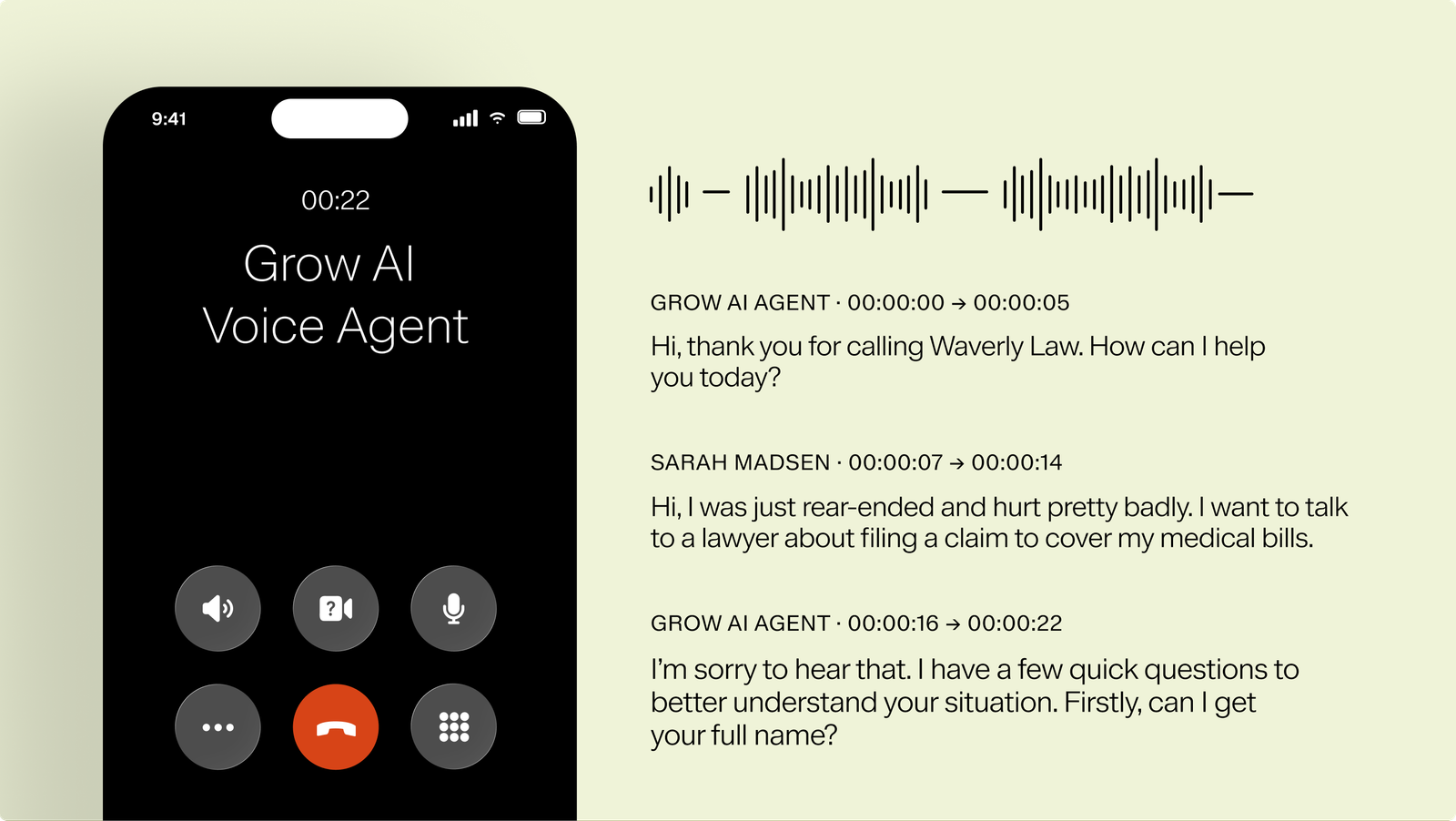
- A phone agent answers calls that would otherwise go to voicemail and captures the details in real time.
All three answer common questions and book good-fit leads into a consultation. Every lead reaches you with contact and case details captured, so you pick up the conversation instead of starting it over.
Qualification
Not every inquiry fits your practice. AI sorts that out early, so your time goes where it counts.
- Spam gets filtered out before anyone reads it.
- Each lead is scored against your firm’s criteria and patterns from past successful cases, so the most promising rise to the top. You see the reasoning, like whether the jurisdiction and matter type fit and what’s missing, and you can override the score.
- Potential conflicts are flagged from what came up during intake. A lawyer, or someone else authorized at the firm, still reviews and clears each one.
Booking and engagement
Once a lead looks like a good fit, the goal is to get them on the calendar before their interest cools or another firm takes the matter.
- Self-serve scheduling, calendar sync, and automated text reminders move qualified prospects to a consultation without anyone playing phone tag.
- The stretch between “yes” and “signed” gets shorter, too. Intake forms and e-signatures cut the paperwork chase, so your team can focus on the client who just said yes.
Follow-up
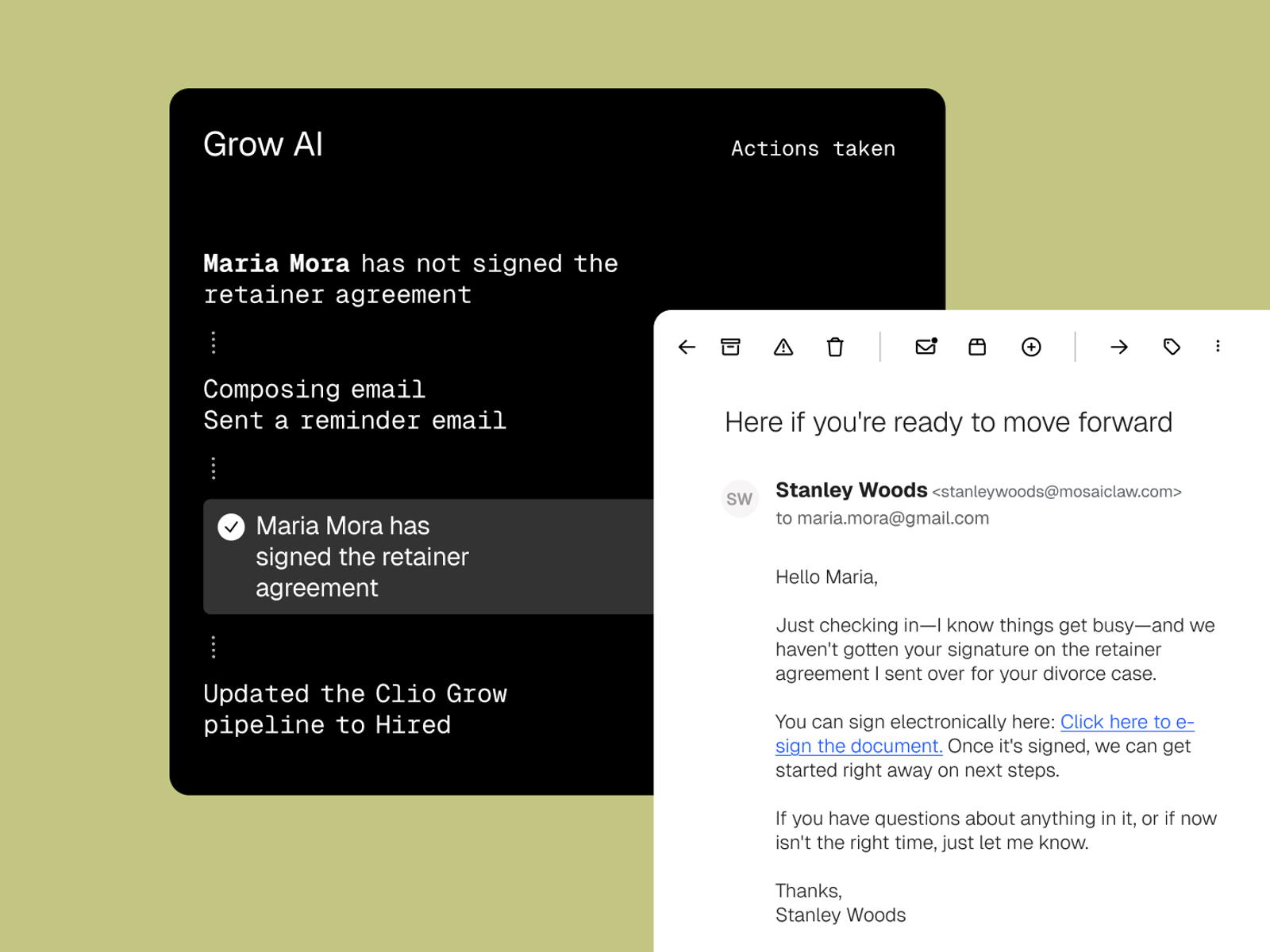
Some leads stall on a half-finished form or an unsigned agreement, and they’re easy to lose. In Clio intake data from the 2026 Legal Trends Report, firms that followed up on stalled intake within the first 24 hours saw a 37% hire rate, compared with a 29% baseline.
- AI spots stalled prospects and follows up to get them moving again.
- If a lead stays quiet, it’s routed to staff for outreach or closed out, instead of sitting untouched in your pipeline.
What are the benefits of legal intake automation?
Intake automation pays off on both sides of the first conversation. Prospective clients get a fast, consistent response at the moment they’re deciding who to hire. Your firm gets each lead’s details up front, so it’s easier to decide whether to take the matter and how to respond.
That holds even when nobody on staff is free, so after-hours and high-volume inquiries are less likely to vanish into voicemail or an unmonitored inbox. Rosenberg Perry & Associates, for example, reports signing one to two additional clients a month from after-hours calls answered by Clio’s voice agent.
Behind the scenes, intake takes less work and gets more consistent. Details flow from the first inquiry into your intake workflow without retyping. That saves your team time, and fewer details get lost or entered wrong. And every prospect is asked the same relevant questions and moves through the same process, no matter how and where they reach out.
How to securely automate legal intake at your law firm
If you want to automate legal intake at your firm, start by mapping how intake runs today, including every channel inquiries come through and every point where a lead stalls or someone retypes the same details. That shows you where law firm intake automation will help most. (Our client intake guide for law firms is a good primer.) Then decide where AI helps and where your judgment leads: AI can send reminders and score fit, while conflicts, matter acceptance, and legal advice stay with a legal professional.
Protect what prospects share with you, starting with their first message. Under ABA Model Rule 1.18, what a prospective client shares is generally protected even if they never hire you, and ABA Formal Opinion 512 outlines what the duties of confidentiality, competence, and supervision require when lawyers use AI. For more on how these rules apply to AI, see our guide to AI ethics in law.
Before rolling automated legal intake out to every lead, test it with sample inquiries and check what staff receive at the handoff. Then measure the ROI of legal intake automation by tracking the funnel from first response to hired matter against a pre-launch baseline.
Choosing an AI legal intake tool

The safeguards above double as your shopping list. Before you commit, ask any platform you consider:
- Where is client data stored, who can access it, and how long is it kept?
- Does it log every AI action, so you can see what it told a prospect and why?
- Can it show independent proof of its security, such as a SOC 2 Type II report?
- Will anything you enter be used to train its own or a third party’s AI models?
Beyond security, three things tell you whether a tool will fit how your firm works.
First, check whether it writes back to where your matters already live. An intake tool that sits apart from your CRM and practice management software becomes one more place to check, and one more point where details get retyped or lost. Look for lead records that carry into the matter once a prospect hires you.
Second, make sure a legal professional can review and override its assessments. Fit scores and conflict flags should show their reasoning, and your team should be able to correct them if needed. A tool that can’t be overruled is making calls that belong to a legal professional.
Third, understand what you’re paying for. Per-seat and per-conversation pricing can mean you pay for spam and poor-fit inquiries along with real leads. Outcome-based pricing ties the cost to clients you actually sign. Either can work, as long as you know which one you’re buying before inquiry volume grows.
Automate legal intake securely with Clio
Clio’s AI helps you sign more of the right clients while your team spends fewer hours on intake and more on the practice of law. When someone hires you, everything collected so far stays on their client record, so the matter starts with the full picture.
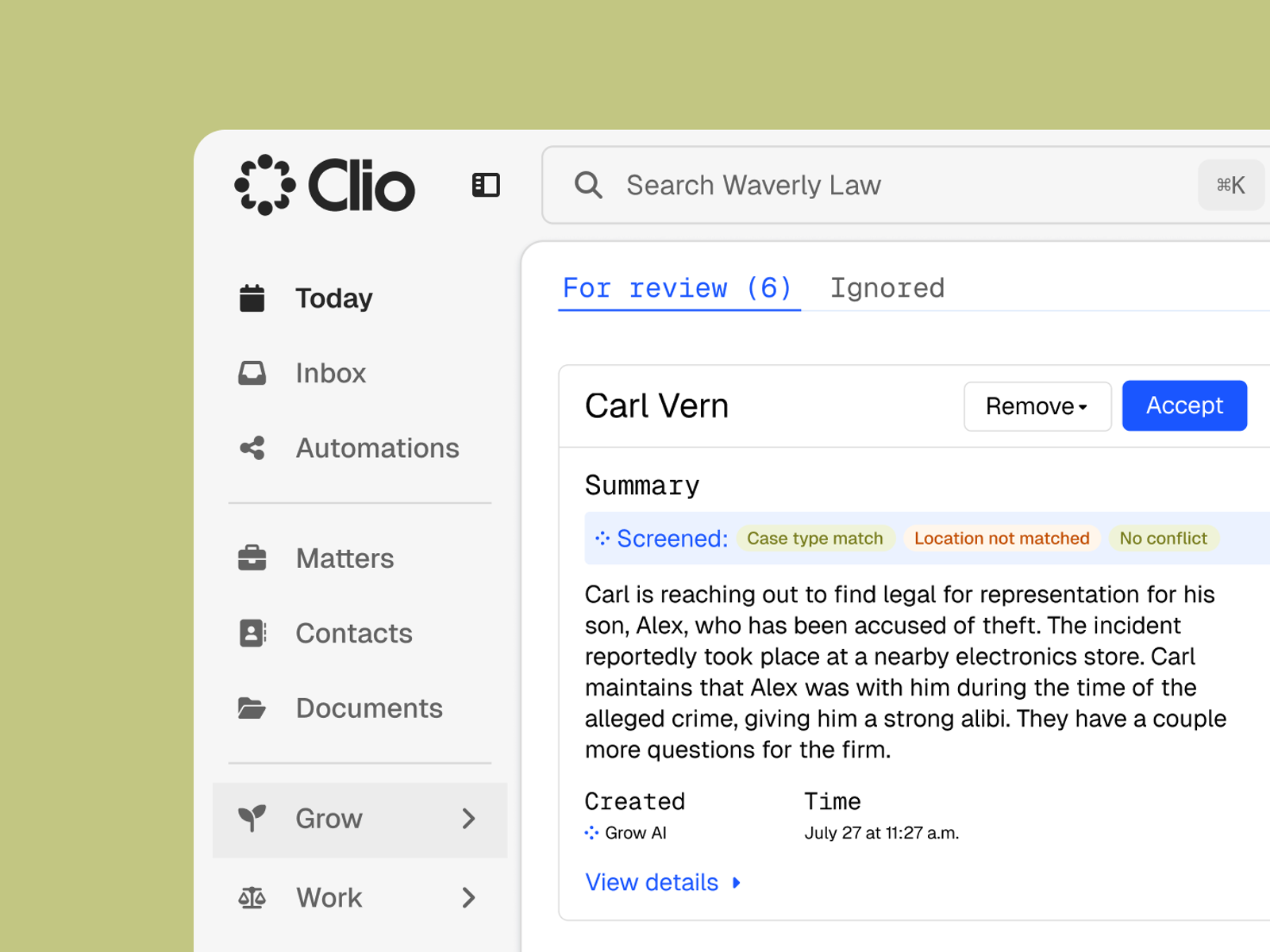
Phone calls, emails, and website chats get answered at any hour, with contact and case details captured and good-fit leads booked into consultations. Each lead is scored against your firm’s criteria and past successful cases, potential conflicts are flagged for your review, and prospects who stall get timely follow-up. Every decision that needs judgment stays with you.
On security, intake runs under the same industry-leading protections as everything else in Clio:
- Client data is encrypted in transit and at rest, and the AI works within Clio’s region-specific infrastructure, following the user permissions your firm already set.
- Every action the AI takes within your firm is logged, so you can review what it did.
- Clio completes annual SOC 2 Type II examinations, with reports available through its Trust Center.
- Your data is never used to train AI models.
See Clio’s security practices for the full details.
Turn more legal inquiries into clients with automated legal intake
Whether your law firm is just starting with AI client intake or refining a system it already runs, generating leads was never the whole problem. A firm can spend on marketing and still lose prospects if nobody responds fast enough.
AI takes on the repetitive, time-sensitive parts of intake: catching each inquiry, gathering details, checking fit, and booking the consultation. You stay in charge of what matters, from clearing conflicts to choosing which cases to take on. Prospective clients hear back faster and get booked sooner. Your team starts every conversation already knowing the details, so more time goes to helping the people who reached out.
With Clio, that work happens inside the same system that runs the rest of your firm, so you get one connected process from first inquiry to new matter. You can turn more of the right leads into consultations without adding another tool to manage.
Automated legal intake FAQs
Can AI help with law firm intake?
Yes, AI can help with law firm intake. It answers new inquiries the minute they arrive, gathers the facts of the matter, separates promising leads from poor fits, and keeps prospects moving toward a consultation. You still decide which matters to take and whether a conflict exists.
What are the top AI use cases for legal intake?
The top AI use cases for legal intake are answering calls and messages after hours, qualifying leads against your criteria, flagging possible conflicts, booking consultations, and bringing back prospects who’ve gone quiet.
How do I automate client intake without risking confidentiality?
To automate client intake without risking confidentiality, treat every prospect’s first message as confidential and choose tools that do the same. Look for encryption, access limited by role, and a clear commitment that your data never trains the vendor’s models. For a closer look at your professional obligations, read our guide to AI ethics in law.
How do you measure the ROI of legal intake automation?
To measure the ROI of legal intake automation, compare what you spend on the tool with the revenue from the clients it helped you sign. Don’t wait months for that number, though. Faster replies and more consultations that actually happen will show you early whether it’s working.