

Contents: How to Start a Law Firm
If you’re planning to launch your own firm, you already know you can handle the legal work. It’s everything around it that gives people pause, and that’s exactly the problem AI tools for starting a law firm were built to solve. Running a solo practice means being the intake coordinator, drafter, researcher, and billing administrator, on top of being the lawyer. Firms used to solve this by hiring for each of those roles. AI tools let a solo lawyer handle them directly, so a practice can run well without adding headcount.
That’s what makes launch day different. A lawyer starting a law firm with AI can open without any staff, keep overhead low while building a client base, and still run a practice that feels bigger than one person. There’s nothing unusual about working this way anymore, either. According to Clio’s 2025 Legal Trends Report, 79% of legal professionals use AI in some capacity.
This article is about the AI side of the launch. It walks through the tools a new firm needs and how to use each one well, the difference between legal-specific tools and consumer chatbots, and the order to set everything up in your first month. The full step-by-step roadmap, from choosing an entity to opening trust accounts, is available in The Guide to Starting a Law Firm.
Can you start a law firm with AI?

Absolutely, and it’s increasingly the norm. AI now handles much of what a new firm once hired for: first drafts of documents, legal research, lead screening, case and predictive analysis, and chasing unpaid invoices. That means a solo attorney starting a law firm with AI can launch with far lower overhead than was possible even a few years ago.
The tools that enable this are legal-specific software for drafting, intake, billing, case analysis, research, and matter management, not general-purpose chatbots. Legal-specific tools are grounded in verified legal data and built for the profession’s confidentiality requirements. General chatbots are neither, which is why they’re more likely to produce citations that sound right but aren’t, and why some store or train on whatever you type in. That distinction shapes every tool decision you’ll make from here.
What AI tools do solo lawyers use? The ones that do the heavy lifting
Solo lawyers typically use AI for five jobs:
- Billing and operations
- Client intake
- Case strategy
- Document drafting
- Legal research
That list is really a staffing plan in disguise. The billing used to mean a bookkeeper, the intake a receptionist, and the research a first-year associate, and those salaries were often what stood between many lawyers and their own firm. Each section below covers one of those jobs and the AI tools now helping solo lawyers multiply what they can get done each day.
Billing and day-to-day operations
Administrative work is the first place AI for solo lawyers makes a difference, because it’s where your practice will lose the most hours. A scheduling order arrives and you spend the next hour reading it line by line, typing each deadline into your calendar. At the end of the month, you sit down to reconstruct your week from memory so you can invoice it. None of that time is billable. It’s also where lawyers get into trouble. Missed deadlines are still among the most common triggers for malpractice claims, and a solo has no one behind them to catch what slips.
Clio Manage handles most of this work with AI. Upload a hearing notice or scheduling order and the deadlines land in your calendar, with the source document shown side by side so you can check every date against it. Draft invoices are generated from your time and expense entries, receipts are matched to the right matters, and client updates are drafted from recent case activity. Your part shrinks to reviewing and sending.
The benefit goes beyond the hours you get back. For the 2025 Legal Trends Report, Clio partnered with the neuroanalytics firm Neuro-Insight to measure the brain activity of legal professionals as they worked, and found that integrated practice management tools like Clio cut cognitive load by up to 25%. On one task in particular—calculating billable hours—the active mental focus required dropped by 72%. That matters in year one, when you’re the rainmaker, administrator, and practitioner all at once, and the quality of your legal work depends on how much mental bandwidth those other jobs leave you.
Client intake and lead capture
New firms lose a surprising number of clients they never actually meet. A prospect finds your website in the evening, submits the contact form, and hears nothing until the following afternoon. By then, they’ve hired the firm that got back to them first. An established practice can absorb that loss. In your first year, when every inquiry comes from marketing dollars you counted carefully, a slow reply is the most expensive mistake you can make.
That’s what tools like Clio Grow handle. Intake forms capture the lead, Scheduler books the consultation with automated reminders, and Grow AI carries the first conversation for you. Its phone, email, and website chat agents pick up inquiries as they arrive, answer the questions prospects usually ask, collect contact and case details, screen each lead for case type, location, and conflicts, and book the good-fit ones into your calendar. That covers the hours you can’t, from the 9 p.m. call that would have gone to voicemail to the form submitted on a Sunday. It matters more than most new firm owners expect: Clio’s 2024 Legal Trends Report found that 67% of firms never respond to email inquiries and 48% never respond to phone inquiries, even though 79% of prospective clients expect a reply within 24 hours.
The connection to the rest of your systems matters just as much. Leads captured in Clio Grow flow into Clio Manage and your matter is automatically created with AI. Intake, practice management, and AI work as one system rather than three tools you reconcile by hand.
Case strategy and analysis
Ask lawyers what they miss most after going solo, and one answer usually tops the list: someone to think out loud with. Maybe that was a partner who challenged their theory of the case or a colleague who spotted the weak point in a motion before the other side could. That sounding board disappears when you go out on your own, but the standard for your work remains where it was.
Clio Work steps in as that sounding board. It’s matter-aware and grounded in the Clio Library, a database of more than a billion legal documents from over 100 countries. Every authority it surfaces runs through Clio’s built-in citator, which confirms whether a case remains good law before you rely on it. It can show you how judges in your jurisdiction have treated similar facts, flag weak citations and gaps in a filing, and pressure-test an argument before the other side reads it. You can even hand it an outcome, something like “propose defenses to this complaint,” and watch it work through the steps.
For a new firm owner, the fact-pattern analysis deserves particular attention. Seeing how similar cases have repeatedly played out in your jurisdiction builds the kind of case law awareness that used to take years of accumulated experience, and it’s available to you in your first month of practice. The judgment calls are still yours alone. What changes is that you’re no longer the only set of eyes on it.
Document drafting
Drafting splits into two kinds of work, and Clio has a tool for each. Some documents require legal reasoning because a motion, a demand letter, or a client memo needs an argument behind it. That’s the job of Clio for Word, your drafting workspace inside Microsoft Word, that connects directly to Clio Work. Give it the jurisdiction, matter type, and relevant facts, and you get a grounded first draft to refine instead of a blank page to fill.
Other documents call for speed and consistency rather than analysis. For the pleadings, wills, and engagement letters that make up most of a new firm’s paperwork, Clio Draft converts your existing Word files into auto-filling templates and cuts routine drafting time by up to 80%. Your account comes preloaded with standard practice-area templates, so you’re not starting from an empty library on day one, and it includes court forms for all 50 states and built-in e-signature.
Legal research
Research used to be one of the most common ways a solo fell behind, because the other side simply had more hours to spend on it. AI-assisted research takes away much of that disadvantage. Ask Clio Work a research question and its AI assistant pulls cited case law, statutes, and secondary sources from the Clio Library, grounded in the specifics of your open matters. It can even run one question across all 50 states and federal law in a single comparison. You still read the cases and draw your own conclusions. You just spend far less of your week finding them.
These tools handle the work. For the plan around them, including entity choice, trust accounts, budgeting, and your first marketing push, download The Guide to Starting a Law Firm.
Why Generic AI Falls Short for Legal Work
In this on-demand webinar, see how Clio Work's legal-specific AI helps you research, analyze documents, draft, and verify your work faster, so you can spend more time practicing law.
Watch now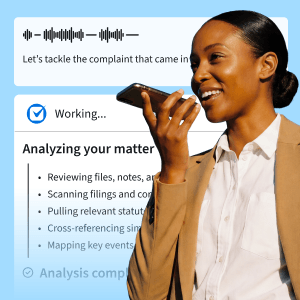
Legal-specific vs general AI: how to choose tools for a new firm
The tools above share two traits. They work from verified legal data, and they treat confidentiality as a design requirement rather than a setting. That’s the line between software you can use for client work and software you can’t. Consumer chatbots sit on the wrong side of it, which is how confident but fabricated citations keep ending up in court filings, with sanctions to match.
Before you adopt any legal AI for your small firm, look for four things:
- Grounded in verified legal sources. The tool draws on actual case law, statutes, and secondary sources, not the open web.
- Matter-aware. Matter-aware AI works from the context of your actual cases rather than answering every question in a vacuum.
- Independently verified security. Look for SOC 2 Type II, ISO 27001, GDPR, and HIPAA standards, confirmed by outside auditors.
- A clear commitment not to train on your data. The vendor should state this explicitly, in writing, not leave it buried in a terms-of-service update.
Ten minutes on a vendor’s security page, or one direct question on a sales call, answers all four, and not all tools competing for your attention will clear them. Clio’s AI does, certified to those standards and built on enterprise-grade infrastructure. Once a tool passes, the remaining question is whether it’s a fit for your practice, and our guide to AI tools for lawyers compares the options across the category.
How much do AI tools for a law firm cost?

Most legal AI for small firms comes bundled with practice management software as a monthly subscription, so a solo firm can typically get the full stack for a few hundred dollars a month or less. The more useful way to judge what legal AI tools cost, though, is against what they replace. Even at the top of that range, a year of subscriptions is a fraction of the staffing cost a firm used to carry before opening.
Software is only one line in your launch budget. For the full picture, including one-time setup costs, recurring overhead, and the cash reserve to hold before you open, The Guide to Starting a Law Firm covers the numbers in detail.
Using AI responsibly: ethics, confidentiality, and verification
It’s safe to use AI with confidential client information, provided you use legal-specific tools that don’t store or train on your data and you verify AI output before relying on it. Three duties govern how you use AI in practice, and you already know all of them.
Confidentiality under Model Rule 1.6 is why the choice of tool matters. Client information can’t go into software that stores or trains on what you type. Competence under Model Rule 1.1 now includes understanding the technology you use, per its Comment 8. And verification is the duty behind both, because whatever goes out under your name is your responsibility, no matter who or what wrote the first draft. ABA Formal Opinion 512 explains how these duties apply to AI, and a growing number of state bars and courts have added their own requirements, including disclosure and certification rules for filings, so check your jurisdiction’s position before you file anything AI touched.
Of the three duties, verification is the one that needs a routine, because it’s the one you perform on every matter. Follow these five steps whenever AI touches client work:
- Write a specific prompt. Include the jurisdiction, matter type, and relevant facts. “Draft a motion to dismiss” gets you boilerplate. “Draft a motion to dismiss a negligence claim in Ohio state court, where the plaintiff filed after the two-year limitations period ran” produces a draft worth your time.
- Treat the output as a starting point. The structure may be sound, but every claim within it still needs to be checked before you rely on it.
- Verify every citation yourself. Confirm the case exists, that it says what the draft claims, and that it’s still good law. Legal-specific tools make fabricated citations far less likely, but that still isn’t a standard you can sign your name to.
- Read once more for local nuance. Make sure the output reflects how your state or court actually handles the issue, not how courts handle it on average.
- Document your review. A one-line note in the matter file is enough. It supports billing transparency now, and courts that require AI certifications are already asking you to stand behind exactly this.
That routine, more than any feature of the tool itself, is what makes AI safe in a law practice.
Build your starter AI stack: a 30-day rollout

You can have the core AI stack for a new law firm up and running in about a month if you add one layer each week and let each settle before the next arrives. The order below isn’t arbitrary. Each week builds on the one before it, and trying to stand everything up at once usually results in a partially configured stack that isn’t reliable.
Week one: Set up your practice management hub
Start with Clio Manage, because every other tool in this plan connects to it. Import your contacts, build templates for your most common matter types, and connect your calendar. Turn on multi-factor authentication while you’re in the settings, since client data starts living here this week. Then run the test. Upload a court document and check the deadlines it extracts against the document itself. You’re going to depend on this feature more than any other, and the point of checking it now is to earn your own trust in it while nothing is riding on the result.
Week two: Automate your intake
Set up Clio Grow, add an intake form to your website, and set up Scheduler with automated confirmations and reminders. Then run the test. Submit an inquiry through your own form and time how long the reply takes. A week ago, the honest answer was however long it took you to notice the email. Now it’s seconds, and since the first firm to respond often wins the client, it’s a number you compete on.
Week three: Turn on research and drafting
Put Clio Work to use on a live matter rather than a practice exercise. Draft something you would otherwise have written from scratch, and use it as your first run through the five-step verification routine from the previous section. That run is this week’s test, and its timing is deliberate. You want the habit of checking AI output formed before deadline pressure gives you a reason to skip it. If your practice depends on repeatable documents, this is also the week to convert two or three of your Word files into Clio Draft templates.
Week four: Automate your billing
Turn on draft invoice generation, enable online payments, and schedule automatic payment reminders. The test here is your first month-end. The invoices draft themselves from the time entries your hub has been collecting since week one, which is the payoff for setting things up in this order. By the time you reach billing, the data it needs is already there.
By day 30, the administrative side of the firm largely runs itself, and your hours go back to legal work. That’s the pattern solo and small firms keep reporting. The time AI saves becomes the capacity they grow with. And if a month feels faster than you want to move, that’s fine. The weeks are a sequence, not a deadline. Start with the one tool aimed at your biggest time drain, which for most new firms is the practice management hub, and add the others as the need shows up. We’ve written a full guide to pacing AI adoption at your firm if you would rather take it slower.
Match your AI stack to your practice area
The 30-day sequence works for any new firm, but how hard you lean on each tool depends on the kind of practice you’re building. Two examples show the range.
Suppose your clients come to you in a crisis, as they do in criminal defense, personal injury, and family law. Your practice runs on court deadlines and response speed, so the tools that matter most are automated deadline extraction, matter tracking, and intake that replies within minutes. People searching for a lawyer in an emergency rarely wait long for an answer, and the first firm to respond wins. For this kind of practice, week two of the rollout is the one to get right.
Now, suppose your work is transactional, such as corporate formation, contracts, and deals. Court dates matter less here than documents and deal timelines, so your priorities shift to drafting tools, dependable version control that never leaves you guessing which redline is current, and clean document collaboration with clients and opposing counsel. The costly mistake in this practice is sending the wrong draft to the wrong party, which can damage a deal and a client relationship in a single email. Weeks one and three are where your attention belongs.
The principle behind both examples is the same. Build your stack around the risks your practice actually faces rather than a generic setup that covers everything thinly. You know better than any checklist where your work is most likely to go wrong, and that’s where your AI should be strongest.
Start your law firm with AI from day one
Everything in this article comes back to the problem at the top: the legal work was never what made starting a firm hard. It’s all the jobs around it. Those jobs still exist, but the difference is that AI for new law firms now handles most of them. Set your tools up well in the first month and you get to spend your first year practicing law instead of running an office.
The AI tools are only one aspect of the launch. For the rest of it, from choosing an entity to opening trust accounts to finding your first clients, download The Guide to Starting a Law Firm. And if you’d rather see how these tools fit your practice area before you commit to anything, book a Clio demo.
What is the best AI tool for a new law firm?
The best first AI tool for a new law firm is an AI-powered practice management platform, because every other tool connects to it. Clio Manage brings matters, deadlines, billing, and client communication together in one place, with legal AI built in.
Which AI tool should a new law firm set up first?
Set up practice management first, since it becomes the hub for everything else. From there, add research and drafting, then intake, then billing automation, one week at a time over your first month.
How long does it take to set up AI tools for a new law firm?
Setting up AI tools for a new law firm takes about 30 days at a comfortable pace. You could compress the timeline, but a week per system gives each one time to become habit before the next arrives.
What should a new law firm not use AI for?
A new law firm should never use AI as a substitute for legal judgment, as a source of unverified citations, or with confidential client information in generic consumer tools. AI for solo lawyers works best when it handles the routine work and a lawyer verifies everything that goes out.
Why Generic AI Falls Short for Legal Work
In this on-demand webinar, see how Clio Work's legal-specific AI helps you research, analyze documents, draft, and verify your work faster, so you can spend more time practicing law.
Watch now