Juste
Get a Clio product walkthrough. Request a demo.

Key benefits for your firm
-


Screen risk before over-collecting
Launch from a Clio contact and let JUSTE assess AML risk before requesting the same documents from every client. Low-risk clients follow a proportionate SDD pathway; higher-risk cases receive targeted CDD or EDD instructions, reducing friction without lowering the compliance standard. -

Make AML policy executable
JUSTE turns your firm’s AML risk policy into codified governance. AI agents prepare screening and classification; your policy controls escalation, evidence and approval requirements. Authorised humans retain the final decision, with every policy rule, override, reviewer and rationale recorded. -

Create audit-ready inspection reports
Generate a governed inspection report showing the screening performed, risk classification, policy requirements, identity evidence, human review, overrides and final rationale. The report remains available in JUSTE and returns to the relevant Clio contact or matter for supervision, inspection and future review.
How Juste works with Clio
-
Start screening from a Clio contact
Open a contact in Clio Manage and select JUSTE from the More actions menu. JUSTE uses the existing contact details to begin policy-governed screening across sanctions, PEP, adverse media, activity and territorial risk—without requiring staff to re-enter the client’s core information.
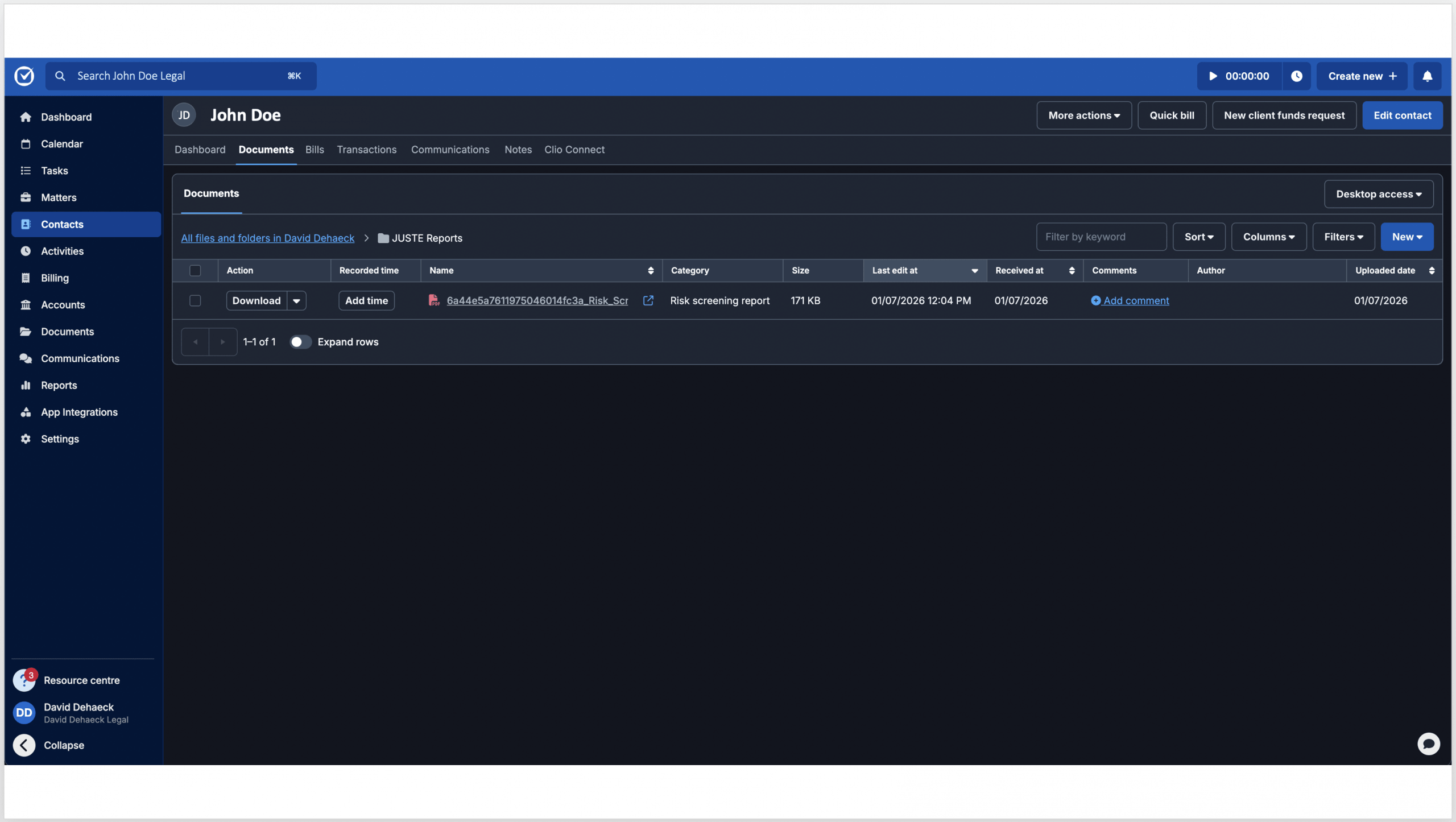
The resulting Risk Screening Report is returned to the contact’s Documents in Clio, giving the firm an immediate risk classification and the recommended SDD, CDD or EDD pathway. -
Complete due diligence and return the evidence
Where a Low-Risk client qualifies for SDD under the firm’s policy, add and verify an authoritative identity document in JUSTE to complete the inspection record. Medium- and High-Risk cases continue through the required CDD or EDD workflow, including targeted questions, supporting evidence, escalation and authorised human review.
The final inspection report records what the AI found, what the firm’s policy required, who reviewed or overrode the outcome and why. It then returns to the relevant Clio contact or matter documents, while remaining available in JUSTE for supervision and ongoing review.
Media gallery




Browse by category
Helpful resources
-
Getting set up
If you need detailed instructions on connecting Juste to Clio, you may visit this site.
-
Security and privacy policy
We are committed to protecting your privacy.
View Juste’s privacy policy, terms of service and security policy. -
Additional support
Contact Juste’s support at mailto:[email protected]