
Claude is a general-purpose AI assistant that lawyers can use to speed up certain parts of their workflow. However, it’s not a substitute for verified legal research.
Claude AI for lawyers will review a contract clause by clause, restructure a rough draft, and turn dense language into something a client can actually read. It will not tell you whether a term is enforceable in your jurisdiction, it has no verified body of law behind the cases it names, and it cannot see anything in your matter files. Each of those gaps lands back on you to close.
Sorting which tasks fall on which side of that split matters more as adoption climbs. Clio’s 2026 Legal Trends Report for Solo and Small Law Firms found 71% of solo practitioners and 75% of small firms now using AI, with adoption rising by firm size.
So, where does Claude fit? This guide examines what Claude does well for legal work, where it falls short, how to think about confidentiality, and when a legal-specific AI tool is the safer choice.
Need AI built for substantive legal work?
Clio Work brings your matter facts and the law together in one AI-powered workspace. Research relevant authority, analyze case files, develop strategy, and draft documents with outputs linked back to their sources for verification.

Key takeaways:
- Lawyers use Claude for contract review, document drafting and restructuring, summarizing material they upload, and explaining legal terms to clients in plain language.
- Claude isn’t grounded in a verified legal corpus and has no jurisdiction awareness. It can generate citations to authorities that don’t exist, so you must check every citation before you use it.
- Data handling differs across Anthropic’s products and plans. Confirm the settings on your own account before uploading anything from a client file.
- Verdict: For research or drafting that depends on verified law or matter facts, use a legal-specific, matter-aware AI tool that cites its sources.
What is Anthropic, and what is Claude?
Anthropic is an AI company founded in 2021 by siblings Dario and Daniela Amodei. Claude is Anthropic’s family of general-purpose AI models, designed for tasks such as writing, analysis, reasoning, and working with documents.
One feature that sets Claude apart is Anthropic’s approach to constitutional AI. Instead of relying only on human feedback to shape how the model behaves, Anthropic trains Claude using an explicit set of principles intended to guide its decisions and responses.
That approach helps explain a characteristic lawyers may notice when using Claude: it tends to approach complex or uncertain questions with more caution and nuance rather than simply giving the most definitive-sounding answer.
Anthropic offers several Claude models at different capabilities and price points. The exact lineup changes regularly, so lawyers choosing between them should check Anthropic’s current model guidance rather than relying on individual model names or specifications that may quickly become outdated.
For lawyers evaluating Anthropic for legal work, the more important distinction is that Claude remains a general-purpose AI tool. Its design makes it useful across a range of legal tasks. It is not a verified legal research platform, and it does not substitute for professional legal judgment.
Can lawyers use Claude?
Yes. Lawyers can use Claude for lower-risk work where they can review and verify the output, but it shouldn’t replace verified legal research or be used casually for work involving confidential client information. Claude can support legal work, but lawyers remain responsible for checking its accuracy, protecting client confidentiality, and deciding when a legal-specific tool is more appropriate.
What do lawyers use Claude for?
Lawyers use Claude for tasks such as legal research support, contract review, drafting, and client communication. Claude is most useful when a lawyer can review the output against authoritative sources or material they already trust.
The right use case depends on what Claude is being asked to do. Rewriting a client update carries very different risks from researching case law or analyzing a confidential contract. The question is not whether Claude can produce a draft. It is whether it is appropriate for the information, work, and professional responsibility involved.
Claude for legal research

Claude isn’t grounded in a verified legal corpus. It has no jurisdiction awareness and no access to your matter files, so every case, authority, and citation it produces has to be verified independently before it goes anywhere. Within those limits, Claude can help with legal research by spotting issues, framing research questions, and summarizing material you provide.
In general, Claude can be used either at the beginning or the middle of the legal research process, but should never be the final authority. For example, you might provide a judgment and ask Claude to summarize the reasoning or identify potentially relevant issues. Alternatively, you could get it to suggest questions for further research.
The risk of relying on Claude for citations has become abundantly clear. In May 2025, a lawyer representing Anthropic itself acknowledged that Claude inaccurately formatted a citation in a court filing. Claude referred to a real academic article but supplied an inaccurate title and authors.
Claude for contract review
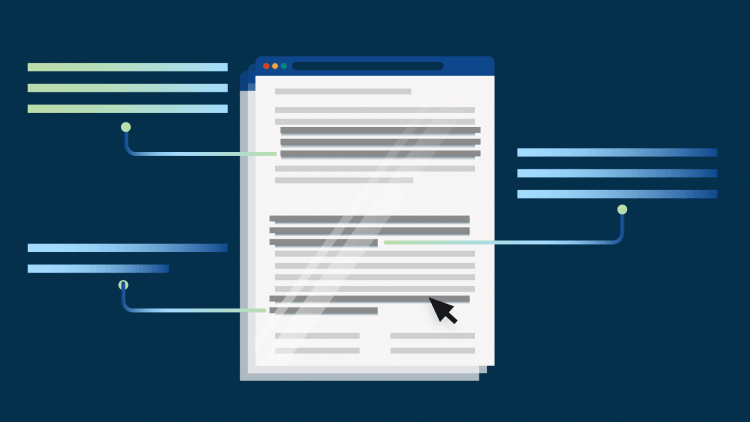
Claude has no jurisdiction-specific legal authority behind it, so it cannot tell you whether a provision is enforceable where it matters. It also reads clauses largely in isolation, which means it can miss how provisions interact across an agreement, particularly where one term modifies or qualifies another elsewhere in the document. The limitations matter.
With that understood, Claude can review an uploaded contract clause by clause, identify missing or potentially one-sided provisions, and suggest alternative language. It can serve as a useful first-pass review, though its conclusions do not replace a lawyer’s analysis of the agreement or the governing law.
For example, you could ask Claude to compare a contract against a preferred clause list, flag unusually broad obligations, or identify differences between a draft and an established template.
Contract review also usually means uploading a client document. Before doing so, lawyers should understand how their particular Claude product and plan handles data and whether using it is consistent with their confidentiality obligations. In general, any client documents or documents containing sensitive data should never be uploaded to a general-purpose AI tool.
Claude for legal drafting and writing

Drafting is where Claude is most capable and where its mistakes are hardest to see. It writes clean, professional language, which means a clause that misstates the legal effect still reads like solid drafting.
With that in mind, Claude can help lawyers produce and revise longer documents, restructure existing drafts, adapt templates, and refine tone or wording. Its large context window makes it particularly useful when the task depends on working across substantial amounts of text at once.
You can ask Claude to reorganize drafts or make an argument clearer, as well as rewriting sections to match a particular style. Claude can also adapt an existing template if you supply the relevant facts and instructions.
Which Claude model is best for legal writing depends on the task. In general, use a higher-reasoning tier for work that requires more analysis and a faster tier for routine rewriting or editing. Anthropic changes its model lineup regularly, so check its current model guidance rather than relying on a model name recommended in an older article.
For drafting that depends on legal research or matter-specific analysis, Clio Work lets lawyers turn research and analysis into a first draft while keeping the underlying prompts, sources, and reasoning alongside the document.
Claude for client communication

The lowest-risk use on this list because you already know the substance and want help expressing it. Claude can turn legal terminology into plain English, rewrite a status update for a client, or make a dense contractual provision easier to understand.
The key distinction is that Claude should help communicate advice rather than determine what that advice should be. Additionally, you need to avoid inputting any sensitive or confidential client and case details into Claude, limiting the context you can share with it. Legal professionals must review the final wording for legal accuracy, client context, and tone before sending it.
What should lawyers know about Claude Cowork, Skills, Word, and Claude for Legal?
Most lawyers can use at least some of Anthropic’s newer tools, including solos on an individual paid plan. But Claude Cowork, Skills, Claude for Word, and Claude for Legal are different products or capabilities with different setups. As a result, there are different implications for how they access and handle information.
As of September 2026, here’s the simplest way to distinguish them:
| Claude tool | What is it? | Who can use it? | What to check before using it on client work |
| Claude Cowork | Claude’s agentic work mode for carrying out multi-step tasks across files and connected apps | Pro, Max, Team, and Enterprise; availability varies by device | It acts across files and connected apps, so confirm what it can reach before pointing it at a matter |
| Claude Skills | Reusable instructions, scripts, and resources that teach Claude how to follow a particular workflow | Free, Pro, Max, Team, and Enterprise | A Skill can contain executable code or third-party packages; review the source before enabling |
| Claude for Word | A Microsoft Word add-in that brings Claude directly into a document | Pro, Max, Team, and Enterprise | It works on your live document, so confirm your plan’s data-handling terms first |
| Claude for Legal | Anthropic’s collection of legal plugins, agents, Skills, and connectors | Legal plugins can be used on paid plans; Team and Enterprise add centralized deployment and admin controls | Connectors require existing subscriptions to systems like iManage or NetDocuments |
Anthropic’s current product documentation supports those plan distinctions.
What is Claude Cowork?
Claude Cowork is for delegating a multi-step piece of work rather than handling it one prompt at a time. Claude can work across files and connected applications, carry out a sequence of actions, and return the completed work for review. Anthropic’s own legal guide contrasts this with ordinary Claude chat: chat suits one-off questions, while Cowork is intended for work that spans several files, tools, or steps.
What are Claude Skills?
Claude Skills are reusable instructions that teach Claude how you want a recurring task handled. Instead of explaining your preferred process every time, you can create a Skill containing a review method, drafting conventions, or parts of a firm playbook.
Skills are available across Claude’s plans, while Team and Enterprise customers can provision approved Skills across an organization. Anthropic also warns that Skills can contain executable code or third-party packages, so you should only install Skills from trusted sources and review what they contain. Claude skills can save small and solo law firms a significant amount of time.
What is Claude for Word?
Claude works inside Microsoft Word through Anthropic’s Microsoft 365 add-ins, which also cover Excel, PowerPoint, and Outlook. It can review and edit text, work through comments, summarize redlines, and apply changes through Word’s tracked-changes workflow. It’s available on paid plans.
What matters is what it’s pointed at. An add-in works on whatever document is open, which usually means a client document, so the plan and settings governing data handling carry more weight here than anywhere else in this list. The add-ins can also work across apps, reading from any Excel, PowerPoint, or Outlook file you have open, including email threads and attachments, and that setting is on by default on Pro and Max. What they can’t reach is your matter record or a verified body of law.
Lawyers need to be mindful that the exposure might be wider than the document you think you’re working on, and to exercise caution.
What is Claude for Legal?
Claude for Legal is a set of Anthropic-built legal plugins, not a separate legal model or a legal research database. The plugins bundle instructions, agents, and connectors for practice areas, including commercial, corporate, IP, and litigation, and they run in Cowork or Claude Code.
Whether it applies to you depends mostly on what your firm already runs. The connectors link Claude to enterprise document and discovery systems such as iManage, NetDocuments, and Everlaw, so you need those subscriptions first. Team and Enterprise plans add centralized deployment and admin controls. A smaller firm can install the plugins, but without the connected systems they’re built around, most of the value stays out of reach.
What the packaging doesn’t change is what Claude is working from. A plugin gives Claude a workflow, not a verified body of law, so citations still need checking.
What are the risks and limitations of Claude for legal work?
Claude can support legal work, but lawyers should treat its output as something to review, not an authority to rely on. The main risks are hallucinated citations, the absence of a verified legal corpus, limited jurisdiction awareness, and incomplete matter context.
Claude can hallucinate legal citations
Claude can produce information that sounds credible but is inaccurate or fabricated. The citation error mentioned earlier happened in Anthropic’s own litigation. A Claude-generated citation in an April 2025 expert declaration in Concord Music Group v. Anthropic named a real academic article but supplied an inaccurate title and incorrect authors. It was prepared with Claude by Latham & Watkins, the firm representing Anthropic, and it cleared review by both the declarant and counsel. Opposing counsel found it, and the court struck the affected portion of the declaration.
This isn’t just a Claude problem. Any general-purpose model generates text by predicting what comes next, so a citation gets assembled because it fits the pattern of a citation, not because it was retrieved from a source. ChatGPT, Gemini, and Claude share that design, which is why the fix isn’t a better prompt.
Claude isn’t grounded in a verified legal corpus
Claude is a general-purpose AI model, not an authoritative legal research database. Unless you provide or connect Claude to appropriate sources, it doesn’t independently verify its answers against current case law, legislation, or other primary authority.
Claude also doesn’t automatically constrain its analysis to the governing jurisdiction. That means a response may overlook controlling authority or rely on law from the wrong jurisdiction. It may also completely miss a recent development that could determine your client’s case.
Anthropic does explicitly train Claude to acknowledge uncertainty rather than overstate how confident it is. Its current constitution says Claude should have “calibrated uncertainty” and acknowledge gaps in its knowledge when relevant.
While that does make Claude’s responses more cautious and nuanced than otherwise, being cautious isn’t the same as being correct. Plausible errors can still go unnoticed unless you rigorously review the output.
Claude only knows the matter context you give it
Claude doesn’t automatically know the history, strategy, documents, or facts behind a client matter. Its analysis is limited to the context you provide and any connected sources it can access.
That matters because even a small missing detail can change the legal analysis. If Claude doesn’t have the full picture, its reasoning may still sound convincing while leading to the wrong conclusion.
This is one reason general-purpose AI works best as an assistant rather than an independent source of legal judgment.
Lawyers remain responsible for Claude’s output
Using Claude doesn’t change a lawyer’s professional duties. Duties around competence, confidentiality, supervision, and candor still apply when AI helped produce the work. ABA Formal Opinion 512 similarly makes clear that lawyers using generative AI remain responsible for understanding its limitations and reviewing its output.
Mata v. Avianca remains the clearest warning. In 2023, lawyers submitted a brief containing nonexistent cases generated by ChatGPT and failed to verify them. The court imposed sanctions and ordered the lawyers to notify judges falsely identified as authors of the fabricated decisions. Clio’s current AI ethics guidance uses the case to illustrate the consequences of submitting unverified AI-generated legal work.
The model was different, but the lesson applies equally to Claude: AI doesn’t take responsibility for the work a lawyer files or sends. The lawyer does. Confidentiality creates a separate set of risks because the answer depends on the particular Claude product, plan, settings, and integrations being used.
Start your free Clio Work trial
If you haven't tried Clio Work yet, now's the time. Start your free trial and put it to work on your next matter.
Start free trial
What are the best practices for lawyers using Claude?
The best way to use Claude for legal work is to give it the source material it needs, verify anything authoritative, and keep higher-risk work in specific legal AI software. A better prompt can improve the output, but it can’t fix the limits of a general-purpose AI model.
- Upload the source document when possible. Claude’s large context window is most useful when it can work from the actual contract, judgment, or draft rather than your description of it. That reduces the risk of missing important wording or context, but can also risk you uploading confidential data to a consumer chatbot.
- Verify every citation and legal proposition. Check cases, statutes, quotations, and authorities against primary sources before anything leaves your desk. Claude can produce plausible-looking citations that are wrong.
- Keep client facts out of unapproved environments. Don’t paste confidential information into a consumer Claude account.
- Know when you need a legal tool, not a better prompt. If the task depends on verified law, matter-specific facts, or authoritative citations, use a legal-specific platform rather than trying to prompt Claude into behaving like one.
This list isn’t exhaustive. For firm-wide guidance on AI policies, staff training, and professional obligations, see our guide to free legal AI tools
Claude vs ChatGPT for lawyers: which is better?
Neither Claude nor ChatGPT is inherently a better AI tool for lawyers, so the best choice depends on your specific task and workflow. Both are general-purpose AI assistants that can draft, summarize, and analyze uploaded documents. That being said, Claude’s cautious style and legal-focused tools may suit some legal workflows particularly well.
For work that depends on verified law, matter facts, or authoritative citations, neither should replace a legal-specific tool. For more on the other option, see our guide to ChatGPT for lawyers.
Using Claude safely in your law firm
Claude is a capable general-purpose assistant for lower-risk legal work, but lawyers remain responsible for anything that turns on the law itself. Claude can help you work faster, but it doesn’t replace verified legal research or professional judgment.
A useful rule is to consider what the task depends on. If the work requires verified law or matter-specific facts, or the output will go to a client or court, use a legal-specific tool and review the result. For lower-risk work where you can easily check the output, Claude for law firms can be a useful assistant.
That distinction matters as AI becomes standard practice, with 71% of solo practitioners and 75% of small firms now using AI. The priority is no longer simply adopting AI, but choosing the right tool for the work.
Claude is a capable general assistant. For work that turns on the law itself, use a tool built for it. Clio Work grounds answers in your matters and verified legal sources, with every result linked back to its source so you can verify it.
Can lawyers use Claude?
Yes. Lawyers can use Claude for lower-risk work where they can review and verify the output, but it shouldn’t replace verified legal research or professional legal judgment.
Is Claude good for legal research?
Claude can help with issue spotting, framing research questions, and summarizing legal materials you provide. It isn’t grounded in a verified legal corpus, so lawyers must independently check case law, citations, and other authorities.
Can Claude review a contract?
Yes. Claude can review uploaded contracts, flag potentially one-sided provisions, identify gaps, and suggest alternative wording. Lawyers should still assess the agreement as a whole and verify any conclusions that depend on jurisdiction-specific law.
Which Claude model is best for legal writing?
A higher-reasoning Claude model generally suits drafting that requires deeper analysis, while a faster model may be sufficient for routine rewriting and editing. Anthropic changes its model lineup regularly, so check its current model guidance before choosing.
Does Anthropic train Claude on my data?
It depends on the account you use. Consumer users can control whether chats help improve Claude through their privacy settings, while Anthropic legal docs say data from its commercial products isn’t used for model training by default unless an organization opts into its Development Partner Program.
Is Claude safe for confidential client information?
Claude’s suitability for confidential client information depends on the product, plan, privacy settings, and any connected services involved. Lawyers should assess those safeguards and their professional obligations before entering client information into Claude.
What is Claude Cowork, and can lawyers use it?
Claude Cowork is an agentic work mode that can carry out multi-step tasks across files and connected tools. Lawyers can use Cowork on paid Claude plans, although availability and administrative controls vary by plan and device.
Is Claude better than ChatGPT for lawyers?
Neither Claude nor ChatGPT is inherently better for lawyers; both are general-purpose AI assistants with different features and workflows. For work that depends on verified law or authoritative citations, lawyers should use a legal-specific tool rather than relying on either one alone.
How should lawyers handle confidentiality, privilege, and compliance when using Claude?
Whether Claude is appropriate for confidential legal work depends on the product, plan, and settings you’re using. As a practical rule, lawyers shouldn’t enter client facts or confidential documents into a consumer Claude account without first assessing how that account handles data.
Before using Claude for client work, check Settings → Privacy on an individual account or your organization’s Data and privacy settings. Also review any connected tools, Cowork workflows, or Skills separately, since they can introduce additional data access.
Subscribe to the blog
-


Software made for law firms, loved by clients
We're the world's leading provider of cloud-based legal software. With Clio's low-barrier and affordable solutions, lawyers can manage and grow their firms more effectively, more profitably, and with better client experiences. We're redefining how lawyers manage their firms by equipping them with essential tools to run their firms securely from any device, anywhere.
Learn More