



Lawyers are rarely satisfied with the status quo. The focus is always on what can be improved and controlled: analyzing case law, crafting arguments, developing strategy, and managing client relationships. Your instinct is to identify weaknesses, address them, and optimize outcomes for clients. That same drive toward efficiency and precision is what makes AI an appealing tool.
It is no surprise, then, that AI has been adopted so quickly across the legal profession. According to the 2024 Legal Trends Report, lawyers are most confident using AI for document-heavy work. 84% trust AI for summarizing documents, 76% for drafting, and 73% for legal research. But AI doesn’t operate in a vacuum. It operates within systems, and those systems have limits.
Let’s cover what those limits are, where they come from, and what you can do about them.
AI can draft a strong clause. What it cannot do on its own is respect the numbering, styles, and structure of the document it writes into. Explore how Clio for Word works within those limits instead of around them..
What are the limitations of AI legal drafting
AI is undeniably powerful for legal drafting. It accelerates first drafts, surfaces overlooked issues, and rewrites dense text in seconds. But what AI can do in isolation is not the same as what happens when that output lands in Microsoft Word, under real conditions, with live formatting, tracked changes, cross-references, and deadline pressure.
Most conversations about AI limitations stop at content: Does the AI get the law right? That is an important question, but it is only part of the picture. In practice, limitations show up across four layers. Content is one. How AI output behaves inside Word’s structure, how it holds up across a team, and whether your use of it meets your professional obligations get far less attention but cause just as much disruption.
Firms that use AI effectively know where each layer breaks down and what to do about it.
1. Content-level limitations: What AI gets wrong substantively

When comparing AI legal drafting versus human drafting, it becomes clear that lawyers bring contextual judgment and consistency that models still struggle to replicate. This is why AI’s weaknesses are most visible and well documented at the content layer.
The core issue is reliability. The model can produce text that sounds polished and persuasive but is nonetheless wrong in subtle, legally meaningful ways.
The tools that close this gap fastest are the ones with access to matter-specific context: client communication, scheduling, billing, document signing and filing, data collection, jurisdiction, and prior drafts. When AI is grounded in this context, outputs become significantly more reliable. When it isn’t, lawyers need to fill that gap manually. Clio Work addresses this issue by grounding AI outputs in verifiable legal sources and matter-specific context to reduce issues in AI drafting. In addition to the matter context, Clio Work’s legal library provides instant access to substantive legal resources—case law, statutes, regulations, and more—allowing lawyers to click a link in their draft directly to the sources cited.
Hallucinated and misused citations
The most sophisticated tools designed to ground outputs in source materials can still produce fabricated or incorrect citations. Recent research from Stanford’s Institute for Human-Centered AI shows hallucination rates of 17% to 43% even in legal‑specific systems that retrieve and rely on actual source documents before generating text.
Recent research from the Vanderbilt AI Law Lab (VAILL) at Vanderbilt Law concludes that legal AI tools are valuable to lawyers and law firms, although there remains room for improvement in their performance. In testing, AI tools (including Vincent) collectively surpassed the baseline lawyer performance on four tasks related to document analysis, information retrieval, and data extraction.
This issue is not limited to fabrication. It extends to real cases that are misquoted, mischaracterized, or applied out of context. Inside Word, this is especially risky: the output appears polished and authoritative, while errors often hide in plain sight. As our analysis of AI hallucinations in legal filings highlights, hallucinations can appear highly convincing even when the underlying legal authority is incorrect or non-existent. This makes independent source verification essential, though legal-specific AI tools can make this process easier.
Jurisdiction-specific errors
Models tend to default to majority or federal patterns unless clearly steered in a different direction. For example, you might find a non-compete clause inappropriately including Delaware standards in a California agreement, or an indemnity provision specific to New York law in a Texas contract. These errors are a by-product of how AI models generalize from mixed training data and can require significant cleanup work for legal teams.
ABA Formal Opinion 512 emphasizes that lawyers using generative AI must maintain “competence” in understanding both the capabilities and limitations of the technology, including the need to verify that outputs are accurate and jurisdictionally appropriate.
Matter-aware legal AI tools reduce the risk of jurisdiction-specific errors by working from the specific context of the matter rather than generalizing from training data. Legal AI tools that allow you to limit legal reasoning to a specific jurisdiction also help lawyers resolve the jurisdiction concerns present in most non-legal AI tools. Be sure your AI tool has a complete catalog of the law relevant to your work, and the settings that direct it to rely only on that set of law.
Defined-term inconsistency
When generating clauses in sequence, AI models can introduce subtle shifts in terminology. “Services” becomes “the Work” or “Deliverables,” and references to parties, timelines, or events begin to drift. This undermines a document’s coherence and creates internal ambiguity.
In plain English, these terms feel interchangeable, but defined terms in a contract carry distinct legal meanings that affect risk allocation, payment triggers, and breach. Failing to use the defined terms consistently throughout can create ambiguity and risk. General-purpose AI tools are particularly prone to this; legal-focused tools are more likely to respect those distinctions. Over time, defined-term inconsistencies can lead to disputes over interpretation and increase the risk of drafting errors going unnoticed.
Outdated legal standards
Some AI models rely on superseded statutory language, older regulatory standards, or pre-reform versions of doctrines. Even when the output is broadly accurate, it can lag behind current law and practice. According to the ABA, “If the quality, breadth, and sources of the underlying data on which a GAI tool is trained are limited or outdated or reflect biased content, the tool might produce unreliable, incomplete, or discriminatory results.”
Despite these limitations, there have been recent improvements. Legal-focused AI tools that use retrieval-augmented generation (RAG) and pull information from authoritative source materials make substantially fewer mistakes than general-purpose models. For example, GPT-4 hallucinated 43% of the time on legal queries, compared to 17–33% for leading legal AI platforms, according to a 2025 peer-reviewed study.
Clio for Word applies this approach inside Word directly, drawing on the most recent legal content of Clio Work to ground drafting and review workflows in connected matter data and current source materials rather than generalized AI responses.
2. Document-level limitations: What breaks inside Word
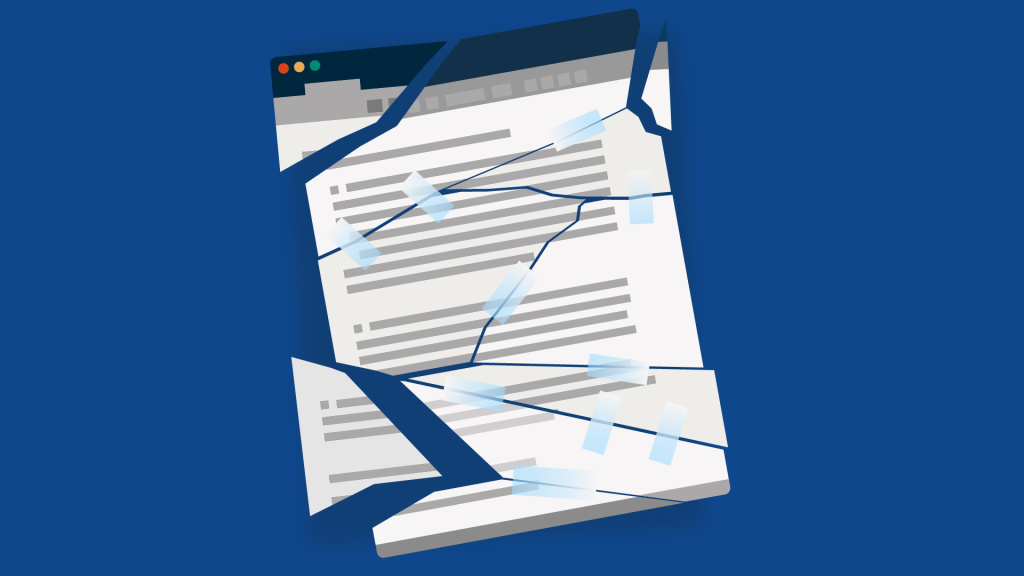
Why does a clean, well-written section fall apart the moment you paste it into Word?
This is a familiar problem for attorneys, paralegals, and anyone drafting in Word. Content limitations get most of the attention, but document-level limitations are also where things break in practice. At this stage, the problem shifts from content to structure. Word operates on its own underlying rules, and even strong AI output can break when it doesn’t align with them.
The most common document-level limitations fall into four areas.
Style corruption on paste
Word users have reported that pasting into Word can behave unpredictably, with formatting breaking or changing depending on the document and its existing styles.
That’s because when content is pasted from an AI tool, it may not inherit the destination document’s style definitions. Instead, it often carries over direct formatting or defaults to base styles like Normal.
This becomes immediately apparent. An AI-generated argument pasted into a factum that relies on a custom Body Text style may arrive as Normal, or as text that has been manually formatted to appear correct. Visually, it can look fine, but under the surface, the document’s style structure is no longer aligned.
This creates downstream problems: global style updates no longer apply consistently, heading navigation can break, and tables of contents (TOC) or tables of authorities (TOA) may miss or misclassify sections.
Numbering and list definition breakage
Numbering in Word is controlled by list definitions as opposed to the visible numbers on the page. These definitions are embedded within the document and tied to specific styles.
AI-generated content isn’t connected to those definitions. When it’s pasted in, Word often creates a new list instead of continuing the existing one. That’s why numbering breaks, restarts, or unexpectedly jumps.
In a contract using multi-level numbering (1, 1.1, 1.1.1), inserting an AI-generated clause can reset the sequence or shift levels entirely. What looks like a simple formatting glitch is actually a conflict between list definitions. Repairing it usually requires reapplying the correct list style or reconnecting the pasted content to the existing multi-level structure.
The fix is to eliminate the paste layer entirely. Clio for Word writes AI-generated content directly into your document through Word’s API, preserving formatting and styles from the outset and applying proposed edits as Track Changes for lawyer review and approval.
TOC and TOA failure
TOCs and TOAs depend on underlying document metadata. For a TOC, headings must use styles mapped to the correct outline levels. AI-generated headings may look correct but aren’t tied to those levels.
When that happens, they simply disappear from the TOC when it’s generated or updated. In a litigation brief, for example, an AI‑drafted section titled “Argument” might look identical to Heading 2, but if it isn’t actually styled as Heading 2 with the appropriate outline level, it won’t show up in the TOC and will break the document’s structure.
A TOA is even more rigid. Word requires citations to be marked using its Mark Citation tool, which inserts field codes into the document. AI can produce properly formatted citations, but it cannot apply those field codes. As a result, citations will not appear in the TOA unless they’re manually marked.
Section break and page layout disruption
Section breaks control page numbering, headers and footers, and layout settings. They determine how different parts of a document behave. Yet AI-generated content is unaware of these structural boundaries. When pasted into Word, it can overwrite or collapse section settings, resetting page numbers, breaking header or footer links, or unintentionally merging sections.
In formal court submissions such as trial briefs, this often appears in documents where the TOC uses Roman numerals and the main brief switches to Arabic. Pasting an AI‑generated paragraph near the section break can collapse it, causing the argument section to start on page “iv” or pulling the TOC header into the brief.
These issues can’t be resolved with better prompts or more accurate output. They stem from how Word structures documents. AI can generate well-written text, but it doesn’t interact with styles, list definitions, or field codes in the way Word does. That structural gap is what causes these problems, and why they persist in real legal workflows.
These are not problems the AI industry is on track to solve. They are Word‑environment problems that persist no matter how accurate AI‑generated content becomes, because they are built into how Word documents function.
Clio for Word solves this issue for legal professionals by working inside Word natively, writing content directly into the document so structure, styles, and numbering are preserved from the start. Proposed edits appear as Track Changes, making them easy for lawyers to review.
3. Legal workflow-level limitations: What fails at team scale

If document-level issues are what individual attorneys and paralegals notice in daily drafting, workflow-level issues emerge at the firm-wide level. What works for one user in isolation starts to break down when multiple people, templates, and matters are involved.
Template drift
Templates are designed to stabilize drafting, but AI use introduces subtle inconsistencies. When different attorneys and paralegals paste AI-generated content into shared firm templates, they often introduce slight variations in formatting, styles, or list structures.
Over time, these small deviations accumulate. Styles that were meant to be uniform begin to diverge, and numbering definitions become inconsistent across documents. Templates that once worked reliably start to degrade in ways that are difficult to trace to any single change.
The result is familiar: templates fall into a state of disrepair, requiring increasingly frequent and intensive cleanup.
Inconsistent clause language
AI-generated drafting can lead to variation in clause language across users and sessions, even when lawyers are working from similar prompts. For example, requests for standard clauses—such as limitation of liability, termination, or indemnity—may produce slightly different versions each time.
Even when the meaning is the same, the wording varies. Over time, this creates inconsistency across agreements, briefs, and other client work. The firm’s documents start to appear less uniform, even when they address the same legal concepts.
Collaboration formatting confusion
Collaboration issues emerge as documents move between parties.
A partially AI-generated document can start to behave unpredictably once a senior partner or opposing counsel begins editing it.
Hidden style conflicts that weren’t obvious in the original draft become formatting problems, including broken numbering, misaligned headings, and inconsistent spacing, leaving the receiving attorney to deal with complicated structural issues.
This becomes especially costly during collaborative review, where structural inconsistencies can multiply across revisions and slow down the process, turning it into formatting triage.
No institutional learning
AI prompting is typically individual and informal. Each attorney develops their own way of prompting, editing, and integrating AI output into documents.
Because workflows are not standardized, there’s no shared system, no consistent methodology, and little knowledge transfer when lawyers leave or join the firm. Without structured legal knowledge management, firms risk solving the same drafting problems repeatedly instead of building institutional knowledge, leading to fragmentation.
At the workflow stage, the issue is no longer the quality of AI-generated text. It’s whether that text can move reliably through a shared drafting system. These issues tend to compound, undermining consistency, quality control, and collaboration across the firm.
4. Ethical and professional limitations you still need to manage

At this stage, the constraints extend beyond technical and workflow considerations into the professional obligations that govern AI use in Word-based drafting.
The starting point is Rule 1.6, which deals with confidentiality of information. Before using AI tools, attorneys must understand where document data is being processed, whether it’s stored or transmitted externally, and how that aligns with firm confidentiality obligations and client instructions.
The rule on competence is equally important. ABA Formal Opinion 512 makes it clear that lawyers must understand the benefits and limitations of the tools they use. In this context, that includes how AI functions with Word’s structure and where it can introduce risk, including the risk of hallucinations. As previously mentioned, inaccurate or fabricated legal references can appear authoritative in well-formatted documents, increasing the burden on lawyers to verify outputs before filing or client delivery.
Disclosure obligations vary by jurisdiction and continue to evolve. Some require client notice or consent in certain AI use cases, while others focus on general professional responsibility principles. Attorneys must consult the AI rules that apply in their jurisdiction rather than assume a uniform national approach.
Supervision under Rule 5.3 encompasses more the substance of AI-generated text. When AI is used in Word, lawyers remain responsible for both the accuracy of the output and how that content is integrated into the document, including its structure, formatting, and whether the document will hold up when shared, edited, or filed.
Ultimately, ethical practice requires that AI-generated content function reliably within the Word documents lawyers depend on.
How to address each limitation type in your legal workflow
Each layer of AI limitation calls for a different kind of response. The goal is to build a workflow that anticipates and contains them before they affect other areas of work.
Content
At the content level, the primary risk is substantive accuracy. Because AI can produce convincing yet incorrect legal analysis, verification is essential. Citation checks should be a standard step, and lawyers should confirm jurisdiction-specific accuracy and run a defined term audit to ensure consistency across the document.
Clio for Word supports this process by surfacing cited legal research directly within Word, helping lawyers verify sources and review AI-assisted content directly from the document and facilitating responsible AI-assisted drafting.
Document
Document‑level issues are structural. AI output often disrupts Word’s formatting, styles, and numbering, which creates downstream instability. To reduce the risk of importing hidden formatting, set “Keep Text Only” as the default paste behavior. After inserting AI‑generated text, verify styles, headings, and list levels immediately rather than waiting until the end. TOCs and TOAs should be generated only after the document is fully finalized, or they will require repeated rework.
Workflow
Workflow limitations can introduce inconsistency and inefficiency across teams. When prompting and drafting vary from person to person, it can lead to uneven results. To counter this, try to standardize where possible: use firm‑approved templates, maintain shared clause libraries, and develop common prompting guidelines for recurring tasks. Document automation tools can also help reduce variation and support a more consistent, predictable drafting process.
Clio Work’s skills feature addresses the prompting side of this directly: a lawyer can describe how they want a task done once, in plain language, and Clio Work applies that same approach automatically the next time, without having to re-prompt from scratch. Skills can remain private to a single user or be shared firm-wide, turning one lawyer’s preferred approach into a standard the whole team can draw on.
Ethical and professional
For ethical and professional limitations, lawyers remain responsible for all outputs, regardless of how they’re generated. To manage that responsibility effectively, firm administrators and legal operations professionals evaluating AI tools should establish clear policies on when and how AI can be used. Create disclosure templates where appropriate, set criteria for assessing tools, and define supervision protocols for reviewing AI‑assisted work. As bar association guidance continues to evolve, align firm practices with current recommendations and update them regularly.
Together, these measures turn AI from a source of risk and instability into an effective part of your drafting process, supporting your work rather than undermining it.
Mastering MS Word and AI
Learn how to put AI to work on your final review, from finding errors buried in long documents to knowing where your judgment still has to come first.
Watch on demand
When Word mastery alone is not enough
You’ve sharpened your Word skills. You can confidently manage styles, headings, and complex document structures. Yet you still find yourself fixing formatting after pasting AI output or dealing with inconsistent drafts across your team.
Word mastery is essential, but not sufficient. Many limitations arise from how AI interacts with it.
At the document level, the core issue is the disconnect between AI‑generated text and Word’s native structure. Tools like Clio for Word that write natively into Word using its API preserve structure from the start, ensuring changes enter the document as native Track Changes rather than foreign formatting.
The challenge expands at the workflow level. Perfectly formatted documents won’t help with inconsistent processes, scattered clauses, or ad hoc prompting across the team. These are infrastructure problems, not drafting problems. Addressing them requires standardized templates, centralized clause libraries, and automation that supports consistency at scale. Clio Draft addresses these workflow‑level gaps, solving the issues AI alone cannot.
Within this multi-layer framework, each layer builds on the one before. Native integration strengthens individual documents by keeping styles, numbering, and structure intact from the moment your content enters Word. However, lasting efficiency requires more than clean documents. Structured workflows, including standardized templates, shared clause libraries, and firm-wide prompting guidelines, promote consistency across matters and teams. That’s what turns AI‑assisted drafting from a series of isolated improvements into a stable, repeatable system.
Make AI work in your drafting workflow
AI limitations in Word-based legal drafting are best understood across four layers: content, document, workflow, and ethical. Each has distinct causes and requires a different response.
Content limitations are improving as models become more reliable. Document and workflow limitations are structural, shaped by how Word functions and how firms operate. Ethical limitations remain constant, grounded in ongoing professional responsibilities.
Addressing them requires the right tools at the right layers. Clio for Word works at the document layer by writing directly into Word, preserving structure from the start. Clio Draft operates at the workflow layer by standardizing drafting at scale. Both rest on the foundation of strong Word mastery.
Used well, AI becomes a reliable part of modern legal drafting, accelerating and elevating your work.
Ready to streamline your drafting and eliminate formatting issues? Discover how Clio will reshape, and transform legal drafting at your firm. Book a Demo.
What are the risks of using AI for legal drafting?
The primary risks fall into four categories: inaccurate or outdated legal content (content level), broken document structure and formatting inconsistencies (document level), workflow instability across teams, and professional responsibility risks.
Can AI generate a Table of Contents or Table of Authorities in Word?
AI can suggest or draft entries, but it cannot reliably generate functional Tables of Contents or Authorities in Word. These depend on structured styles, headings, and field codes. Without proper Word formatting, AI-generated lists won’t update dynamically or meet court requirements, making manual setup or validation essential.
Why does AI-generated text break my Word formatting?
AI generates text without Word-native structure. When pasted into a document, it often overrides styles, disrupts numbering, and breaks cross-references. Word relies on underlying formatting systems, such as styles, fields, and sections, that AI doesn’t control. Without careful handling, even strong content can damage the document’s structure.
Are AI legal drafting limitations improving over time?
Some of the limitations of AI legal drafting are improving, especially content accuracy through better models and retrieval. Others, like formatting, numbering, and field behavior in Word, are structural and unlikely to change.
How do I scale AI drafting across my firm without losing document consistency?
Scaling requires standardization. Firms need defined templates, style systems, and centralized clause libraries, along with workflow tools that integrate AI into structured processes. Without this foundation, AI amplifies inconsistency rather than reducing it.
Do I still need Microsoft Word skills if I use AI for legal drafting?
Yes, arguably more than ever. AI handles content generation, but Word controls how that content functions. Skills in styles, formatting, numbering, and document structure are essential to make AI output usable. Without them, you lose efficiency gains and end up with documents that are harder to fix, share, and finalize.
How does Clio Work help reduce AI hallucinations?
Clio Work reduces hallucinations by grounding outputs in verifiable legal sources and matter-specific data rather than relying on general-purpose model training alone. This helps ensure that generated legal content is tied to real authorities and the specific context of the matter being worked on.
Mastering MS Word and AI
Learn how to put AI to work on your final review, from finding errors buried in long documents to knowing where your judgment still has to come first.
Watch on demand